
LMS Implementation Guide: Steps for a Successful Launch
Learn how to successfully implement an LMS with practical steps for planning, content preparation, configuration, testing, training, launch, and ongoing improvement.
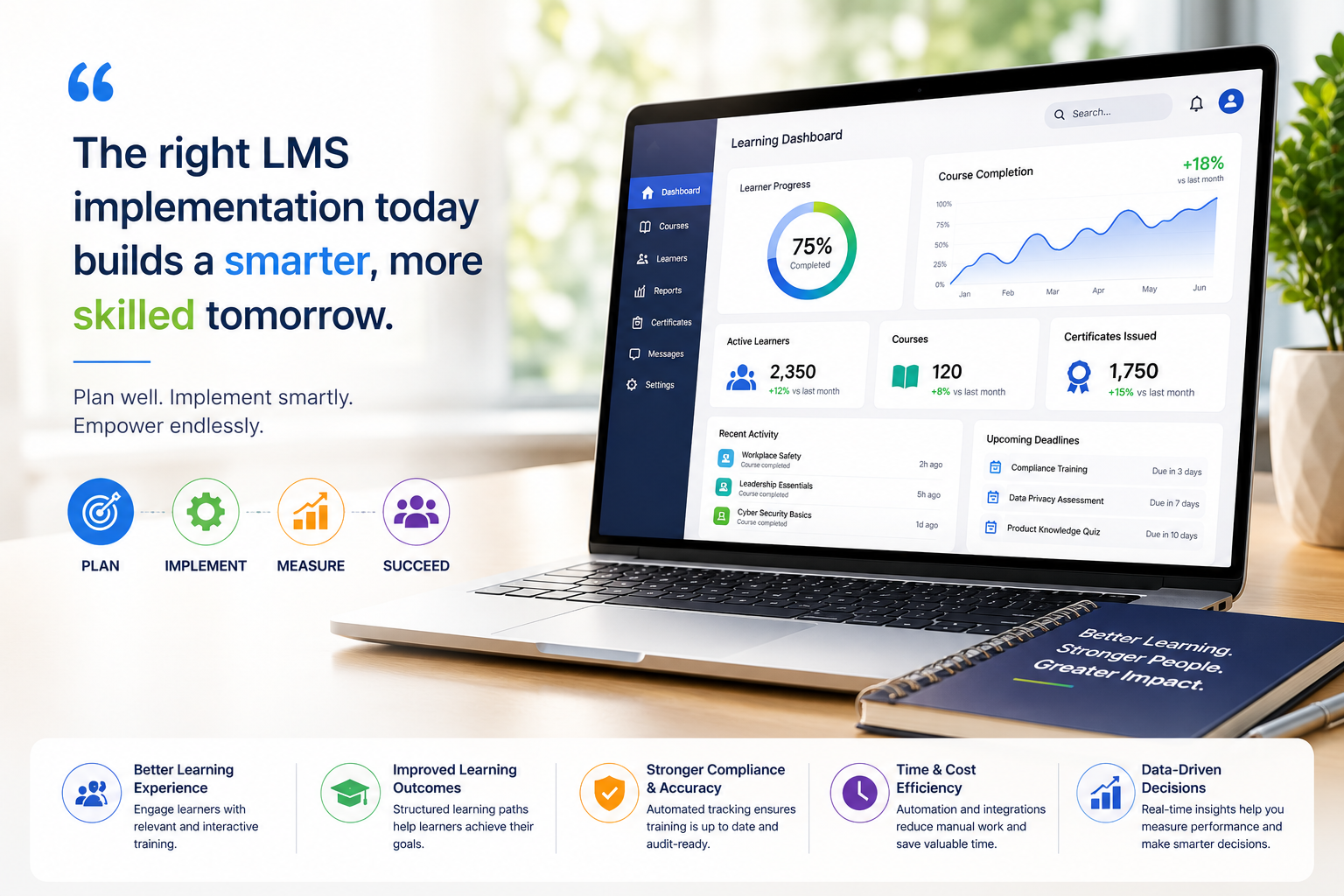
Table of Contents ▼
Quick Answer
A successful LMS implementation takes more than choosing the right platform. This guide breaks down 10 essential steps for planning, configuring, testing, launching, and optimizing an LMS. Learn how to align training goals with business needs, organize content, integrate essential tools, prepare users, measure performance, and drive long-term learner adoption.
Key Takeaways
- Plan before implementation: Define goals, assign responsibilities, and create a clear LMS implementation roadmap.
- Prioritize user experience: Organize content, configure the LMS properly, integrate essential tools, and train users before launch.
- Measure and improve: Track learner engagement, course completion, and performance to continuously improve your training program.
Launching a Learning Management System (LMS) can transform how your organization delivers training. But buying the right platform is only the beginning. Without a clear strategy, even the best LMS can lead to low engagement, missed deadlines, and frustrated learners.
A well-planned launch creates a better experience for everyone involved. It helps employees learn faster, keeps training organized, and delivers measurable results.
This LMS implementation guide will walk you through each stage of the process, helping you launch with confidence and build a learning program that lasts.
Why LMS Implementation Matters for Business Success
Choosing an LMS is an important decision. Making it work successfully is even more important. Many organizations spend weeks comparing features, pricing, and integrations. Then they rush the implementation. That is where problems often begin.
Without a clear implementation plan, learners may struggle to navigate the platform. Training materials can become disorganized, and teams may not know who is responsible for each task. As a result, adoption can slow, and the organization may not realize the full value of its LMS.
A structured implementation process keeps everyone aligned. It connects learning goals with broader business objectives, improves collaboration, and creates a consistent training experience from the start.
The benefits also continue after launch. Employees can access learning resources more easily. Managers get better visibility into training progress. Administrators spend less time fixing problems and more time improving the learning experience.
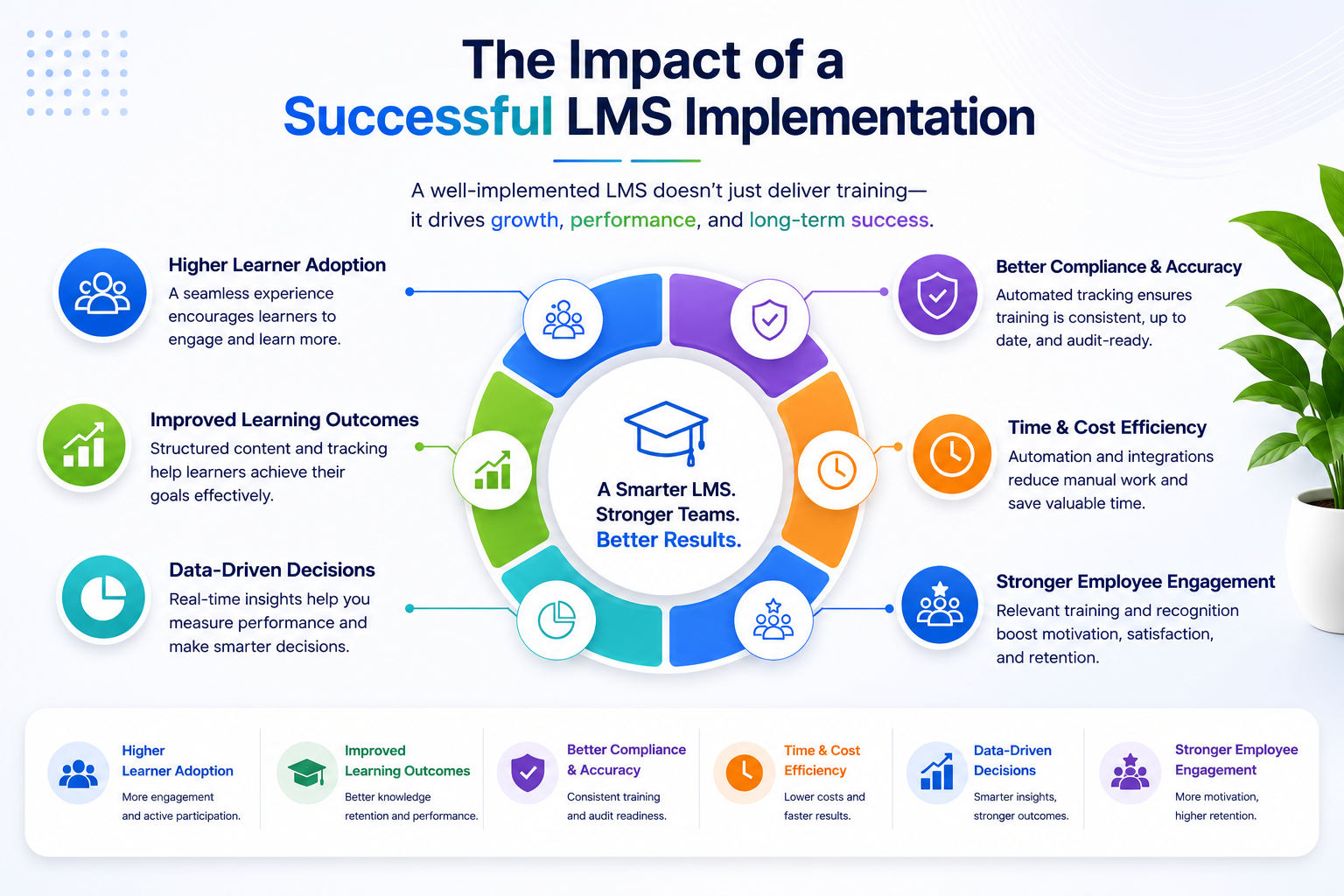
A successful LMS rollout can help your organization:
- Increase learner adoption.
- Improve course completion rates.
- Boost employee engagement.
- Reduce technical issues.
- Track learning performance more accurately.
- Maximize the return on your LMS investment.
Think of your LMS as a new office building. A great design means little without a strong foundation. The same applies to digital learning. Careful planning creates a smoother launch and better learning outcomes.
What Is LMS Implementation?
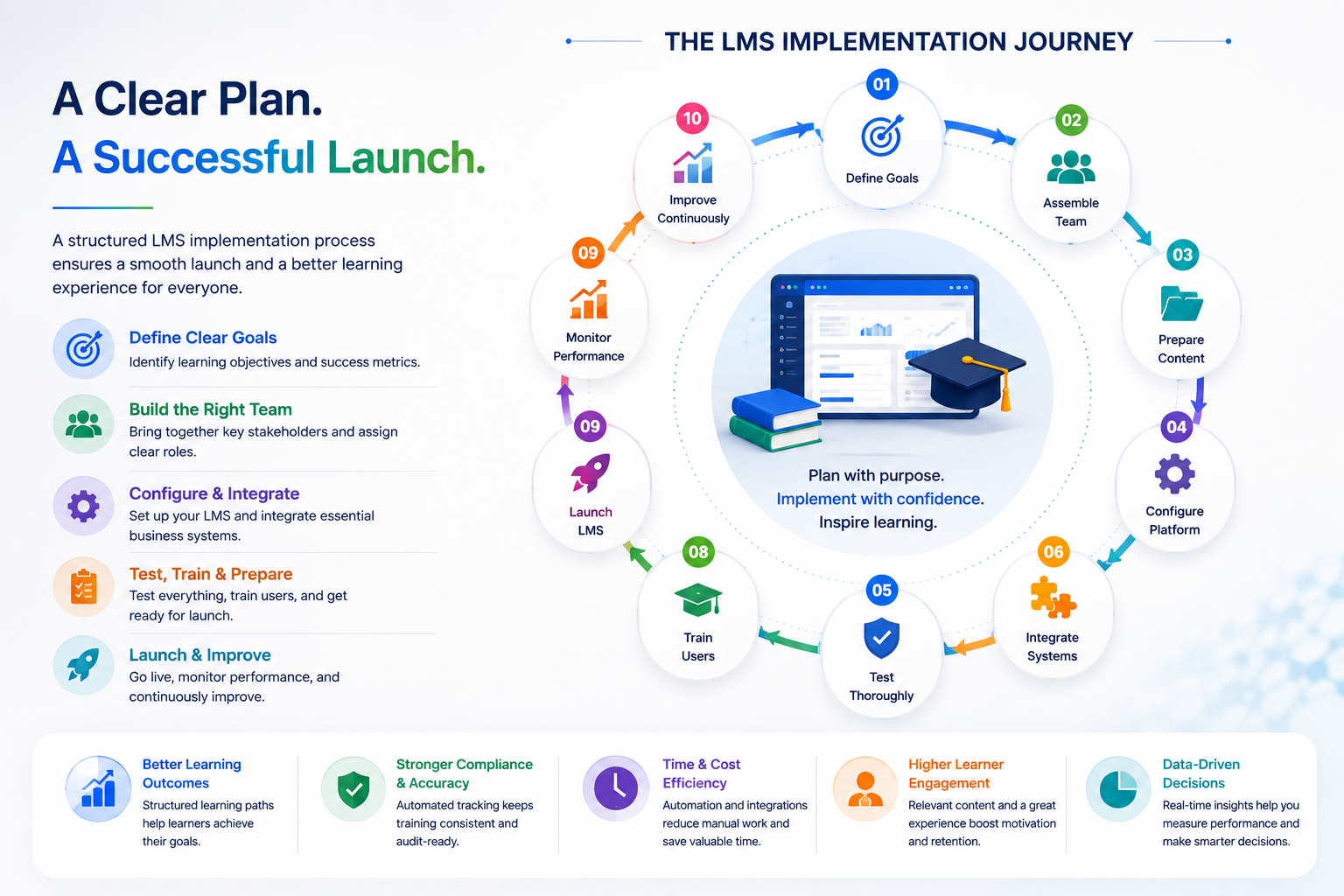
LMS implementation is the process of planning, configuring, testing, and launching a Learning Management System. It goes beyond simply installing software. The goal is to create a learning environment that is easy to manage and simple for learners to use.
The process begins well before learners log in for the first time. Start by defining your learning goals and organizing your training content. Then configure the platform, assign user roles, connect key business systems, and test everything before launch.
Every organization has different training needs. A growing company may prioritize employee onboarding. A university may need virtual classrooms and online assessments. A healthcare organization may focus on certification tracking and compliance training.
A typical LMS implementation roadmap includes:
- Define learning goals and business objectives.
- Select the right LMS.
- Build an implementation team.
- Prepare and organize learning content.
- Configure the learning platform.
- Integrate existing business systems.
- Test the platform thoroughly.
- Train administrators and learners.
- Launch the LMS.
- Monitor performance and make improvements.
Every step matters. Skipping one can create problems later. For example, poor planning can delay the rollout, while limited user training can hurt adoption and engagement.
The good news is that most implementation challenges are preventable. With a clear roadmap and the right strategy, your organization can launch an LMS that supports continuous learning, employee development, and long-term growth.
Pre-Implementation Planning for a Successful LMS Launch
Every successful LMS launch starts with a solid plan. Think of this stage as the blueprint for your project. The time you invest now will save you from costly mistakes later. Careful planning helps your team work together. It reduces delays and makes the LMS easier for administrators and learners.
Instead of rushing into setup, focus on building a strong foundation first. Let’s walk through the key steps.
Step 1: Define Clear Learning Goals
Before choosing features or uploading courses, ask yourself one important question:
What do you want your LMS to achieve?
Your answer will shape every decision you make throughout the project.
Maybe your goal is to onboard new employees faster. Your goal may be better compliance training, remote learning, or self-paced courses for customers. Whatever the aim, make it specific and measurable.
For example, your goals might include:
- Reduce employee onboarding time by 30%.
- Increase course completion rates.
- Improve workforce skills.
- Deliver consistent training across many locations.
- Track learner progress more accurately.
Clear objectives make it easier to measure success after launch. They also help you choose the right features, organize your content, and see if your training is working. Set SMART goals. Make them Specific, Measurable, Achievable, Relevant, and Time-bound.
Step 2: Build the Right Implementation Team
Launching a learning platform is a team effort. IT plays an important role. But a successful LMS launch needs support from the whole organization. Bringing the right people together early helps avoid confusion and speeds up decision-making. Your implementation team may include:
| Team Member | Primary Responsibility |
|---|---|
| Project Manager | Oversees the project timeline and coordinates the team. |
| HR or L&D Manager | Defines learning objectives and training programs. |
| IT Team | Handles system setup, integrations, security, and technical support. |
| Department Managers | Share business requirements and learner feedback. |
| LMS Administrator | Configures and manages the platform. |
| Content Creators | Develop, organize, and update learning materials. |
Assign clear responsibilities from the beginning. When everyone knows their role, they work better together. Problems are solved faster, and the project stays on track.
Step 3: Choose the Right LMS for Your Organization
Not every LMS is built for the same purpose. The best choice is one that fits your current needs while supporting future growth. Do not choose an LMS based only on price. Pick one that supports your learners, your team, and your business goals.
Look for features such as:
- Easy-to-use interface
- Mobile learning support
- Learning analytics and reporting
- Course authoring tools
- Gamification and learner engagement features
- Third-party integrations
- Strong security and data protection
- Scalable pricing plans
Also consider the user experience. If learners struggle to navigate the platform, they are less likely to complete their training. Take advantage of free trials, live demonstrations, or pilot programs whenever possible. When it comes to choosing a platform, test runs help you better understand its appeal to your company.
Step 4: Create a Detailed LMS Implementation Plan
A successful launch doesn’t happen by accident. It follows a clear roadmap. A well-structured LMS implementation plan keeps every task organized and ensures the project moves forward without unnecessary delays. Your plan should include:
- Learning objectives
- Project milestones
- Timeline and deadlines
- Team responsibilities
- Budget allocation
- Potential risks
- Success metrics
Break large tasks into smaller milestones. It simplifies the project and enables your team to spot issues before they become a big problem. A detailed roadmap also increases accountability as everyone is aware of what should be done and when it should be completed.
Step 5: Prepare and Organize Your Learning Content
Your LMS is only as useful as the content inside it. Before uploading courses, review your existing training materials and remove anything outdated, duplicated, or irrelevant.
Organize content into clear categories and learning paths. Check every video, document, quiz, link, and downloadable resource to make sure it works correctly.
Pay attention to:
- Outdated training materials
- Broken links
- Missing videos or files
- Inconsistent formatting
- Duplicate courses
- Unclear course titles or descriptions
- Content that is difficult to navigate
A clean content library makes it easier for learners to find what they need. It also helps administrators manage courses more efficiently.
Once your content is ready, you can move on to configuring the LMS, connecting your business tools, and preparing the platform for testing.
Step 6: Configure Your LMS for a Better Learning Experience
Now it’s time to bring your learning platform to life. LMS configuration is more than changing settings. It shapes how learners interact with the platform every day. A well-configured LMS creates a smooth learning experience, while poor setup can make navigation difficult, reduce adoption, and limit your return on investment.
Key configuration steps include:
- Set up user roles and permissions to ensure learners, instructors, and administrators have the right access levels.
- Create departments or learning groups, add branding elements, and customize welcome messages to make the platform feel familiar.
- Configure learning paths, certifications, course categories, notifications, and enrollment rules to organize the learning experience.
- Use strong authentication, role-based access, and secure password practices to protect learner data.
- Review your content carefully by removing outdated materials, fixing broken links, checking videos, and organizing courses into clear learning sequences.
- Maintain a clean and easy-to-use interface so learners can quickly find courses and complete training without confusion.
A clean, secure, and well-organized LMS setup creates a better experience for learners, administrators, and instructors from day one. Don’t overlook security. Ensure that learner data is secure through robust authentication, role-based access, and secure password practices.
Maintain a clean, easy-to-use interface. If learners can quickly find their courses, they are more likely to stay engaged and complete their training.
Step 7: Integrate Your LMS with Existing Business Systems
Your LMS should work seamlessly with the tools your organization already uses. Integrations save time and reduce manual work. They also improve accuracy and make the LMS easier to use for everyone.
Depending on your needs, you may connect your LMS with:
- Human Resource Information Systems (HRIS)
- Customer Relationship Management (CRM) software
- Video conferencing platforms
- Communication tools like Microsoft Teams or Slack
- Single Sign-On (SSO)
- Calendar and scheduling applications
For instance, HR can automatically create an LMS account when a new employee joins the company. The system can then assign the employee’s required onboarding courses. This reduces manual work and saves administrators time.
Before launch, test every integration carefully. Even a small syncing issue can affect learner access, course assignments, or reporting.
Step 8: Test Everything Before Going Live
Testing is one step you should never skip. Think of it as a final rehearsal before the official launch. Invite a small group of administrators, instructors, and learners to explore the platform. Their feedback can help uncover issues that might otherwise go unnoticed. During testing, confirm that users can:
- Log in without problems.
- Access assigned courses.
- Watch videos and download resources.
- Complete quizzes and assessments.
- Receive certificates after course completion.
- View accurate reports.
- Receive emails and notifications.
- Use the platform smoothly on mobile devices.
Record every issue, no matter how small. Fix problems before launch. This gives learners a better first impression. It also helps them feel confident from day one.
Step 9: Train Administrators and Learners
No matter how easy the LMS is to use, there’s a certain amount of direction that’s needed. Users feel confident, and support requests will be reduced after the launch if they are properly trained.
Start with administrators. Demonstrate to them how to build courses, add students to courses, control permissions, provide reports, and track student progress. Then, brief introduction of the platform to the learners. Teach them how to:
- Sign in.
- Find assigned courses.
- Complete learning activities.
- Take assessments.
- Download certificates.
- Track their progress.
Make training sessions short, hands-on, and interactive. You can also produce videos that will be available as quick tutorials, FAQs, or a simple user guide so that learners can refer to them when they need assistance. The more user-friendly the platform is, the quicker people will embrace it.
Step 10: Launch Your LMS and Keep Improving
Your launch day is an important milestone. But it is only the beginning of your learning journey. After your LMS goes live, see how learners use it. Find ways to improve their learning experience. Track key performance indicators such as:
- User login rates
- Course completion rates
- Assessment results
- Learner engagement
- Feedback scores
- Time spent learning
These insights show what is working and where improvements are needed. Ask learners for regular feedback. Simple questions can reveal valuable ideas:
- Was the platform easy to use?
- Did the training meet your expectations?
- What could be improved?
Small updates made over time often lead to better engagement and stronger learning outcomes. The best organizations know that LMS implementation never stops. They keep improving it over time.
Common LMS Implementation Mistakes to Avoid
Even well-planned projects can face challenges. Knowing the most common mistakes can help you avoid them. Watch out for these mistakes:
- Starting without clear learning goals.
- Choosing an LMS based only on price.
- Ignoring learner feedback.
- Uploading outdated or poorly organized content.
- Skipping system testing.
- Providing little user training.
- Failing to measure performance after launch.
Avoiding these mistakes gives your team a stronger foundation for LMS adoption. It also helps your organization get more value from its learning platform.
LMS Implementation Checklist
Before launching your LMS, review this quick checklist to make sure everything is ready.
| # | Task | Status |
|---|---|---|
| 1. | Learning goals have been clearly defined. | ✓ Complete |
| 2. | The implementation team is in place. | ✓ Complete |
| 3. | The right LMS has been selected. | ✓ Complete |
| 4. | Learning content has been reviewed and organized. | ✓ Complete |
| 5. | Platform settings have been fully configured. | ✓ Complete |
| 6. | Business systems have been successfully integrated. | ✓ Complete |
| 7. | System testing has been completed. | ✓ Complete |
| 8. | Administrators and learners have been trained. | ✓ Complete |
| 9. | Success metrics have been established. | ✓ Complete |
| 10. | Post-launch support is in place. | ✓ Complete |
Conclusion
A successful LMS implementation is about more than launching new software. It is about creating a learning experience that supports people, strengthens skills, and helps your organization achieve long-term business goals.
Start with a clear strategy. Build the right team. Prepare quality learning content. Test every feature before launch, and continue improving after the platform goes live.
Remember, the best LMS is not simply the one with the most features. It is the one your people enjoy using. Plan carefully, launch with confidence, and keep improving. That is the foundation of long-term learning success.
Sources & References
- LMS Implementation: a strategic guide for organisations
- LMS implementation guide: Steps and best practices for better learning
- The Ultimate Guide to S.M.A.R.T Goals
- What is Learning Analytics?
- Micro-Learning Module
- What Is Role-Based Access Control (RBAC)?
- What Is Single Sign-On (SSO)? | IBM
- What is HRIS? (Human Resource Information System)
- KPIs: What Are Key Performance Indicators? Types and Examples
Frequently Asked Questions
QHow long does LMS implementation usually take?
It depends on the size of your organization, the amount of content, and your technical needs. A small LMS project may take a few weeks, while a larger implementation can take several months.
QWho should be involved in an LMS implementation?
An LMS implementation works best when different teams are involved. A project manager can lead the process, while HR, L&D, IT, department managers, and LMS administrators handle their areas. Clear responsibilities help keep the project moving.
QWhat is the biggest challenge when implementing an LMS?
User adoption is often one of the biggest challenges. Even a powerful LMS will not deliver results if people do not use it. Clear communication, simple training, and ongoing support can make the transition much easier.
QCan a small business benefit from an LMS?
Absolutely. Small businesses can use an LMS to organize employee training, simplify onboarding, track progress, and reduce repetitive administrative work. The key is choosing a platform that fits the company's actual needs.
QHow can you tell if an LMS implementation is successful?
Look beyond whether the LMS is up and running. Track course completion, learner engagement, assessment results, login activity, and user feedback. These metrics can show what is working and where your training program needs improvement.