
Why Learners Skip Pop-Ups and How Better Design Changes That
Learn why users often ignore pop-ups and how effective pop up design and editing can improve engagement, learning outcomes, user experience, and digital interactions
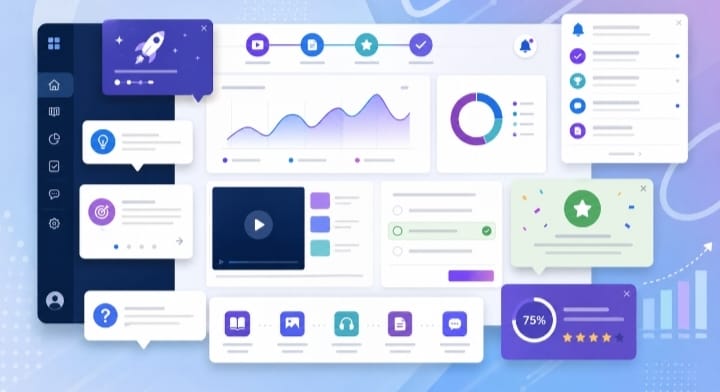
Table of Contents ▼
Quick Answer
Pop ups are small but powerful elements that guide learners and users through digital experiences. This article explains the importance of pop up design and editing, common challenges, different types of pop ups, and how well-designed pop ups improve engagement, learning, and performance
Key Takeaways
- Pop ups provide timely information without interrupting the user's workflow.
- Effective pop up design improves engagement, learning, and task completion.
- Pop up editing involves improving clarity, timing, placement, and usability
- Different types of pop ups serve different purposes, including instructional, feedback, and notification functions.
- Poorly designed pop ups can create frustration and reduce user engagement.
- Well-designed pop ups support learning retention and reduce cognitive overload.
- * Organizations can use pop ups strategically to improve digital experiences and training outcomes.
Why Learners Skip Pop-Ups and How Better Design Changes That
Pop Up Design and Editing: A Small Component with a Big Impact
Find out how professional Pop Up Design and Editing can enhance user engagement, learning, and digital experiences. Discover the importance of pop ups, their various forms, common issues, and how TheEduAssist empowers companies to create meaningful, learner centered experiences.
Why This Little Component Warrants a Closer Look
Have you ever clicked a word for its meaning, received instant feedback on an online test, or found a brief instruction right when you needed it? That quick, timely, useful moment is the power of pop up design.
The modern digital world does not reward long explanations or lengthy pages. Users want
This is why Pop Up Design and Editing is an essential part of eLearning solutions, corporate training, websites, and digital platforms, and why organizations turn to specialists like TheEduAssist to get it right.
What Is a Pop Up?
A pop up is a small overlay element that appears on top of existing content to deliver a message, instruction, or interaction, without pulling the user away from their current task.
Pop ups are designed to:
- Deliver real time information
- Guide users step by step
- Reinforce learning
- Prompt quick actions or responses
Unlike full pages, pop ups are contextual, focused, and brief. They appear when needed, and disappear once the task is complete.
What Is Pop Up Editing?
Pop up editing is the process of refining pop up content and design to make sure it is:
- Clear and easy to understand
- Visually clean and on brand
- Aligned with learning or business goals
- Convenient and easy to navigate
Editing goes far beyond grammar. It includes:
- Breaking down complex information
- Improving formatting and clarity
- Adjusting timing and placement
- Maintaining consistency across platforms
- Removing clutter to sharpen the message
As part of TheEduAssist’s instructional design services, pop up editing ensures that every word, icon, and interaction serves a real purpose.
Applications of Pop Up Design and Editing
Pop ups are everywhere, often unnoticed, yet essential.
In eLearning and Corporate Training
- Definitions of technical terms
- Scenario hints and tips
- Instant quiz feedback
- Safety instructions
- Knowledge reinforcement
On Digital Platforms and Websites
- Feature explanations
- Onboarding guidance
- Help and support messages
- Notifications and confirmations
In Workplace Tools and Applications
- Process instructions
- Error alerts
- Decision prompts
- Performance feedback
Pop ups are used wherever users need clarity without interruption.
Why Pop Up Design and Editing Matter
People do not read manuals, and their behavior online reflects that.
Today’s users:
- Skim rather than read closely
- Prefer short, visual explanations
- Learn better through interaction
- Need help exactly at the moment of action
Pop ups meet these needs by delivering just in time information, not too early and not too late.
Without proper pop up design:
- Learners feel lost
- Users make unnecessary errors
- Engagement drops
- Training fails to translate into real action
The Growing Importance of Pop Up Design
Pop ups may be small, but their impact is significant.
Well designed pop ups:
- Improve learning retention
- Reduce cognitive overload
- Increase user confidence
- Support microlearning strategies
- Strengthen the overall user experience
They help bridge the gap between knowing and doing in corporate learning, and reduce confusion and frustration across digital products. This is why pop up design should be treated as a strategic UX tool, not just a visual add on.
Types of Pop Ups
Understanding the different types of pop ups helps ensure they are designed correctly.
Informational Pop Ups Quick explanations, definitions, or clarifications.
Instructional Pop Ups Step by step guidance during tasks or learning activities.
Interactive Pop Ups Decision points, branching scenarios, or quizzes that engage the learner directly.
Feedback Pop Ups Immediate responses to user actions, whether correct, incorrect, or improvement focused.
Notification and Alert Pop Ups System messages, alerts, confirmations, or reminders.
Each type serves a distinct purpose and needs careful design and editing.
How Pop Ups Show Up in Everyday Life
Pop ups quietly support us in many ways:
- Learning new skills online
- Completing tasks correctly at work
- Navigating applications with ease
- Making faster, better decisions
In learning environments, they act as a silent coach, guiding without overwhelming. At work, they help prevent mistakes before they happen.
The Impact of Effective Pop Up Design
When pop ups are implemented well, they:
- Improve interaction and engagement
- Strengthen understanding and memory
- Reduce learner frustration
- Support self paced learning
- Improve overall training outcomes
When implemented poorly, pop ups can instead:
- Interrupt the learning flow
- Overwhelm users with text
- Feel intrusive or irrelevant
- Reduce trust in the system
This is exactly why skilled design and editing matter.
Common Challenges in Pop Up Design and Editing
Many organizations run into recurring issues, including:
- Too much information crammed into a small space
- Inconsistent branding and tone
- Poor timing or placement
- Lack of a clear instructional plan
- Accessibility gaps
Using Pop Up Design and Editing to Your Advantage
Thoughtfully designed pop ups:
- Guide users at the right moment
- Explain complex information instantly
- Reinforce learning without repetition
- Encourage the right behaviors and choices
- Elevate the overall digital experience
Instead of creating confusion, they turn understanding into action and learning into practice.
How TheEduAssist Helps With Pop Up Design and Editing
At TheEduAssist, we know that pop ups are not just design elements, they are learning moments.
Our approach combines:
- Instructional design expertise to align pop ups with learning goals
- Clear, easy to understand content writing
- Clean, user friendly UI and UX design
- Thorough and consistent quality assurance
We help organizations:
- Create valuable, non distracting pop ups
- Revise and improve existing pop ups
- Boost learner engagement and retention
- Build professional, scalable digital learning experiences
With TheEduAssist, pop ups do not disrupt learning, they make it more effective.
Conclusion
Pop Up Design and Editing might seem like a small part of the digital experience, but it plays a major role in how people learn, communicate, and act.
When strategically designed, pop ups:
- Support users exactly when they need it most
- Make learning more effective and engaging
- Turn information into real action
At TheEduAssist, we believe every interaction matters, and pop ups are one of the most powerful tools for making learning meaningful.
Frequently Asked Questions
What is a pop up design in eLearning?
Pop up design in eLearning delivers immediate explanations, feedback, or guidance without interrupting the learning process.
Why does pop up editing matter?
Editing ensures pop ups are clear, concise, and easy to understand while meeting the actual needs of learners.
Are pop ups useful in corporate training?
Yes. When professionally designed, they improve engagement, accuracy, and retention.
Can poorly designed pop ups hurt the user experience?
Yes. Overused or unclear pop ups can annoy users and become counterproductive.
Why choose TheEduAssist for pop up design and editing?
TheEduAssist combines instructional strategy, content expertise, and UX design to create pop ups that genuinely support learning and performance.
Sources & References
- > Interaction Design Foundation – User Experience (UX) Design
- Nielsen Norman Group – Popups: 10 Dos and Don'ts for Effective Design
- Interaction Design Foundation – Cognitive Load in UX Design
Frequently Asked Questions
QWhat is a pop up design in eLearning?
Pop up design in eLearning delivers immediate explanations, feedback, or guidance without interrupting the learning process.
QWhy does pop up editing matter?
Editing ensures pop ups are clear, concise, and easy to understand while meeting the actual needs of learners.
QAre pop ups useful in corporate training?
Yes. When professionally designed, they improve engagement, accuracy, and retention.
QCan poorly designed pop ups hurt the user experience?
Yes. Overused or unclear pop ups can annoy users and become counterproductive.
QWhy choose TheEduAssist for pop up design and editing?
TheEduAssist combines instructional strategy, content expertise, and UX design to create pop ups that genuinely support learning and performance.