
What Payment Methods Does Kajabi Accept?
Wondering what payment methods Kajabi accepts? Learn about Kajabi Payments, cards, Apple Pay, Google Pay, Afterpay, Klarna, PayPal, and Stripe.
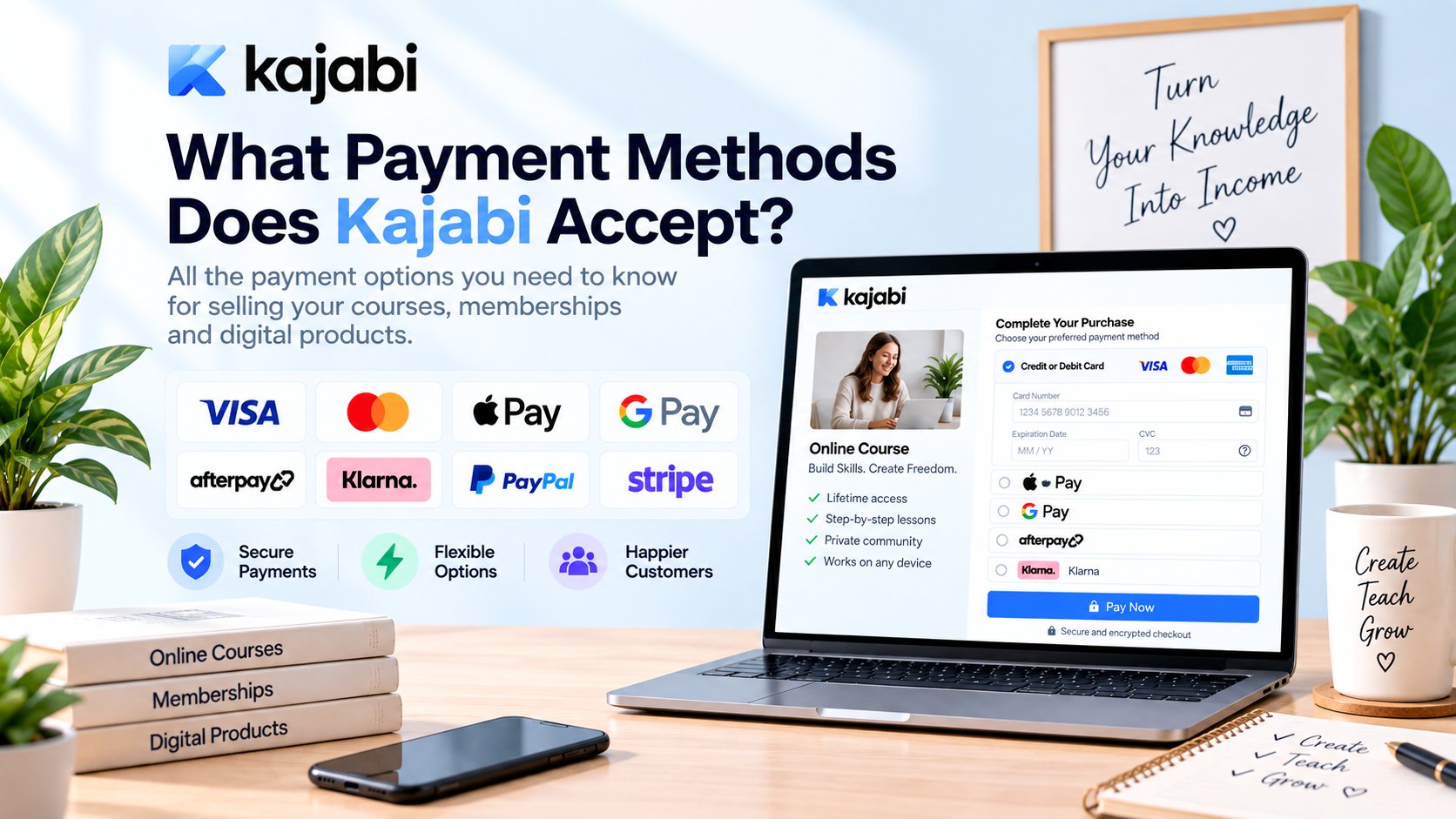
Table of Contents ▼
Quick Answer
Kajabi supports major credit and debit cards, Apple Pay, Google Pay, Afterpay, and Klarna through Kajabi Payments. Businesses can also use PayPal and Stripe integrations, depending on their location, account setup, and requirements. The best payment setup depends on factors such as customer preferences, pricing, business model, regional availability, and existing payment infrastructure.
Key Takeaways
- Kajabi Payments supports multiple payment options, including major cards, Apple Pay, Google Pay, Afterpay, and Klarna where eligible.
- PayPal and Stripe can also be connected through integrations, giving businesses additional payment-processing choices.
- Payment availability varies by location and eligibility, so businesses should choose and test payment options based on their customers, pricing, and business needs.
If you are planning to sell online courses, memberships, coaching programs, or digital products through Kajabi, your checkout experience deserves just as much attention as your sales page. Customers want a payment process that feels familiar, secure, and convenient. If their preferred payment option is missing, even an interested buyer may leave before completing the purchase.
So, what payment methods does Kajabi accept? Kajabi supports several options through its payment infrastructure, including major credit and debit cards, Apple Pay, Google Pay, Afterpay, and Klarna through Kajabi Payments. Sellers can also connect payment services such as PayPal and Stripe, depending on their location, account configuration, and business needs.
Understanding the available Kajabi payment methods can help you choose a checkout setup that fits your audience. Whether you sell a $30 digital product or a high-ticket coaching program, offering appropriate payment options can make the buying process much easier.
Kajabi Payment Methods at a Glance
Kajabi provides a combination of native payment processing and third-party integrations. Kajabi Payments is the platform’s integrated payment solution, while Stripe and PayPal can be connected separately for businesses that prefer those services.
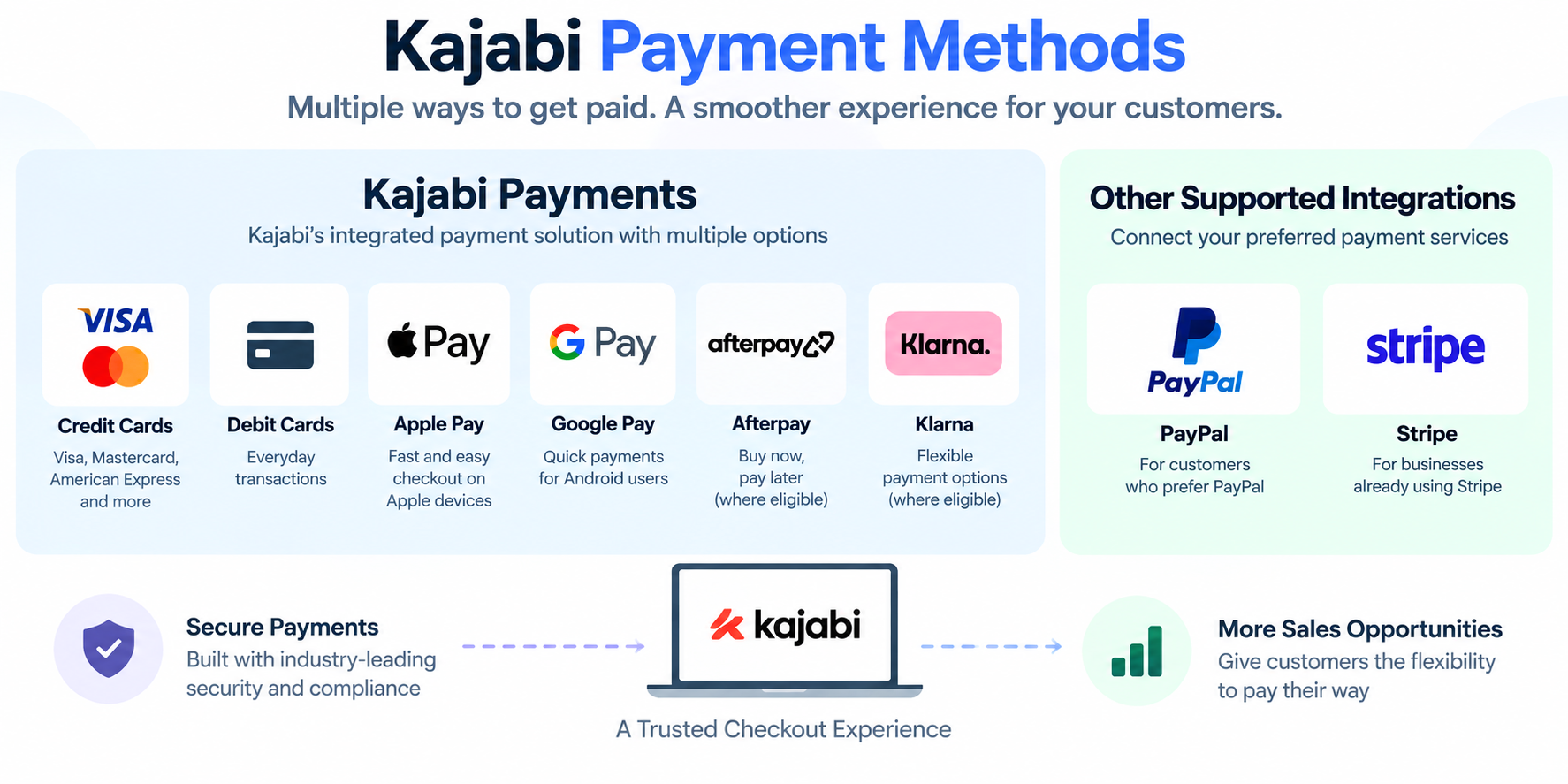
Here is a quick overview of the main options:
| Payment Method | Availability | Best For |
| Credit cards | Kajabi Payments | Standard online purchases |
| Debit cards | Kajabi Payments | Everyday transactions |
| Apple Pay | Kajabi Payments | Fast mobile checkout |
| Google Pay | Kajabi Payments | Digital-wallet users |
| Afterpay | Kajabi Payments, where eligible | Flexible purchases |
| Klarna | Kajabi Payments, where eligible | Buy-now-pay-later purchases |
| PayPal | Supported integration | Customers who prefer PayPal |
| Stripe | Supported integration | Businesses already using Stripe |
The exact Kajabi payment options displayed at checkout can vary based on factors such as your location, customer location, currency, payment processor, and eligibility requirements. Verify your specific account configuration before launching an offer.
Does Kajabi Accept Credit and Debit Cards?
Yes. Kajabi credit card payments are supported through Kajabi Payments, along with debit-card transactions. Cards remain one of the most straightforward ways for customers to purchase online products, making them an essential option for most Kajabi businesses.
The process is simple for the customer: they enter the required card information, complete payment, and gain access to the offer they paid for. The fact that this is so simple makes it possible to pay for anything you’re selling via Kajabi, even the smaller digital goods and the higher-end education.
When customers are ready to make an instant purchase, credit and debit cards are convenient. If the payment process is complicated, it can cause friction, but if the checkout process is familiar, the final step is easy.
When installing Kajabi for the first time, one of the things you should look into is testing your card checkout. Ensure the transaction is successful and the customer gets the right product or access upon successful payment.
Does Kajabi Accept Apple Pay and Google Pay?
Yes. Kajabi Apple Pay and Kajabi Google Pay are available through Kajabi Payments, giving customers convenient digital-wallet alternatives.
Digital wallets can be particularly useful for mobile shoppers. Creators who enable Apple Pay and Google Pay see up to 30% higher conversion at checkout on Kajabi Payments.
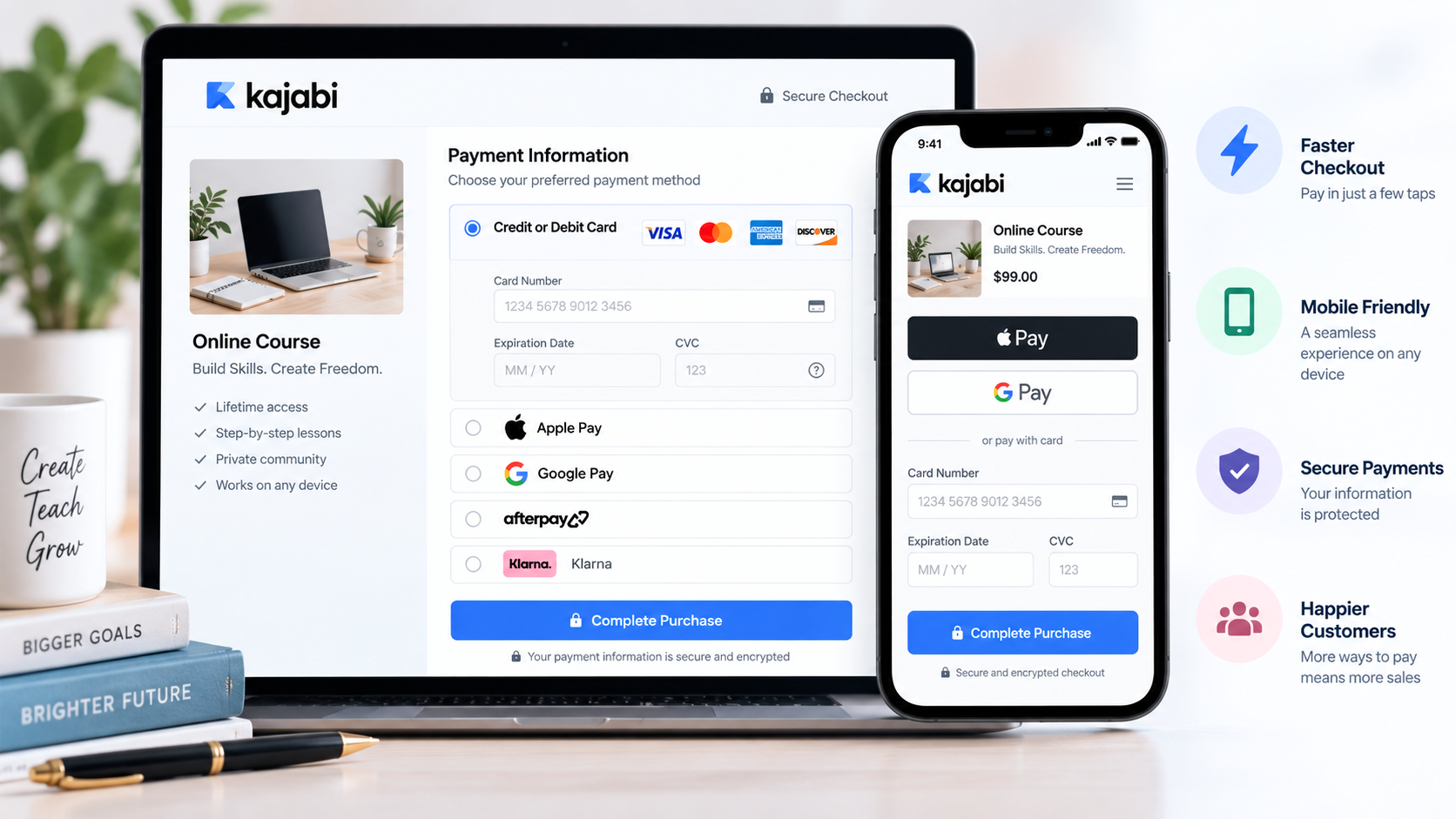
Instead of manually typing a card number, expiration date, and security code, an eligible customer can use payment credentials already stored in their wallet.
This is significant as users on their mobile devices often want a quick checkout process. If your course is already being considered, you don’t want to create any unnecessary hassle with a lengthy payment form.
Kajabi has highlighted digital wallets as tools that can improve the checkout experience. While conversion results vary between businesses, providing convenient payment options can remove one common obstacle between a customer’s buying decision and a completed transaction.
For creators with a mobile-heavy audience, enabling available wallet options is therefore worth considering.
Can Customers Use Afterpay or Klarna on Kajabi?
Yes. Kajabi Afterpay and Kajabi Klarna are available through Kajabi Payments as buy-now-pay-later options where applicable.
These services can be especially relevant for higher-priced offers. Imagine selling a professional course for $500 or a coaching package for $1,500. A potential customer may want the product but hesitate at the idea of paying the full amount immediately.
Buy-now-pay-later services can give eligible customers another way to manage the purchase. That flexibility may be particularly valuable for education, professional development, coaching, and other higher-ticket digital offers.
Sellers should not assume all customers will be able to view these options, however. Availability may vary based on the region, eligibility, transaction criteria, and the provider’s policies.
For that reason, Afterpay and Klarna should be viewed as additional checkout flexibility rather than a replacement for standard card payments.
Does Kajabi Accept PayPal?
Yes. Kajabi PayPal functionality is available through a supported PayPal integration.
PayPal can be valuable because many online shoppers already have an account with their preferred payment information stored there. Instead of entering card details manually, a customer can use their PayPal account where the option is available.
This may be especially beneficial for customers who frequently make online purchases of digital products. Some customers just prefer the convenience of using PayPal as they’ve already had experience with the process.
There is an important distinction between PayPal and Kajabi Payments, though. PayPal operates as an external payment provider rather than simply being another card type within Kajabi Payments.
If you are deciding whether to add PayPal, consider your audience’s preferences and your existing payment setup. If customers regularly ask whether PayPal is available, offering it may be worth considering.
Can You Use Stripe With Kajabi?
Yes. Kajabi Stripe integration allows businesses to connect Stripe for payment processing.
Stripe is often attractive to businesses that already use the platform for other online payments. If your accounting, reporting, or business operations are already organized around Stripe, maintaining that ecosystem can make sense.
Concurrently, Kajabi Payments provides a more seamless Kajabi experience. Sellers don’t need to work with a different payment platform; they can control all of the relevant payment activity together with their Kajabi business.
The choice between Stripe and Kajabi Payments ultimately depends on your circumstances. Consider your location, existing accounts, desired payment features, applicable fees, and how much importance you place on keeping payment management inside Kajabi.
Kajabi Payments vs. Stripe vs. PayPal
Each payment solution serves a slightly different purpose.
| Option | Main Benefit | Best Fit |
| Kajabi Payments | Integrated payment experience | New and existing Kajabi sellers |
| Stripe | Established payment-processing ecosystem | Businesses already using Stripe |
| PayPal | Familiar alternative checkout option | Customers who prefer PayPal |
For many creators, Kajabi Payments is the simplest place to start because it is designed to work directly with the Kajabi platform. It supports cards and additional options such as digital wallets and buy-now-pay-later services where available.
Stripe may be preferable if you already depend heavily on its infrastructure. PayPal can be useful when customer familiarity with PayPal is important.
There is no single answer that works for every business. The best setup is the one that provides the right balance between customer convenience, available features, regional support, and payment-processing costs.
How Kajabi Payment Options Work for Online Businesses
Your payment setup should reflect what you sell and how your customers buy.
For a low-priced digital product, a fast card or digital-wallet checkout may be all you need. Customers purchasing inexpensive products often want to complete the transaction quickly without navigating a complicated process.
Higher-ticket offers can be different. If you sell premium courses, coaching programs, or professional training, customers may appreciate additional flexibility. Options such as Klarna or Afterpay can potentially make a larger purchase more accessible to eligible buyers.
Another consideration is introduced when subscriptions are added. For membership or recurring-revenue businesses, it is essential to have a payment system that can reliably manage recurring transactions.
The important thing is not to add every possible payment method simply because it exists. Instead, consider which options are genuinely useful to your audience and business model.
Does Kajabi Support Subscription Payments?
Yes. Kajabi supports recurring payment models, making it suitable for memberships, subscriptions, and ongoing services.
This enables creators to offer their products based on recurring billing instead of having to have customers manually pay for access during each billing interval. In the membership business, it can be the customer experience much more convenient.
But if you’re a merchant looking to accept recurring payments, it goes beyond just the initial purchase. Failed payments, cancellations and refunds, customer access, and subscription management are also important factors to take into account.
When evaluating Kajabi payment methods, therefore, think beyond the first purchase. A good payment system should support the entire customer relationship, from the initial transaction through future billing activity.
Are Kajabi Payment Methods Available Everywhere?
Not necessarily. Payment availability can differ by region and eligibility.
A payment option available to a U.S.-based business may not necessarily be available under the same conditions in another country. Payment regulations, currencies, provider requirements, and local availability can all affect which options appear.
This is especially crucial when you are selling overseas. When designing the checkout for a particular method, make sure it is suitable for your business and acceptable to your customers.
It is also smart to test your checkout before launch. Note that views of customers may not match those reflected in your account. The payment methods may vary based on the buyer’s situation and location.
How to Choose the Best Kajabi Payment Method
Choosing the right setup starts with your customers.
First, consider how your audience prefers to pay. If most customers use cards, make sure your standard card checkout works smoothly. If your audience frequently uses digital wallets, Apple Pay and Google Pay can add convenience.
Next, consider your pricing. A $25 template and a $2,000 coaching program have very different payment requirements. Higher-value offers may benefit more from flexible purchasing options such as buy-now-pay-later services where eligible.
Also, you need to ask yourself if you’re already using Stripe or PayPal for other parts of your business. Switching to a totally new payment system could cause extra administration if your current payment system is working efficiently.
Finally, compare applicable fees and regional availability. Payment processing is a business expense, so understanding the financial impact of your chosen setup is just as important as considering customer convenience.
What Happens After a Customer Pays?
A successful payment is only the beginning of the customer experience.
Once a customer completes a purchase, Kajabi can connect the transaction with the relevant offer. Depending on what you are selling, that may provide access to a course, membership, coaching program, community, or digital product.
From the seller’s side, Kajabi provides tools for managing payment activity, transactions, refunds, and reporting. This makes it easier to understand what is happening after customers reach your checkout.
Details on payments can also give you insight into customer behavior. If you see lots of digital wallet usage, for instance, that’s a clue that mobile-friendly checkout is relevant to your audience. Similarly, if there is high demand for flexible payment options, this may be a sign that customers want more options to buy but are willing to pay more for them.
Final Thoughts
So, what payment methods does Kajabi accept? Through Kajabi Payments, eligible sellers can accept major credit and debit cards, Apple Pay, Google Pay, Afterpay, and Klarna. Kajabi also supports integrations with PayPal and Stripe, giving businesses additional choices depending on their needs and circumstances.
The most suitable setup depends on your business model, audience, location, pricing, and existing payment infrastructure. A small digital-product business may prioritize fast card and wallet payments, while a high-ticket coaching business may place greater value on flexible purchasing options.
Before launching your next offer, test your checkout from the customer’s perspective. Look at the payment options, make a purchase, confirm product availability, and ensure the entire process is straightforward.
Ultimately, good payment processing should not distract customers from buying. It should quietly remove friction and let them move from “I want this” to “I bought it” as smoothly as possible.
Authored by: Hafsa Zahoor
Need Help Building or Scaling Your Online Learning Program?
Whether you are launching an academy on Kajabi, modernizing corporate LMS modules, or converting raw expertise into accredited curriculum, our senior instructional designers provide a complimentary architecture evaluation.
Sources & References
- Kajabi Payments
- Paypal Integrations
- Kajabi Stripe integration
- Kajabi Payments: Setup & Onboarding for the United States
- Google Pay
- How To Create a Course on kajabi: beginners Guide
- How to Sell Online Courses That Actually Convert
- LearnWorlds VS Kajabi LMS: WHICH PLATFORM IS BEST FOR COURSE CREATORS AND LEARNERS?
Frequently Asked Questions
QWhat payment methods does Kajabi accept?
Kajabi supports major credit and debit cards, Apple Pay, Google Pay, Afterpay, and Klarna through Kajabi Payments. PayPal and Stripe are also supported through integrations.
QDoes Kajabi accept PayPal?
Yes. Kajabi supports PayPal integration, allowing customers to use PayPal as an alternative payment method where available.
QCan I connect Stripe to Kajabi?
Yes. Kajabi supports Stripe integration. This can be useful for businesses that already use Stripe for their payment processing.
QDoes Kajabi support Apple Pay and Google Pay?
Yes. Apple Pay and Google Pay are supported through Kajabi Payments, subject to applicable availability and eligibility requirements.
QCan customers use Klarna and Afterpay on Kajabi?
Yes. Klarna and Afterpay are supported through Kajabi Payments where available. Customer eligibility and regional restrictions may affect whether these options appear at checkout.
