
Teachable vs Kajabi: which one wins for each feature, price point, and type of user?
Compare Teachable and Kajabi to see which platform is better for course creation, pricing, marketing, coaching, automation, and different types of online creators.
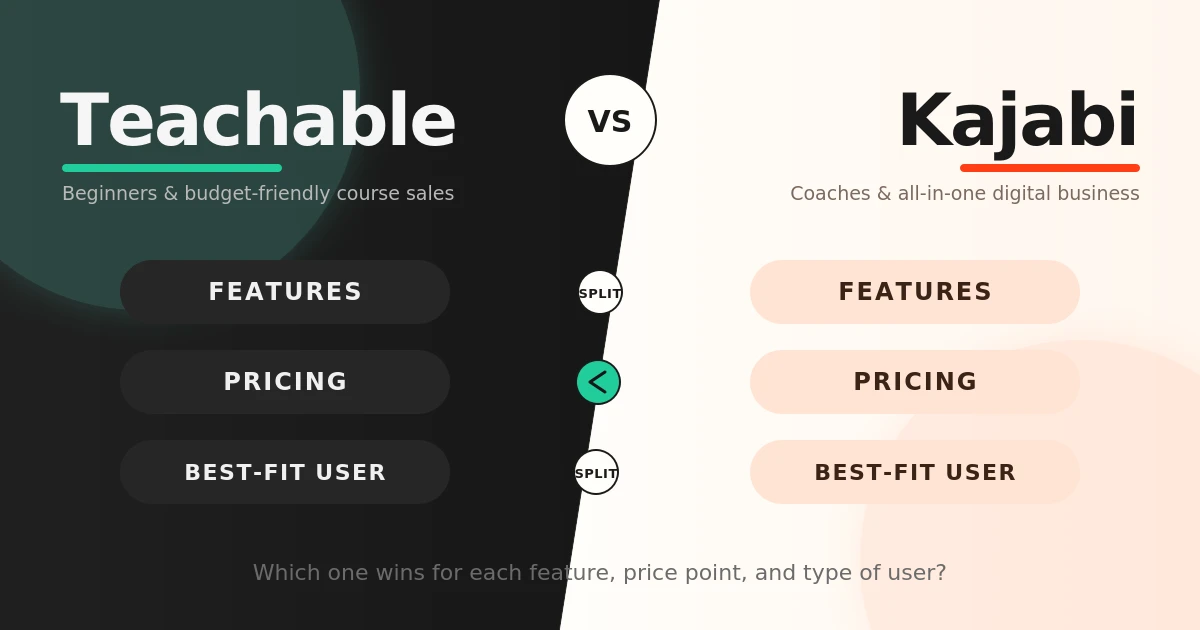
Table of Contents ▼
Quick Answer
Teachable and Kajabi are popular platforms for creating and selling online courses, but they are designed for different types of creators. This article compares their pricing, course creation, marketing, email marketing, sales funnels, automation, coaching, memberships, customization, and integrations to help you decide which platform best fits your needs.
Key Takeaways
- Teachable is better for beginners and creators focused primarily on online courses.
- Kajabi is better for creators who want an all-in-one platform for courses, marketing, automation, coaching, memberships, and communities.
- Teachable has a significantly lower starting price than Kajabi.
- Kajabi offers stronger built-in email marketing, sales funnels, and advanced automation
- Teachable is a better fit for creators who prefer using specialized third-party tools alongside their LMS.
- The best platform depends on whether your priority is simple course delivery or building a broader digital business.
Choosing between Teachable and Kajabi can feel a little confusing at first. Both platforms let you create and sell online courses, but they’re built with slightly different users in mind. Whether you’re creating your first course or perhaps you already have an audience and want more tools to grow your business, choosing the right learning management system for your platform is essential for outreach, goals, and the overall learner experience.
This article compares two major learning management systems, Kajabi and Teachable, both offering features for educators and businesses. Let’s compare their features to see which platform best fits different course needs.
Quick Verdict: Teachable Vs Kajabi
Teachable is the better choice for beginners, independent course creators, and users who want an easier and more affordable way to create and sell courses.
Kajabi is best for coaches, established creators, and businesses that need an all-in-one system for courses, marketing, sales, automation, and customer management.
In short:
- Best for beginners: Teachable
- Best for affordable course creation: Teachable
- Best for course delivery and student learning: Teachable
- Best for marketing automation: Kajabi
- Best for coaching and memberships: Kajabi
- Best for established creators: Kajabi
So, which one should you actually choose? Well, it depends on what you’re trying to build.
Teachable vs Kajabi at a Glance:
| Feature | Winner | Reason |
| Course Creation | Teachable | More focused on straightforward course creation and delivery |
| Ease of use | Teachable | Better suited to beginners who want a simpler setup |
| Pricing | Teachable | Lower entry cost for creators primarily focused on courses. |
| Marketing | Kajabi | Stronger built-in marketing and automation ecosystem |
| Email Marketing | Kajabi | More integrated with the broader customer journey |
| Sales funnels | Kajabi | Better suited to creators who want built-in funnel functionality |
| Coaching | Kajabi | Strong fit for coaching combined with courses, memberships, and marketing |
| Memberships & Community | Kajabi | Better fit for building a broader creator ecosystem |
| Student Learning | Teachable | More focused on structured course delivery and learning |
| Third-Party integrations | Teachable | Good option for creators who prefer specialized external tools. |
| All-in-one business | Kajabi | Combines multiple business and marketing functions in one platform |
Teachable vs Kajabi: Pricing
Now, lets talk about the part most people tend to check first: price. Teachable is considerably cheaper to get started with, while Kajabi asks you to pay more in exchange for its larger set of built-in business tools.
Teachable currently offers four pricing plans: Starter, Builder, Growth, and Advanced. Its listed monthly prices are $39, $89, $189, and $399, respectively, while annual billing reduces the first three listed prices to $29, $69, and $139 per month.
Kajabi is positioned at a significantly higher price point. Its Basic plan starts at $179/month when billed monthly. When billed annually, the effective monthly price is $143/month, representing a 20% saving. The Growth plan costs $249/month when billed monthly or $199/month with annual billing, while the Pro plan costs $499/month when billed monthly or $399/month annually.
| Pricing Factor | Teachable | Kajabi |
| Entry Price | Lower | Higher |
| Annual Starting Price | $29/Month | $143/Month |
| Monthly Starting Price | $39/Month | $179/Month |
| Annual discount | 22% | 20% |
| Best Value for | Course-focused creators | Businesses using multiple built-in tools |
Which is more affordable?
Teachable wins on affordability.
If you’re launching your first course, do you really need to pay for all of those extra tools that Kajabi has to offer right away? Probably not.
However, the comparison becomes more complicated if you would otherwise pay separately for an email marketing platform, landing-page builder, website tools, automation software, and community platform. Kajabi bundles many of these functions into one system.
Teachable vs Kajabi: Feature-by- Feature Comparison
Course Creation
Let’s start with the most obvious question: which platform makes it easier to actually create your course?
Teachable supports multiple content types such as videos, audio, text, images, PDFs, quizzes, and completion certificates. It also provides a mobile student experience through iOS and Android apps. Kajabi also provides course creation tools but places them within its larger business ecosystem. Courses can connect directly with email campaigns, automations, landing pages, payments, and other marketing functions.
However, Teachable takes the win because, for someone whose primary goal is creating and selling courses, its interface and features are more focused on course delivery and education. Kajabi becomes more attractive when course creation is only a part of a larger business.
Ease of Use
Teachable has a relatively straightforward interface, making it easy for beginners to set up their online school and start creating and selling courses without dealing with too many complex tools. Its more focused approach can make the platform less overwhelming for creators who are mainly interested in course creation and delivery.
Kajabi offers a wider range of tools within one platform, including website building, email marketing, sales funnels, automation, and course management. Having everything in one place sounds great, but there’s a trade-off: more tools can also mean more to learn. If your comepletely new to this, that extra complexity may feel unnecessary. Therefore, Teachable is the better choice for beginners seeking simplicity, while Kajabi may be more suitable for creators who are willing to spend more time learning the platform in exchange for its broader functionality.
Marketing
Kajabi has an advantage because it combines many of the tools that creators might otherwise need to access through third-party services. This gives creators an all-in-one ecosystem for managing their marketing and sales.
Teachable does provide useful sales features such as coupons, upsells, order bumps, affiliate marketing, and abandoned-cart recovery. These tools can be enough for creators who already have an audience or use separate marketing tools to promote and sell their courses. Kajabi takes this a step further by combining email marketing, landing pages, sales funnels, and automation. For example, imagine someone downloads your free e-book. With Kajabi, you can add that person to your email list and automatically follow up with emails about your course or other products.
Email Marketing
Email can be a big part of turning an interested visitor into a paying student, so it’s worth looking at how the two platforms handle it.Here’s a look at how Teachable and Kajabi handle their email marketing:
Teachable already allows you to send one-time emails to your students; these can be check-ins and daily reminders. For broader course promotion and to reach out to potential customers, creators can use email service providers (ESPs). This is because Teachable serves mainly as a course creation platform that does not have the same built-in tools for broader email outreach.
Kajabi functions as an entire business ecosystem, with these tools built into the platform, reducing the need for third-party services. When it comes to email marketing, Kajabi is more advanced than Teachable. Kajabi has two types of email marketing: email broadcasts and email sequences. Email broadcasts are a single email that promotes, announces, or shares something of interest to your audience. Email broadcasts are typically sent manually. An email sequence is a series of emails built in advance and sent by a trigger based on customer behavior, such as signing up for your lead magnet, joining your course, or submitting a form. For example, imagine a student registers for a free webinar. Kajabi can automatically send a confirmation email, followed by a reminder or follow-up after the webinar. If the student makes a purchase, they can receive a welcome email. If they don’t, Kajabi can send them another promotional email instead.
Sales Funnel
“Sales Funnel” might sound like complicated marketing jargon, but the idea is pretty simple: it’s the path someone takes from discovering your course to actually buying it. Both Kajabi and Teachable offer tools that can help creators turn potential customers into paying students, but they take different approaches.
In Teachable, the course content is one of its main focuses. It provides creators with the necessary tools to help move someone from being a potential customer to making a purchase and then making additional purchases through upsells. With lead magnets that offer free content in exchange for contact information, and with SEO and tracking pixels that help attract people and measure marketing performance, Teachable provides its creators with a range of tools to market their courses to potential learners.
Kajabi takes a more integrated approach to sales funneling by allowing its creators to connect different stages of the customer’s journey within one platform. Creators can use landing pages to capture potential clients, email campaigns to nurture their interest, and offers and checkout pages to guide them towards the final purchase. These tools can be connected through automation, allowing certain actions to trigger the next stage of the funnel. This makes Kajabi useful for creators who wish to build a marketing journey without relying on several separate services.
Automation
Teachable can extend its automation capabilities through Zapier, which connects a creator’s Teachable school with other applications, including marketing automation tools such as ActiveCampaign and HubSpot, as well as tools for spreadsheets and team communication. Zaps are comprised of two phases: a trigger step and an action step. A trigger is an event that sets the Zap in motion, while an action is the task that is automatically completed in another application as a result. Zapier can also work in the opposite direction, allowing an action in an external application to trigger an action within Teachable. Teachable uses the addition of a new Sumo email subscriber as an example of an external event that can automatically create a new user in Teachable.
This is where Kajabi gets more interesting. Its automation system uses three basic ideas: the “When,” “Then,” and “Only if” approach to help creators automate actions based on their customers’ behaviour. “When” refers to the action that triggers the automation, such as a customer submitting a form or purchasing a course. “Then” determines what happens next, such as sending an email or adding the customer to an email sequence. “Only if” adds a condition to the automation, allowing creators to specify when an action should or should not take place.
However, not all of these automation capabilities are available across all of Kajabi’s plans. The Basic plan offers basic automation that lets creators set one “When” trigger followed by a “Then” action. The Growth and Pro plans include Advanced Automations, which allow creators to use multiple triggers and actions and create branching logic within a single automation. This makes the higher tier plans more suitable for creators who need to build more complex customer journeys.
Overall, Kajabi is the stronger option for creators who need more complex automation and want to manage their customer journeys within one platform. However, Teachable may be sufficient for creators with simpler automation needs, particularly those who are comfortable using third-party tools alongside their LMS.
Coaching
If coaching is a big part of what you offer, the comparison starts to look a little different. Kajabi has a stronger focus on coaching, particularly for creators who want to combine one-on-one coaching with courses, memberships, and other digital products. You can manage your coaching programs while using built-in marketing, email, and automation tools to stay connected with your clients. For example, a fitness coach could offer a six-week coaching program alongside a workout course. A client could purchase the program, receive access to the course, and then receive automated emails with reminders or additional resources throughout the program. This allows the coach to manage different parts of the client experience from one platform.
Teachable also supports coaching, making it suitable for creators who only need coaching alongside their courses. However, Kajabi is the stronger choice for coaches who want to integrate coaching into a broader business.
Student Learning
Teachable offers quizzes, certificates, drip content, and other tools designed to support structured learning. Kajabi focuses more on creating an ongoing relationship between its users and their audience through communities, memberships, and automation.
But what happens after a student finishes the course? That’s where Kajabi’s community and membership tools can become useful. The creator can offer additional content, membership, or community access after course completion, allowing the relationship to continue beyond its original course. Therefore, Teachable may be better for a structured course experience, while Kajabi is stronger for creators who wish to offer courses with an online community.
Memberships & Community
Thinking about building a membership or community around your content? Both Teachable and Kajabi can help, but they take slightly different approaches.
Kajabi is a stronger choice if you want your membership to be part of a larger online business. You can combine memberships with courses, communities, email marketing, and automation, making it easier to offer different types of content and stay connected with your audience from one platform.
Teachable can be a good fit if you mainly want to add memberships or subscriptions to your existing courses. You don’t necessarily need all the extra business tools that Kajabi offers if your focus is simply on delivering your content.
Customization
With Teachable, you can customize your school’s logo, colors, fonts, background, and navigation so your course site doesn’t feel like a completely standard template. You can also customize individual pages and use a custom domain. If you want more control over the design, Teachable supports custom CSS and, on eligible plans, more advanced editing options. This gives you room to keep things simple or add more personal touches as your needs grow.
Kajabi takes customization a step further by focusing on your entire online business, not just your course site. You can use its website and landing-page tools to adjust fonts, colors, images, layouts, and templates, while a custom domain helps keep your branding consistent. Custom code and CSS are also available for creators who want more detailed control over their site’s design.
Integrations
Teachable allows its creators to connect with third-party services for functions such as analytics, marketing, and automation. This is useful for creators who prefer choosing specialized software for different tasks. Kajabi takes a more integrated approach by providing many of these functions within one platform. This reduces the need to manage multiple services but may be less appealing to users who prefer a highly customized technology stack.
Which Platform is Best for Different Types of Users?
The better platform depends on the creator’s goals and level of experience:
- Beginners and first-time course creators: Teachable, because of its simpler setup and lower starting price.
- Independent course creators: Teachable, especially for those mainly focused on creating and selling courses.
- Coaches and mentors: Kajabi, particularly for those combining coaching with courses, memberships, and marketing.
- Creators focused on marketing and sales: Kajabi, thanks to its built-in email marketing, sales funnels, and automation.
- Creators building a larger digital business: Kajabi, as its all-in-one ecosystem can support courses, memberships, communities, and other digital products.
- Creators who prefer third-party tools: Teachable, as it can connect with external applications to expand its functionality.
Teachable: Pros and Cons
Pros:
- Easy to use and beginner-friendly
- More affordable starting price
- Strong course creation and student-learning features
- Supports courses, coaching, memberships, and digital products
- Useful built-in sales tools
- Good third-party integrations
Cons:
- Less advanced marketing automation than Kajabi
- Some advanced features require higher-tier plans
- Less comprehensive for building an entire digital business
Kajabi: Pros and Cons
Pros:
- All-in-one digital business platform
- Advanced marketing and automation tools
- Strong sales funnel and email marketing
- Website and landing-page tools
- Supports courses, coaches, memberships, and communities
- Well-suited to established creators and growing businesses
Cons:
- Significantly more expensive
- Steeper learning curve for beginners
- May provide more features than a new course creator needs
- Less suitable for users who prefer specialized third-party tools
Final Verdict: Teachable or Kajabi?
So, which one would you actually choose?
If you’re creating your first course, working with a limited budget, or mainly want a straightforward way to sell and deliver courses, Teachable is probably the better place to start. If I were launching my first course today, I’d lean toward Teachable because it gives me the core tools I need without making me pay for a whole set of business features I might not use yet. But what if you’ve already built an audience or your business has grown beyond selling courses? That’s where Kajabi starts to make more sense. If you offer coaching, memberships, or digital products and want marketing, email, and automation tools in the same place, Kajabi gives you more room to build around your courses.
In the end, there isn’t one platform that’s better for everyone. Teachable makes more sense when you want to keep things simple and focus on your courses, while Kajabi is the stronger choice when you’re ready to build a larger online business around them.
Need Help Building or Scaling Your Online Learning Program?
Whether you are launching an academy on Kajabi, modernizing corporate LMS modules, or converting raw expertise into accredited curriculum, our senior instructional designers provide a complimentary architecture evaluation.
Sources & References
Frequently Asked Questions
QCan you switch from Teachable to Kajabi?
Yes, you can migrate from Teachable to Kajabi, but moving course content, students, and source materials requires planning when switching between platforms.
QIs Kajabi overkill for a beginner?
Yes, Kajabi may offer more features than beginners and new course creators need. I’d recommend starting with Teachable if your primary goal is learning the basics of course creation. If your business later grows beyond course sales and you need more advanced marketing, automation, or community features, Kajabi may then be worth considering.
QCan Teachable replace Kajabi?
Teachable can cover the core needs of creators who primarily want to create and sell courses. Kajabi offers a broader built-in ecosystem for creators who want to expand beyond course sales and build a larger online business.
QWhich platform is better for scaling an online education business?
This depends on what type of scaling the business needs. If it's just starting, then Teachable is the way to go. However, if it wants to expand on its current community, then Kajabi would be best for long-term growth and expansion.
QWhich platform has better email marketing?
Kajabi has stronger built- in email marketing tools, offering features such as email broadcasts, sequences, and automation. Teachable supports email communication with students and can connect to third-party email service providers, making it a suitable option for creators with simpler email marketing needs.
