The Hidden LMS Seat Tax: How Dormant User Licenses Drain Corporate L&D Budgets
Discover how enterprise SaaS LMS vendors quietly bill organizations $5 to $15 per month for inactive employees who take training once a year, and the 3 architectural strategies to eliminate the seat tax.
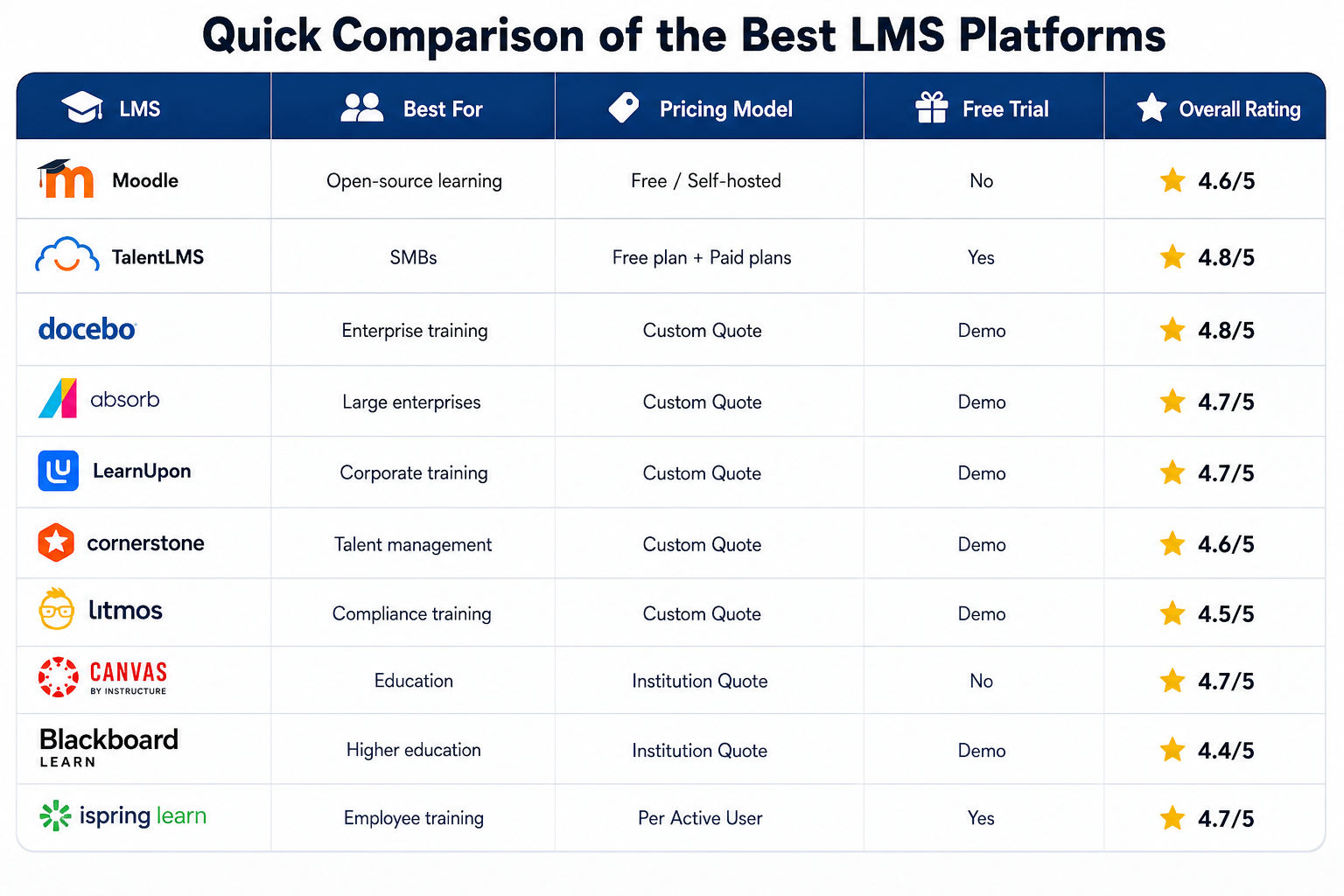
Table of Contents ▼
Quick Answer
Financial and architectural teardown of enterprise LMS pricing models (Monthly Active Users vs Registered Users). Demonstrates how a 2,500-employee enterprise wastes over $180,000 on inactive seats across a 3-year contract, and outlines three proven remedies: SCORM Cloud Dispatch architecture, automated SCIM inactive user deprovisioning, and transitioning to self-hosted Moodle.
Key Takeaways
- The Dormant Seat Reality: In corporate enterprises, 40% to 65% of LMS accounts are dormant for 9 to 11 months of the year, yet vendors bill for them continuously.
- MAU vs Registered Trap: Monthly Active User (MAU) models trigger full billable events the moment an employee logs in for 2 minutes to check a policy update.
- SCORM Dispatch bypasses seat caps: SCORM Cloud Dispatch allows companies to host courseware centrally and stream it to external partners or subsidiaries without purchasing LMS seats.
- Open-source digital sovereignty: Self-hosted platforms like Moodle 5.x eliminate per-seat licensing entirely, allowing unlimited learners with fixed infrastructure costs.
When enterprise Chief Learning Officers, VP of HR, and CFOs sign a 3-year SaaS agreement with an enterprise LMS provider (such as Docebo, Cornerstone OnDemand, Absorb LMS, or SAP Litmos), they celebrate negotiated volume discounts.
They agree to pay what looks like an attractive per-seat rate: $5 to $12 per user per month.
Three years later, during contract renewal, the financial reality arrives: Over 55% of the total subscription budget was spent on employees who logged into the LMS exactly once.
This silent financial leak is what enterprise instructional architects call “The LMS Seat Tax.”
How Much Is Your Organization Losing to Inactive User Seats?
Use our free SCORM Seat Tax & Dormant License Calculator to model your organization’s exact 3-year financial waste across Docebo, Cornerstone, and Absorb, or consult our Enterprise Systems Division to review your licensing architecture.
1. The Anatomy of the Seat Tax: Registered vs. MAU Models
SaaS LMS vendors structure contracts under two primary billing architectures, both designed to capture maximum revenue from organizational turnover:
                  THE TWO LMS LICENSING TRAPS
┌────────────────────────────────────────┬────────────────────────────────────────┐
│      1. The "Named User" Trap          │       2. The "Active User (MAU)" Trap  │
├────────────────────────────────────────┼────────────────────────────────────────┤
│ • Billed for every email in database   │ • Billed if user logs in once in 30 days│
│ • Terminated/seasonal staff stay billed│ • A 2-minute password reset triggers   │
│   until IT manually deletes them       │   full $8 to $15 monthly active charge │
│ • Inactive compliance records cost $100│ • Annual compliance month causes a     │
│   per seat per year to store           │   massive 300% billing overage spike   │
└────────────────────────────────────────┴────────────────────────────────────────┘
The Real Cost Model (A 2,500-Employee Enterprise):
- Contracted User Baseline: 2,500 seats at $8/user/month = $240,000 / year.
- Daily Active Learners: 250 employees (10%).
- Quarterly Active Learners: 600 employees (24%).
- Annual-Only Compliance Learners: 1,400 employees (56%).
- Dormant/Ghost Seats (Departed staff or seasonal): 250 seats (10%).
The Financial Result: The organization spends $158,400 per year ($475,200 over a 3-year agreement) on users who generate zero active learning value for 11 months of the year.
2. Why Organizations Stay Trapped
Why don’t enterprise L&D teams simply purge inactive users every month? Because traditional LMS platforms turn user deletion into a compliance hazard:
- The Regulatory Audit Fear: If you delete an employee account to save a $10 seat fee, you risk wiping their statutory OSHA, HIPAA, or ISO compliance timestamps. When an audit occurs, you cannot easily prove they completed mandatory training.
- HRIS Integration Inefficiencies: Standard Azure AD, Okta, and Workday SCIM connectors are usually configured to provision users automatically, but rarely configured to archive and unlicense them when training cycles end.
- Vendor Contract Minimums: Most enterprise agreements lock you into a fixed tier minimum (e.g., minimum 2,000 seats). Even if your headcount drops to 1,400, you continue paying for 2,000.
3. The 3 Architectural Strategies to Eliminate the Seat Tax
Leading enterprise engineering teams eliminate seat licensing waste without losing a single historical completion record.
Strategy 1: SCORM Cloud Dispatch Architecture (B2B & Subsidiary Scaling)
If your organization provides training to external contractors, franchise operators, vendors, or partner companies, never invite them into your primary LMS as paid seats.
Using SCORM Cloud Dispatch or Rustici Engine:
- You host the master SCORM package on a single central server.
- You export a tiny 5 KB “Dispatch Shell” and send it to your partner or client.
- They upload the shell into their own LMS (Canvas, Moodle, Cornerstone).
- Their LMS handles the user accounts and absorbs the seat fees, while your server streams the content, tracks completions, and allows you to revoke access with a single click.
Strategy 2: Automated SCIM Archive Pipelines
Work with your IT and identity access management (IAM) team to build an automated 90-day archive pipeline:
- When an employee has not accessed an LMS module for 90 days, an automated webhook extracts their completion history, quiz scores, and certificate hashes into a secure, searchable data warehouse (PostgreSQL / BigQuery).
- The user account in the LMS is switched to an archived, unlicensed status, freeing the seat license for newly onboarded staff.
Strategy 3: The Sovereign Self-Hosted LMS Migration
For organizations with large, fluctuating workforces (such as healthcare networks, municipal governments, cold-chain logistics, and construction contractors), commercial per-seat SaaS is financially irrational.
Migrating to a modern self-hosted platform, such as Moodle 5.2/5.3 LTS or a dedicated open-source multi-tenant portal:
- Zero Per-Seat Fees Forever: Train 500 or 50,000 employees at the exact same software cost ($0).
- Fixed Infrastructure Predictability: Cloud hosting on AWS or Azure typically costs $300 to $800 per month total, regardless of how many thousands of learners log in.
- Complete Data Sovereignty: Your learner records, completion logs, and SCORM telemetry remain in your private sovereign cloud with zero third-party vendor lock-in.
Use our free LMS Migration Cost Estimator to compare your current SaaS seat liability against a one-time migration to a sovereign, zero-seat-fee LMS.
4. How Much Can Your Organization Save?
Compare the 3-year total cost of ownership (TCO) across common organization sizes:
| Active Workforce Size | 3-Year SaaS LMS Cost (Docebo / Cornerstone) | 3-Year Sovereign LMS Cost (Moodle / AWS) | Total 3-Year Capital Saved |
|---|---|---|---|
| 500 Learners | $108,000 ($6/user/mo) | $28,000 (Setup + Cloud) | $80,000 Saved |
| 2,500 Learners | $540,000 ($6/user/mo) | $52,000 (Setup + Cloud) | $488,000 Saved |
| 10,000 Learners | $1,800,000 ($5/user/mo) | $110,000 (Setup + Multi-Region) | $1,690,000 Saved |
Audit Your Enterprise LMS Architecture Today
Before signing a multi-year auto-renewing contract with an LMS vendor, book a complimentary architectural audit with our in-house systems engineers. We will review your learner activity logs, model your seat-tax efficiency, and provide a fixed-milestone roadmap to eliminate unnecessary licensing costs.
👉 Calculate Your 3-Year Dormant Seat Liability
👉 Book a Free Technical Architecture Audit
Evaluating Your Learning Stack or Course Architecture?
Whether modernizing legacy SCORM packages, auditing Section 508 WCAG compliance, or validating multi-tenant LMS migrations, our instructional engineering team offers a structured technical assessment.
Sources & References
Frequently Asked Questions
QWhat is an LMS 'Seat Tax'?
The LMS Seat Tax is the recurring subscription fee an organization pays to a SaaS LMS vendor for employee accounts that are inactive, seasonal, or only access the platform once a year for mandatory compliance.
QHow does Monthly Active User (MAU) pricing differ from Registered User pricing?
Registered User pricing charges a flat fee for every account in the database whether they log in or not. MAU pricing only charges when a user logs in during a 30-day billing cycle, but a single 2-minute login triggers the full monthly fee for that user.
QHow can an enterprise stop paying for dormant LMS users without losing training records?
By implementing automated SCIM / HRIS deprovisioning to archive inactive users to a data warehouse, utilizing SCORM Dispatch for external partners, or migrating compliance archives to a self-hosted LMS.
QHow much can an organization save by eliminating dormant seats?
A mid-sized company with 2,500 employees typically recovers $45,000 to $90,000 annually by eliminating inactive user license waste.