
Teachable vs LearnWorlds: Which LMS Better in 2026
Compare Teachable vs LearnWorlds in 2026, including pricing, course creation, assessments, marketing, analytics, SCORM, and the best use cases for each LMS.
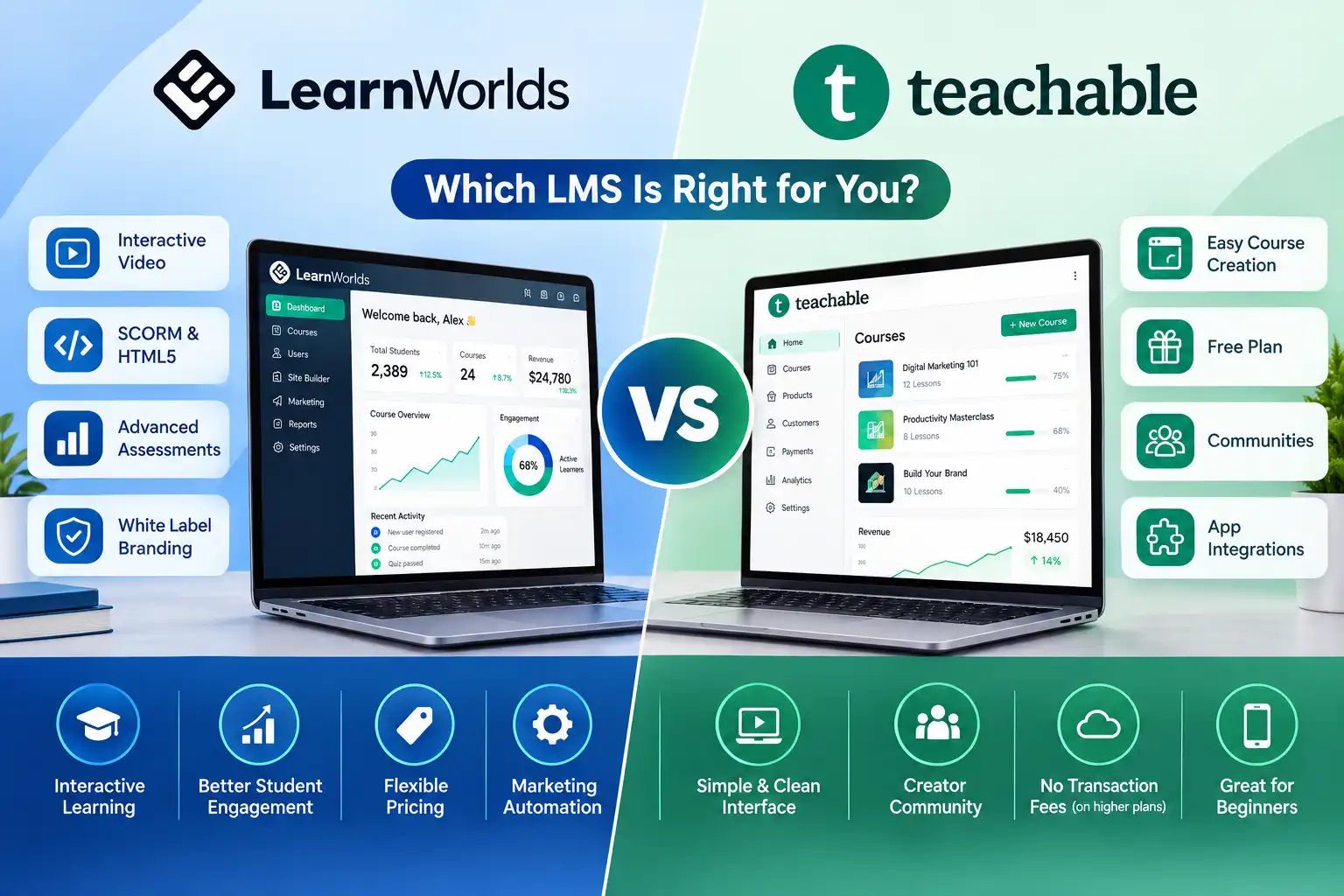
Table of Contents ▼
Quick Answer
This article compares Teachable and LearnWorlds to help course creators, coaches, educators, academies, and training organizations choose the right LMS. It explains their pricing, ease of use, course creation, marketing tools, coaching features, assessments, SCORM support, analytics, mobile learning, and customization. Teachable is recommended for simplicity and creator-focused selling, while LearnWorlds is better suited to advanced learning, certification, corporate training, and structured education programs.
Teachable vs LearnWorlds: Which LMS is Better in 2026?
If you are comparing Teachable vs LearnWorlds LMS, you are probably trying to answer a simple question: which platform will make it easier to build, sell, and deliver your online courses?
The answer depends on what you are building.
Teachable is the better fit for coaches, consultants, creators, and experts who want a simple way to sell courses, coaching, memberships, and digital products. LearnWorlds is stronger for educators, academies, certification programs, and organizations that need advanced assessments, SCORM, interactive learning, reporting, and deeper customization.
As of September 8, 2026, Teachable Starter costs $29/month when billed annually, with a 7.5% transaction fee. LearnWorlds Starter costs $24/month when billed annually and charges $5 per paid enrollment.
That difference makes the pricing comparison more interesting than simply asking which monthly plan is cheaper.
Teachable vs LearnWorlds: Quick Comparison
| Feature | Teachable | LearnWorlds |
| Best for | Creators, coaches, consultants | Academies, educators, training businesses |
| Ease of use | Excellent | Good |
| Course creation | Simple | Advanced |
| Assessments | Good | Advanced |
| Interactive video | Limited | Strong |
| SCORM | Not a core feature | Supported |
| Website & branding | Good | Excellent |
| Marketing & sales | Excellent | Strong |
| Coaching | Excellent | Good |
| Analytics | Good | Advanced |
| Student apps | iOS & Android included | Branded app available as add-on |
| Starter price | $29/month annually | $24/month annually |
| Starter fee | 7.5% transaction fee | $5 per paid enrollment |
| Best for beginners | Yes | Better for advanced needs |
| Corporate training | Limited compared with LearnWorlds | Strong |
The easiest way to remember the difference is:
Teachable focuses more on selling education. LearnWorlds focuses more on delivering a sophisticated learning experience.
What Is Teachable?
Teachable is an all-in-one platform for creating and selling online courses, coaching, memberships, and digital products.
Its biggest advantage is simplicity.
You can create your course, upload lessons, build sales pages, accept payments, manage students, and market your products without having to connect a large number of separate tools.
That makes it particularly attractive to:
- Coaches
- Consultants
- Course creators
- Independent experts
- Small education businesses
- Entrepreneurs selling knowledge products
Teachable’s current plans include AI creation tools, iOS and Android student apps, global payments and taxes, upsells, and cart recovery.
The platform also reports 150,000+ creators, 38 million+ students served by Teachable creators, 3.8 million+ AI-generated content pieces, and creators represented in 200+ countries.
That scale is worth noting because it shows Teachable is not a niche course-building tool. It is built around a large creator ecosystem.
If you want to launch a course without spending weeks figuring out an LMS, Teachable is the more approachable option.
For a beginner walkthrough, you can also read TheEduAssist’s How to Use Teachable: Step-by-Step Guide for Beginners++.
What Is LearnWorlds?
LearnWorlds is a more advanced learning management platform designed for businesses that want greater control over the learning experience.
It supports online courses, assessments, certificates, interactive video, learning paths, communities, SCORM content, analytics, and advanced administration.
It is particularly suitable for:
- Online academies
- Professional educators
- Certification providers
- Corporate training companies
- B2B training businesses
- Organizations with multiple administrators
LearnWorlds currently lists Starter at $24/month annually, Pro Trainer at $79/month annually, and Learning Center at $249/month annually.If you want a deeper look at the platform’s capabilities, see our guide to LearnWorlds LMS benefits.
The Pro Trainer plan adds unlimited courses and learning paths, certificates, up to 20 SCORM uploads, and 50+ built-in integrations. Learning Center adds full white-labeling, client groups, automation, scheduled reports, and additional administrators.
This is where LearnWorlds starts to separate itself from simpler creator platforms.
Teachable vs LearnWorlds Pricing
Pricing is one area where you should look beyond the monthly subscription.
Teachable Pricing
Teachable currently offers:
- Starter: $29/month annually or $39 monthly
- Builder: $69/month annually or $89 monthly
- Growth: $139/month annually or $189 monthly
- Custom: Contact sales
Starter has a 7.5% transaction fee, while Builder and Growth have 0% platform transaction fees.
Starter supports five products, Builder supports 10, and Growth supports 50 products. Growth also adds course certificates, imported students, custom admin permissions, branding removal, and free subtitles and translations.
LearnWorlds Pricing
LearnWorlds currently offers:
- Starter: $24/month annually or $29 monthly
- Pro Trainer: $79/month annually or $99 monthly
- Learning Center: $249/month annually or $299 monthly
- Corporate: Custom
Starter charges $5 per paid enrollment, while Pro Trainer and higher plans have no enrollment fees.
Which Starter Fee Is Better?
Here is a useful calculation.
Teachable charges 7.5% on Starter.
LearnWorlds charges $5 per paid enrollment.
At a course price of approximately $66.67, the two fees are roughly equal.
For a $30 course:
- Teachable fee: $2.25
- LearnWorlds fee: $5
For a $100 course:
- Teachable fee: $7.50
- LearnWorlds fee: $5
So creators selling lower-priced courses may find Teachable’s percentage fee attractive, while creators selling higher-ticket products may find LearnWorlds’ flat enrollment fee more appealing.
However, once your sales volume increases, compare the higher plans rather than choosing purely based on the Starter plan.
Course Creation: Teachable or LearnWorlds?
For straightforward course creation, Teachable wins on simplicity.
You can organize modules, upload videos and other content, create quizzes, set pricing, and publish your course without dealing with an overly complicated interface.
LearnWorlds gives you more control.
Its current platform supports learning paths, assessments, certificates, interactive video, SCORM and HTML5 content on applicable plans.
Consider two examples.
Sarah is a business coach creating a six-module personal branding course.
She probably does not need advanced SCORM support or complex learner pathways. Teachable would make more sense.
David runs a professional training academy where students must complete assessments and receive certificates.
For David, LearnWorlds is the stronger choice.
So the winner depends on the learning model.
Simple course creation: Teachable
Advanced learning: LearnWorlds
Ease of Use
If you have never used an LMS before, Teachable is generally easier to understand.
The platform is heavily focused on the creator journey: create a product, add content, set a price, publish it, and sell it.
LearnWorlds has more features, but that also means more decisions.
That is not necessarily a weakness. If you actually need those features, the extra complexity is useful.
But if you only want to sell one course, paying for advanced functionality you never use does not make much sense.
Winner for beginners: Teachable
Website, Branding and Customization
Both platforms allow creators to build branded course websites, but LearnWorlds has a stronger advantage for organizations that need a more customized learning environment.
LearnWorlds’ higher-tier plans offer full white-labeling, client groups, additional administrators, advanced reporting, and more sophisticated customization.
Teachable offers custom domains, branding controls, website tools, and stronger customization on higher plans.
For an individual creator, Teachable may provide everything needed.
For an academy that wants its learning portal to feel like its own software product, LearnWorlds is the better option.
Winner: LearnWorlds
Marketing and Sales
This is one of Teachable’s strongest areas.
Teachable includes tools for:
- Upsells
- Cart recovery
- Affiliate marketing
- Global payments
- Tax handling
- Bundles
- Coaching
- Memberships
- Digital products
LearnWorlds also provides strong selling functionality, including subscriptions, memberships, payment plans, coupons, order bumps, checkout tools, and payment integrations.
The difference is more about emphasis.
Teachable feels more commerce-focused.
LearnWorlds feels more learning-focused.
If your priority is turning expertise into revenue quickly, Teachable has the edge.
Coaching and Consulting
For independent coaches and consultants, Teachable is usually the easier choice.
You can combine a course with coaching, memberships, and other digital products.
For example:
$49 mini-course → $299 flagship course → $999 group coaching → premium consulting
That type of product ladder fits naturally with Teachable’s creator-focused approach.
LearnWorlds can also support live sessions and coaching, but its biggest advantages become more valuable when coaching is part of a larger training operation.
Best for a solo coach: Teachable
Best for a structured coaching academy: LearnWorlds
Assessments, Certifications and SCORM
This is where LearnWorlds clearly pulls ahead.
Its platform supports advanced assessments, certificates, learning paths, and SCORM/HTML5 content on relevant plans.
That matters if you are creating:
- Certification programs
- Employee training
- Compliance courses
- Professional development
- Academic-style programs
- B2B learning
Teachable can deliver strong online courses, but LearnWorlds is better equipped when learning outcomes and formal assessment become central to the business.For a more detailed look at this capability, see our guide to **LearnWorlds SCORM support**.
Winner: LearnWorlds
Analytics and Administration
A solo creator usually needs basic information:
How many people enrolled? How much did I sell? Are students completing the course?
Teachable handles those needs well.
Larger organizations often need much more.
They may need:
- Learner progress reports
- Multiple administrators
- Client groups
- Scheduled reports
- Automation
- Detailed course analytics
- Structured learning paths
LearnWorlds’ Learning Center plan includes advanced reporting, scheduled course reports, automation, client groups, and up to 25 administrators.
Best for solo creators: Teachable
Best for training organizations: LearnWorlds
Organizations evaluating LearnWorlds for employee education can also explore our guide to **LearnWorlds for corporate training**.
Mobile Learning
Teachable currently includes iOS and Android student apps in its paid plans.
LearnWorlds offers a branded mobile app option for businesses that want their own customized app experience.
This creates an interesting choice.
If you simply want your students to learn through a mobile app without paying separately for a branded app, Teachable is attractive.
If having a branded mobile learning environment is important to your organization, LearnWorlds provides the more customizable route.
Teachable vs LearnWorlds: Which One Should You Choose?
Choose Teachable if you are:
- A coach
- A consultant
- A solo creator
- An expert selling knowledge
- Launching your first course
- Selling memberships or coaching
- Looking for a simple setup
- More focused on sales than advanced LMS functionality
Choose LearnWorlds if you are:
- Running an online academy
- Building certification programs
- Providing corporate training
- Managing structured learning programs
- Using SCORM content
- Working with multiple administrators
- Looking for advanced assessments and analytics
- Building a highly branded learning environment
If you want to compare Teachable with other LMS platforms, TheEduAssist’s Best Learning Management System (LMS) for 2026 is a useful next resource.
Pros and Cons
Teachable Pros
- Beginner-friendly
- Fast course setup
- Strong sales tools
- Excellent for coaching
- Supports memberships and digital products
- iOS and Android student apps
- Global payments and tax features
- Strong creator ecosystem
Teachable Cons
- 7.5% Starter transaction fee
- Product limits vary by plan
- Less advanced LMS functionality
- Not the stronger choice for SCORM-heavy training
- Advanced branding requires higher plans
LearnWorlds Pros
- Advanced learning tools
- Interactive video
- Strong assessments
- SCORM support
- Certificates
- Learning paths
- Strong academy functionality
- Advanced reporting
- Better fit for B2B training
LearnWorlds Cons
- More complex for beginners
- Higher plans can become expensive
- $5 enrollment fee on Starter
- Branded mobile app is an additional option
- Some advanced features require higher plans
Final Verdict: Teachable vs LearnWorlds
After comparing the current pricing, features, learning tools, marketing capabilities, administration, and scalability, the answer is fairly clear.
Choose Teachable if your main goal is to package your expertise and sell it online with as little friction as possible.
Choose LearnWorlds if your main goal is to build a sophisticated learning business where assessments, SCORM, reporting, learning paths, branding, and administration matter.
For a first-time course creator, I would lean toward Teachable because it gets you from idea to paid course more simply.
For an established educator, academy, or corporate training provider, I would lean toward LearnWorlds because its deeper LMS functionality is more likely to justify the additional complexity.
The important thing is not to choose the platform with the longest feature list.
Choose the platform that matches how your students actually learn and how your business actually makes money.
If you mainly need to sell your expertise, Teachable is the stronger choice.
If you need to build a structured learning environment, LearnWorlds is the better fit.
Frequently Asked Questions
Is Teachable better than LearnWorlds?
Teachable is better for simplicity, course selling, coaching, memberships, and creator-focused businesses. LearnWorlds is better for advanced learning, assessments, SCORM, and academy-style businesses.
Is LearnWorlds cheaper than Teachable?
The answer depends on your sales volume and course price. LearnWorlds Starter is currently $24/month annually plus $5 per paid enrollment. Teachable Starter is $29/month annually plus a 7.5% transaction fee.
Which is easier to use?
Teachable is generally easier for beginners. LearnWorlds offers more advanced functionality, so there is a larger learning curve.
Is LearnWorlds good for corporate training?
Yes. Its SCORM support, assessments, reporting, client groups, administrators, and advanced learning tools make it particularly suitable for many structured training environments.
Which is better for coaches?
For most independent coaches, Teachable is the simpler choice because courses, coaching, memberships, payments, and sales tools can be managed within one platform.
Which is better for an online academy?
LearnWorlds is generally the stronger option because it provides deeper learning functionality, including assessments, certificates, learning paths, reporting, SCORM, and advanced administration.
What should you choose in 2026?
As of September 2026, there is no universal winner.
Teachable wins for simplicity and creator commerce. LearnWorlds wins for advanced learning and academy functionality.
The right choice is the one that fits your business model, course price, student experience, and long-term growth plans.
Need Help Building or Scaling Your Online Learning Program?
Whether you are launching an academy on Kajabi, modernizing corporate LMS modules, or converting raw expertise into accredited curriculum, our senior instructional designers provide a complimentary architecture evaluation.
Sources & References
Frequently Asked Questions
QIs Teachable better than LearnWorlds?
Teachable is better for simplicity, course selling, coaching, memberships, and creator-focused businesses. LearnWorlds is better for advanced learning, assessments, SCORM, and academy-style businesses.
QIs LearnWorlds cheaper than Teachable?
The answer depends on your sales volume and course price. LearnWorlds Starter is currently $24/month annually plus $5 per paid enrollment. Teachable Starter is $29/month annually plus a 7.5% transaction fee.
QWhich is easier to use?
Teachable is generally easier for beginners. LearnWorlds offers more advanced functionality, so there is a larger learning curve.
QIs LearnWorlds good for corporate training?
Yes. Its SCORM support, assessments, reporting, client groups, administrators, and advanced learning tools make it particularly suitable for many structured training environments.
QWhich is better for coaches?
For most independent coaches, Teachable is the simpler choice because courses, coaching, memberships, payments, and sales tools can be managed within one platform.
QWhich is better for an online academy?
LearnWorlds is generally the stronger option because it provides deeper learning functionality, including assessments, certificates, learning paths, reporting, SCORM, and advanced administration.
QWhat should you choose in 2026?
As of September 2026, there is no universal winner. **Teachable wins for simplicity and creator commerce. LearnWorlds wins for advanced learning and academy functionality.** The right choice is the one that fits your business model, course price, student experience, and long-term growth plans.
