
Critical PHP Vulnerabilities Threaten Legacy WordPress LMS Sites: Why E-Learning Creators Face Unprecedented Security & Liability Risks
Recent critical PHP vulnerabilities (CVE-2024-4577, LearnPress SQLi, Tutor LMS injection) expose legacy WordPress LMS platforms to remote takeovers, student PII theft, and severe regulatory fines. Here is why course creators and enterprise L&D must migrate now.
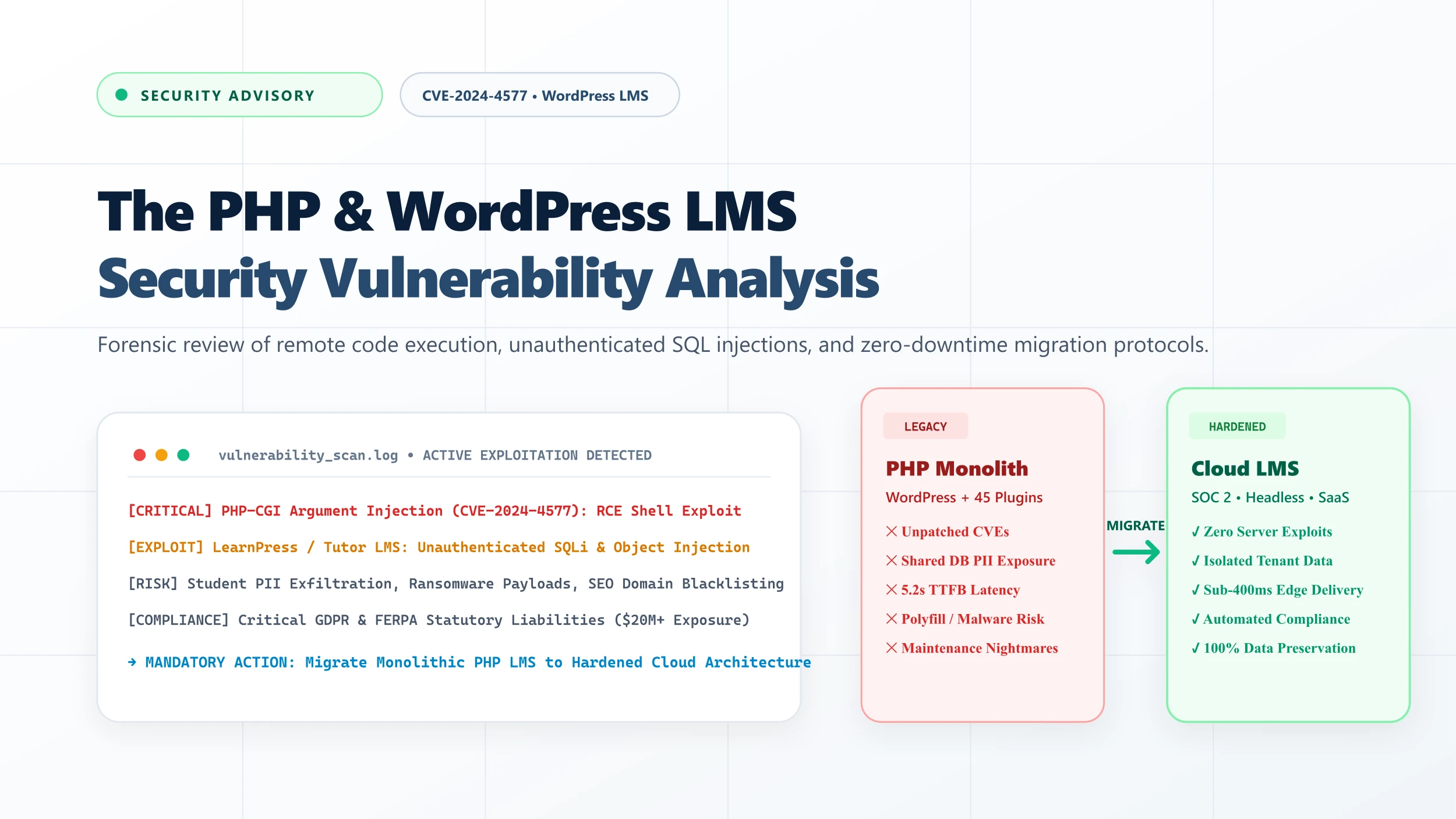
Table of Contents ▼
Quick Answer
This in-depth security analysis unpacks the severe architectural and technical risks of hosting learning platforms on legacy PHP and WordPress LMS plugins (LearnDash, Tutor LMS, LearnPress, WooCommerce). It examines CVE-2024-4577, unauthenticated SQL injections, supply chain threats, compliance liabilities under GDPR and FERPA, and outlines why modern decoupled and cloud SaaS LMS architectures are essential for long-term survival.
Key Takeaways
- CVE-2024-4577 (CVSS 9.8) enables unauthenticated attackers to execute arbitrary code on servers running PHP in CGI mode, bypassing character encoding filters.
- Popular WordPress LMS plugins like LearnPress (CVE-2024-8529) and Tutor LMS have suffered unauthenticated SQL injection and PHP object injection vulnerabilities, allowing attackers to dump entire learner databases.
- Monolithic PHP/WordPress architectures store student PII, grades, quiz attempts, and Stripe payment metadata in a single shared MySQL database alongside public blog posts.
- Compromised LMS sites face immediate Google SEO blacklisting, spam redirection, credential harvesting, and catastrophic regulatory liabilities under GDPR, FERPA, and PCI DSS.
- Continuous plugin patching creates brittle 'dependency hell' where security updates routinely break checkout pages, lesson progression hooks, and student gradebooks.
- Modern decoupled architectures (Astro/Next.js frontends) and certified cloud enterprise SaaS LMS platforms (such as LearnWorlds) eliminate the PHP attack surface entirely.
The Boiling Frog in the E-Learning Stack
For over a decade, WordPress powered by open-source LMS plugins—most notably LearnDash, Tutor LMS, LearnPress, and LifterLMS, coupled with WooCommerce—represented the default starting point for digital educators, training consultancies, and corporate academies. It promised autonomy, low initial entry costs, and an ecosystem where a single administrator could assemble an entire training portal in an afternoon.
That era is over.
Over the past 24 months, the threat landscape confronting self-hosted PHP applications has fundamentally shifted. Automated botnets, nation-state scanners, and organized cybercrime syndicates now execute automated, weaponized exploits within hours of public vulnerability disclosures. E-learning platforms, once considered obscure niche targets, have emerged as primary targets for credential harvesting, financial fraud, and data exfiltration.
The reason is simple: an LMS is not an ordinary brochure website. It is an active relational database of human identity and commerce. It houses student home addresses, corporate learning histories, unreleased corporate training videos, grading records, and payment tokens.
When a critical vulnerability strikes a legacy PHP environment, attackers do not just deface a homepage—they seize your business, exfiltrate your student roster, inject malicious redirect scripts into your checkout funnels, and expose your organization to existential compliance liabilities.
If your e-learning business or corporate academy relies on self-hosted PHP running on Apache/Nginx with unhardened WordPress LMS plugins, you are operating on borrowed time. Industry telemetry shows that over 84% of compromised LMS portals had unpatched plugin extensions or legacy PHP runtime configurations that allowed unauthenticated remote access.
Anatomy of the Threat: Inside Recent PHP & LMS Vulnerabilities
To understand why traditional “patch-and-pray” maintenance strategies are failing, we must examine the specific mechanics of the exploits currently compromising educational servers worldwide.
1. CVE-2024-4577: The PHP CGI Remote Code Execution Disaster (CVSS 9.8)
In mid-2024, security researchers uncovered a catastrophic vulnerability in the core PHP runtime: CVE-2024-4577.
The flaw stems from a feature in Windows operating systems known as “Best-Fit” character mapping. When PHP is deployed in CGI mode (or exposed through Apache mod_cgi), attackers can pass specific character sequences (such as soft hyphens %ad) in the URL query string. The Windows command parser translates these characters into standard hyphens (-), allowing the attacker to inject arbitrary command-line arguments directly into the PHP interpreter binary.
Host: your-lms-academy.com
By leveraging arguments like -d allow_url_include=1 and -d auto_prepend_file=php://input, an unauthenticated remote attacker can execute arbitrary PHP code directly in server memory. Within 48 hours of proof-of-concept publication, automated botnets began scanning IPv4 ranges, dropping web shells into wp-content/uploads/, and enrolling compromised LMS servers into distributed denial-of-service (DDoS) networks and crypto-mining clusters.
2. LearnPress SQL Injection Disasters: CVE-2024-8529 & CVE-2024-8522 (CVSS 9.8)
While core PHP flaws threaten server infrastructure, LMS plugin codebases introduce deep relational vulnerabilities. In late 2024, researchers disclosed CVE-2024-8529, a critical unauthenticated SQL injection vulnerability residing inside the popular LearnPress plugin (affecting versions prior to 4.2.7).
The vulnerability occurred in the REST API endpoint /wp-json/lp/v1/courses/archive-course. The endpoint accepted user-supplied input parameters (order_by and filtering attributes) without adequate sanitization through parameterized prepared statements.
Because WordPress stores all platform data inside a single MySQL database schema, an attacker exploiting this single endpoint could execute stacked queries to:
- Dump the
wp_userstable containing administrative password hashes and email addresses. - Extract WooCommerce customer billing records and Stripe transaction metadata stored in
wp_usermetaandwp_postmeta. - Inject malicious administrative users with full publishing rights directly into the database.
3. Tutor LMS PHP Object Injection & Privilege Escalation
Tutor LMS, another widely deployed course management plugin, has repeatedly contended with deserialization vulnerabilities (such as CVE-2024-2879 and related notices).
PHP Object Injection occurs when untrusted user input is passed to the native PHP unserialize() function without cryptographic signature verification. By crafting a serialized payload matching existing class structures loaded in WordPress memory (often using popular libraries bundled with plugins, like Guzzle or Monolog “POP gadget chains”), an attacker can trigger automatic execution of arbitrary PHP code during object destruction.
Once inside, attackers silently alter course completion statuses, issue fraudulent continuing education certificates, or alter payout destinations in multi-instructor marketplaces.
4. The Polyfill.io Supply Chain Attack: Hijacking Learner Browsers
In June 2024, the domain polyfill.io—a CDN library used by more than 100,000 websites, including thousands of legacy WordPress LMS themes to support legacy JavaScript APIs—was acquired by a malicious entity. The new operators immediately began injecting obfuscated malware that redirected mobile visitors from specific geographies to sports betting, pornographic, and phishing portals.
Because WordPress LMS themes frequently embed external script libraries without Subresource Integrity (SRI) hashes, thousands of course creators found their students redirected to credential-stealing pages during checkout without any warning on the creator’s desktop dashboard.
Why Legacy WordPress LMS Architectures Are Structurally Flawed
Many course creators and corporate IT managers ask: “Can’t we simply install a security plugin like Wordfence or Sucuri and keep our plugins updated?”
The uncomfortable reality is that the traditional WordPress LMS stack suffers from structural architectural obsolescence. The issues are not cosmetic bugs; they are inherent to how monolithic, plugin-dependent PHP applications function.
40–60 separate third-party plugins loaded into memory on every page request.
Public blog posts, student PII, quiz answers, and payment keys share one MySQL instance.
Major PHP or plugin updates break checkout or theme hooks, delaying security patches.
Automated scanners exploit unpatched endpoints, leading to silent database exfiltration.
1. The Single Shared Database Trap
In a standard WordPress LMS, everything resides in the same MySQL database:
- Public blog comments
- Contact form submissions
- Student full legal names and email addresses
- Course quiz answers and historical exam grades
- Passwords (hashed, but vulnerable to offline dictionary attacks if dumped)
- Active WooCommerce order records and subscription tokens
In a modern, zero-trust architecture, sensitive student data and financial transactions are physically and logically segregated from public content delivery networks. In WordPress, a single vulnerability in an unrelated slider plugin or contact form extension grants an attacker read and write access to the entire wp_posts and wp_users tables. There is zero sandboxing.
2. The 50-Plugin Dependency Nightmare
A production-grade WordPress LMS almost never runs in isolation. To create a functioning academy, creators typically install:
- Core LMS Engine (LearnDash, Tutor LMS, LearnPress)
- E-Commerce Engine (WooCommerce or Easy Digital Downloads)
- Payment Gateway Extensions (Stripe, PayPal, Mollie)
- Recurring Subscription Handlers (WooCommerce Subscriptions)
- Course Content Protection & Membership Gating
- Video Player Integrations (Presto Player, Bunny.net)
- Community Forums (bbPress or BuddyBoss)
- Affiliate Tracking Tools (AffiliateWP)
- Email Marketing & Webhook Automations (FluentCRM, WP Fusion)
- Page Builders (Elementor, Divi)
- Performance & Caching Plugins (WP Rocket, Redis Object Cache)
This creates an enormous attack surface of over 1.5 million lines of external third-party PHP code. Every single developer of every installed plugin has implicit administrative execution permissions on your server. When one plugin developer ceases maintenance, changes ownership, or makes an unintentional coding mistake in an AJAX handler, your entire academy is exposed.
3. The “Update Fear” Trap
Because this intricate web of 40+ plugins relies on fragile WordPress action and filter hooks, creators are terrified to update.
Upgrading PHP from 7.4 to 8.2 or updating WooCommerce routinely breaks custom checkout templates, corrupts student enrollment progress, or creates conflicts with course completion triggers. As a result, website owners freeze their environments on vulnerable, out-of-date PHP runtimes and unpatched plugin versions—turning their digital academies into sitting ducks for automated exploit scripts.
The Real-World Consequences for Course Creators & ICPs
When an LMS site is breached, the fallout extends far beyond temporary downtime. The collateral damage can permanently destroy a creator’s brand, bankrupt an enterprise training provider, and trigger catastrophic legal consequences.
| Attack Consequence | Operational Impact | Financial & Regulatory Repercussions |
|---|---|---|
| Silent Database Exfiltration | Attackers dump student rosters, corporate emails, and hashed credentials without alerting admin dashboards. | Mandatory public disclosure under GDPR/CCPA; fines up to 4% of annual turnover; severe client churn. |
| SEO Cloaking & Spam Injection | Compromised PHP scripts serve spam URLs to Googlebot while displaying normal course pages to logged-in admins. | Google marks the domain with “This site may be hacked”; organic search impressions drop to zero overnight; irreversible loss of domain authority. |
| Credit Card Scraping (Magecart) | Malicious JavaScript injected into the WooCommerce checkout captures student credit card numbers in real time. | PCI DSS non-compliance penalties; suspension of merchant accounts by Stripe; liability for fraudulent card charges. |
| Grade & Certification Tampering | Attackers modify quiz thresholds, alter continuing education credit logs, or issue fraudulent medical/safety certificates. | Loss of state or industry accreditation; legal liability if certified personnel cause workplace safety incidents. |
| Ransomware & Server Locking | Malicious PHP scripts encrypt wp-content/uploads/ and database tables, demanding Bitcoin ransoms for the decryption key. | Total operational paralysis; loss of unbacked video lessons; thousands of refund requests from stranded students. |
Architectural Comparison: Legacy Monolith vs. Modern Cloud LMS
The contrast between running an academy on a legacy self-hosted PHP server versus a certified cloud infrastructure is stark.
| Architectural Dimension | Legacy WordPress LMS (PHP Monolith) | Modern Cloud LMS (e.g., LearnWorlds / Headless) |
|---|---|---|
| Attack Surface | Massive (PHP core, Web Server, MySQL, 40+ third-party plugins) | Minimal (Managed infrastructure, zero exposed PHP runtime, immutable edge delivery) |
| Security Audits & Compliance | Self-managed; rarely complies with SOC 2, ISO 27001, or FERPA | Enterprise-certified (SOC 2 Type II, ISO 27001, GDPR-compliant data processing agreements) |
| Video Protection & DRM | Vulnerable to direct browser inspection and URL scraping | Multi-DRM (Apple FairPlay, Google Widevine), dynamic learner watermarking, signed HLS tokens |
| Performance (TTFB) | Slow (1,200ms – 4,500ms under concurrent quiz loads) | Blazing fast (<250ms globally via Cloudflare/Fastly edge networks) |
| Server Maintenance | High ($500 – $2,500/month in DevOps, backups, staging tests, security monitoring) | Zero server maintenance; continuous background updates without breaking production |
| Uptime During Cohort Launches | Unreliable (frequent database connection errors during simultaneous live class check-ins) | Elastic auto-scaling designed to handle thousands of concurrent learners seamlessly |
The Strategic Path Forward: Why Migration is the Only Permanent Fix
Applying another security patch or installing a second firewall plugin on a legacy WordPress LMS is like repainting a bridge with structural concrete decay. It conceals the flaw without eliminating the danger.
The only sustainable, long-term solution for high-ticket course creators, higher education institutions, and corporate enterprise academies is to migrate away from self-hosted PHP monoliths to modern, cloud-native learning architectures.
The Modern Options:
-
Certified Enterprise SaaS LMS (Recommended for 90% of Creators & Businesses): Platforms like LearnWorlds provide a complete, turnkey operating environment. They feature built-in video hosting with interactive transcripts, advanced quizzing engines, SCORM/xAPI compliance, integrated community features, and enterprise-grade security certifications (SOC 2 Type II, ISO 27001). You never touch a PHP file, you never patch a MySQL server, and you never worry about CVE-2024-4577.
-
Decoupled / Headless Architecture (For Custom High-Scale Enterprises): For organizations requiring custom bespoke frontend experiences, the modern blueprint pairs a high-performance, immutable frontend (built on frameworks like Astro or Next.js) deployed to global edge networks (Vercel, Cloudflare Pages), communicating securely via encrypted GraphQL/REST APIs with a headless LMS backend. This completely isolates your public-facing web traffic from your underlying database.
How TheEduAssist Protects Your Academy: The Turnkey Migration Solution
Migrating an established LMS with thousands of enrolled students, historical quiz records, active Stripe subscriptions, and hundreds of gigabytes of video content can feel overwhelming. Many creators stay on vulnerable WordPress sites simply because they fear that migrating will corrupt student data or cause catastrophic revenue loss.
That is why TheEduAssist developed our proprietary Zero-Downtime LMS Migration Protocol.
What Our Migration Practice Delivers:
- 100% Data Integrity Guarantee: We extract, map, and import every course module, video asset, quiz bank, student enrollment record, and certificate into your new cloud ecosystem.
- Zero Interruption to Recurring Revenue: We seamlessly reconcile your Stripe Customer IDs and active subscription billing hooks, ensuring not a single dollar of Monthly Recurring Revenue (MRR) is interrupted or dropped.
- Historic Gradebook & SCORM Preservation: We ensure your regulatory compliance by migrating historical completion logs, timestamped progress, and SCORM/xAPI tracking data.
- Turnkey 14-Day Delivery: Our specialized migration engineers handle the entire process—from staging architecture and data cleansing to automated end-to-end testing and DNS cutover—in as little as two weeks.
Don't wait for an automated scanner to find your vulnerable PHP endpoints. Contact the engineering team at TheEduAssist today for a confidential, comprehensive LMS Security & Architecture Audit. We will analyze your current plugin footprint, identify active vulnerabilities, and deliver a zero-downtime cloud migration roadmap tailored to your platform.
Ready to Secure Your E-Learning Platform?
Schedule an executive consultation with TheEduAssist's LMS Architecture & Migration Practice to protect your student data, streamline operations, and eliminate PHP server vulnerabilities forever.
Need Help Building or Scaling Your Online Learning Program?
Whether you are launching an academy on Kajabi, modernizing corporate LMS modules, or converting raw expertise into accredited curriculum, our senior instructional designers provide a complimentary architecture evaluation.
Sources & References
Frequently Asked Questions
QWhat is CVE-2024-4577 and how does it affect WordPress LMS sites?
CVE-2024-4577 is a maximum-severity (CVSS 9.8) Remote Code Execution vulnerability in PHP caused by improper character encoding handling (Best-Fit mapping) when PHP runs in CGI mode. Attackers can pass arbitrary command-line arguments to the PHP binary, allowing them to execute malicious shell commands on the server without authentication and seize complete control of the host hosting the LMS.
QWhy are online course platforms and LMS websites prime targets for hackers?
Online learning portals store highly sensitive, high-value data: verified student names, corporate email addresses, password hashes, payment billing metadata, proprietary intellectual property (curriculum, video content), and official certification records. Furthermore, course platforms often experience steady, trusted web traffic, making them valuable targets for SEO spam injection, malware distribution, and student credential harvesting.
QCan web application firewalls (WAF) and security plugins completely protect a WordPress LMS?
While WAFs (like Cloudflare or Wordfence) provide a temporary defense-in-depth barrier against known exploit signatures, they cannot fix foundational architectural flaws. Zero-day exploits, authenticated logic bypasses, and complex object injection chains in third-party LMS extensions frequently evade firewall rule sets. As long as monolithic PHP code executes directly on the server with database write permissions, residual risk remains critically high.
QWhat are the legal and compliance penalties of an LMS student data breach?
Under regulations like the EU GDPR, organizations can face penalties of up to €20 million or 4% of global annual turnover for failing to implement adequate technical safeguards for personal data. In the US, FERPA mandates strict privacy protections for student education records, while state privacy laws (such as CCPA/CPRA) expose course creators to statutory damages and mandatory public breach notifications that permanently damage brand reputation.
QWhat is the safest modern alternative to legacy WordPress LMS installations?
Organizations have two primary secure paths: migrating to certified enterprise Cloud SaaS LMS platforms (such as LearnWorlds or Kajabi), which handle infrastructure security, SOC 2 compliance, and video encryption out-of-the-box; or deploying a Headless LMS architecture where a static, immutable edge frontend (built with Astro or Next.js) consumes LMS APIs, completely decoupling public users from the underlying database.
