
Kajabi Technical Support For Online Businesses
Learn how to get Kajabi technical support and troubleshoot common issues with payments, course access, email delivery, websites, and integrations.
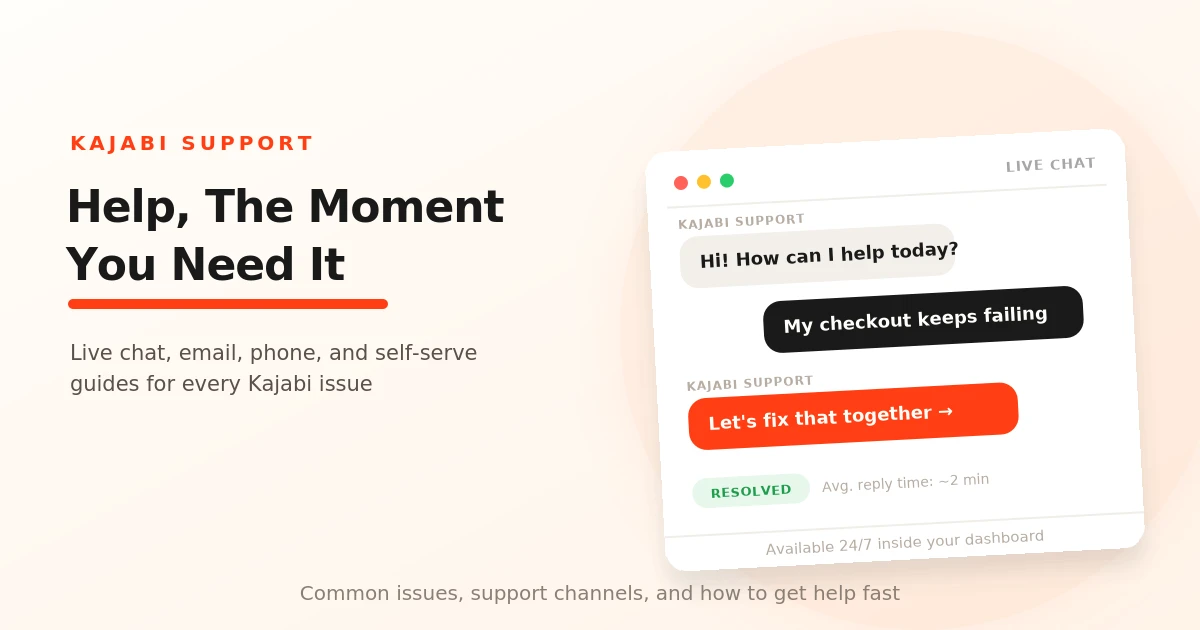
Table of Contents ▼
Quick Answer
This guide covers Kajabi's support channels and explains how to troubleshoot common technical issues. It includes practical guidance for resolving checkout and payment errors, customer login and course access problems, email delivery issues, and website errors, along with tips for contacting Kajabi Support effectively.
Key Takeaways
- Kajabi users can use resources such as the Help Center, live support, training resources, and community channels to find assistance.
- Payment errors, login problems, email delivery issues, and website errors often have straightforward troubleshooting steps.
- Clear explanations, screenshots, and details about the steps you've already tried can make it easier to identify an issue.
- Issues involving third-party services such as Stripe, PayPal, or custom code may require help from the relevant provider or a developer.
Why Kajabi Support?
An online business is like an adventure: you have moments when you win and times when you lose. It comes with its highs and lows. Whether you’re building a course, setting up marketing automation, or launching an email campaign, issues will arise.
This is where Kajabi Support comes in. Kajabi offers powerful tools and customer support to help you manage your online business and make the most of the platform.
Kajabi Support Channels
Kajabi Help Center
The Help Center is packed with searchable tutorials, videos, and step-by-step articles on topics like:
- Course creation and setup
- Website design and customization
- Email marketing and automation
- Technical troubleshooting
It can be helpful when you need quick answers to problems that may seem out of this world.
Live Chat Support
For real-time assistance, you can use Kajabi’s Live Chat Support. You can access support through the “Help & Feedback” tab inside your Kajabi dashboard. You may also be able to share your screen to help the support team understand the issue more clearly.
Email Support
If you need help with more complex tools or issues, you can contact the Kajabi support team by email. When reaching out, make sure to clearly explain the problem and include any relevant details that can help the team understand what went wrong.
Kajabi Customer Service Number
Feeling like talking it out would be more helpful? You can also contact Kajabi by phone for issues that require direct assistance. This can be useful for questions related to your account or billing.
Kajabi University
Kajabi University offers self-paced training to help you make the most of the platform. It is designed to help you work through Kajabi’s tools and learn how to manage your online course business.
Webinars & Live Training
Webinars and live training can allow you to learn more about Kajabi’s features and how to use them. Set aside time to practice the Kajabi features you use most, and keep a list of questions to bring to your next support conversation.
Kajabi Community
You can also join Kajabi’s Facebook community to ask questions, network, and get feedback from other users. It can be a helpful peer resource when you don’t understand something about Kajabi or want to learn how other creators handle similar situations.
Common Issues: How to handle them:
Checkout & Payment Errors:
Checkout errors can typically happen due to a couple of reasons:
- Payment processor issues
- Form validation problems
- Account configuration issues
For payment processor errors, simply log in to your PayPal or Stripe account and check if there are any pending verification requirements. If there are any, resolve them and ensure your account is set to live mode, not test mode.
Form validation errors can also happen for multiple reasons, such as an incomplete postal code or an invalid email address. This is usually a simple fix. Just update the details if you find anything incorrect, such as accidentally entering special characters or leaving out the “@” symbol from an email address.
Account configuration issues can occur when a payment is blocked because it breaks rules set by the bank, payment app, or local laws. Some common reasons for this are unlicensed selling, missing necessary documents, or operating in an unsupported region. For errors like these, it may be necessary to communicate directly with your payment processor to resolve them. The Kajabi support team can help you understand the error but cannot modify payment processor restrictions.
To resolve this issue from your end, you can:
- Review your payment processor’s acceptable use policy.
- Verify that your business category is correctly set.
- Check for any compliance notices in your payment processor dashboard.
- Contact your payment processor’s support team for specific guidance.
Customer Login and Course Access Issues
Sometimes, one of the most common issues you can face with your Kajabi platform is customers not being able to access the library or their purchased products.
Ensure that your customers’ email addresses match the email associated with their account. If it’s a password problem, they can reset their password and log in with their new credentials. If the customer is having trouble logging in from a different browser, they may also want to try clearing their browser cache.
Email Delivery Problems
Occasionally, emails may not be sent to some of your learners, causing them to miss important updates or reminders. To make sure this doesn’t occur, here’s how you can handle it:
The recipient list might be smaller than your contact list. A contact list can include learners who contacted you for details or more information but are not necessarily subscribed to your marketing emails. The recipient list, on the other hand, includes contacts who are subscribed and eligible to receive your marketing emails.
Marketing emails may only be sent to your subscribed contacts, while unsubscribed contacts won’t receive marketing emails because they may have opted out of receiving them. Emails might also be going into spam, so checking your email’s deliverability can help identify the issue.
Website and Page Errors:
Sometimes, you may run into issues while editing or accessing your Kajabi website pages. For example, you might see a 404 error or be redirected to a login page when trying to edit a page.
One reason this can happen is because of your browser’s cookies or cache. If you’re facing this issue, try clearing your browser cache and cookies and then reload the page. You can also try using a different browser to see if the problem continues.
If the issue still occurs after trying these steps, you may need to check your website settings or contact Kajabi support for further assistance.
Tips For Getting Help From Support:
When contacting Kajabi Support, it is important to clearly explain the issue you are facing. This can help the support team understand the problem and provide you with the right solution.
Here are some tips to keep in mind:
- Explain the issue clearly: Describe what went wrong and what you were trying to do when the issue occurred.
- Include screenshots: If possible, provide screenshots of the error or problem so the support team can better understand what you are experiencing.
- Mention the steps you have already tried: Let the support team know what troubleshooting steps you have already taken. This can help avoid repeating the same steps.
- Provide relevant details: Include any information that could help the support team identify the issue, such as the page, feature, or tool where the problem is occurring.
Why Should You Contact Kajabi Support?
Kajabi offers support services that are available 24/7 and can guide you through the complex design and tools of the platform. From understanding why emails are not being sent to figuring out why a page keeps crashing, Kajabi Support is there to help creators resolve issues and keep their online business running smoothly.
Final Thoughts:
Running an online business on Kajabi comes with many tools and features, but sometimes you may run into technical issues along the way. Whether you are dealing with payment errors, email delivery problems, or website issues, knowing how to troubleshoot them can help you get your business back on track.
If you are unable to resolve an issue yourself, Kajabi Support can help you understand the problem and guide you toward a solution. Knowing when to ask for help can save you time and allow you to focus on growing your online business.
Sources & References
Frequently Asked Questions
QCan Kajabi Support access my account to fix an issue?
You should never share your password or other sensitive account information with support. If they need additional information to investigate the issue, they can guide you on what details to provide or what steps to take.
QCan Kajabi Support help with third-party integrations?
For integrations connected to Kajabi, the support team can help you understand the Kajabi side of the setup. However, problems within the third-party service may need to be handled by that provider's support team.
QCan Kajabi Support help if the problem is caused by Stripe or PayPal?
If the issue is related to your Stripe or PayPal account, such as a verification requirement or account restriction, you may need to contact the payment processor directly. Kajabi Support can still help you determine whether the problem is coming from the Kajabi setup.
QCan Kajabi Support help me recover accidentally deleted content?
If you have accidentally deleted important content, contact Kajabi Support as soon as possible and explain what happened. Recovery options can depend on the specific situation, so it is best to ask support rather than assume the content can be restored.