
Kajabi API: Complete Guide to API Access & Integration
Learn how the Kajabi API works, including API access, authentication, endpoints, pagination, webhooks, Zapier integrations, security practices, common errors, and troubleshooting.
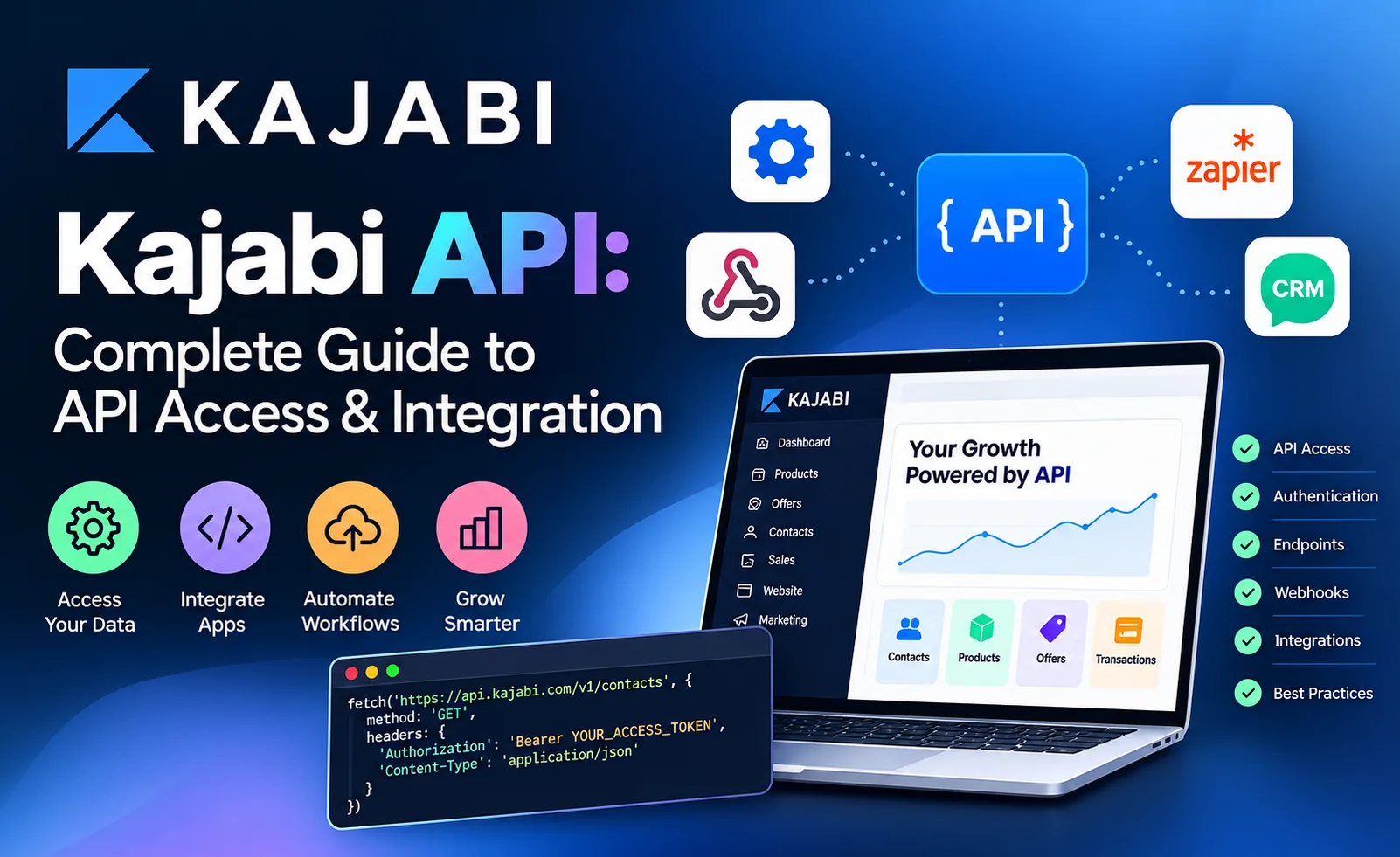
Table of Contents ▼
Quick Answer
This guide explains the Kajabi API, including how to access and authenticate the API, create API keys, use endpoints, pagination, filtering, webhooks, and Zapier integrations. It also covers common use cases, security best practices, troubleshooting, API limitations, and steps for building a custom Kajabi integration.
Key Takeaways
- Developers can use API endpoints to retrieve and manage supported Kajabi data.
- Webhooks can help trigger workflows when specific events occur in Kajabi.
- Zapier is useful for simpler no-code or low-code integrations, while the API provides more flexibility for custom development.
- Secure API credentials by using environment variables, limiting permissions, and avoiding exposed keys.
- Understanding pagination, filtering, authentication errors, and API limitations is important when building reliable Kajabi integrations.
- A clear integration workflow can help teams connect Kajabi with CRMs, reporting tools, automation platforms, and custom applications.
If you want to connect Kajabi with a custom application, automate data workflows, or move information between Kajabi and another system, the Kajabi API can give your development team a more flexible way to build that connection.
Kajabi’s Public API is designed for custom integrations and programmatic workflows. However, it is important to understand the difference between the Public API, API Key and API Secret used for some third-party integrations, and webhooks. They serve different purposes and should not be treated as the same thing.
This guide from TheEduAssist explains Kajabi API access, authentication, API keys, endpoints, pagination, webhooks, Zapier, common use cases, security practices, and troubleshooting.
Key Takeaways
- Kajabi’s Public API can be used to build custom integrations and automate workflows.
- Current Kajabi Pro includes Public API access.
- Owners and Subowners can create Public API keys.
- Public API credentials are different from the API Key and API Secret used for Zapier and some native integrations.
- API requests use Bearer-token authentication.
- Kajabi’s API supports pagination, filtering, sorting, and selected fields on supported endpoints.
- Webhooks are better suited to event-driven workflows, such as responding to a purchase.
- Not every piece of information visible in the Kajabi dashboard is available through the Public API.
- API credentials should be treated as sensitive information and never exposed publicly.
What Is the Kajabi API?
An API, or Application Programming Interface, allows two software systems to communicate with each other.
The Kajabi Public API allows developers to build custom integrations that communicate with supported Kajabi data and functionality. This can be useful when a business needs more control than a standard integration provides.
For example, a development team might want to:
- Connect Kajabi with an internal application
- Synchronize supported customer or purchase data
- Build a custom reporting workflow
- Automate data processing
- Connect Kajabi to another business system
- Create a custom application that works with Kajabi data
The important point is that the Public API does not automatically expose everything available inside the Kajabi dashboard. Kajabi states that some dashboard data is not currently available through the Public API.
If you are working with leads and customer information, you can also explore TheEduAssist’s guide, Kajabi CRM: How to Manage Leads and Students in One Place for additional information about managing Kajabi contacts and students.
Kajabi Public API vs API Key and API Secret
One of the easiest ways to get confused with Kajabi integrations is assuming that every Kajabi API credential is the same.
They are not.
Kajabi currently separates its Public API credentials from the API Key and API Secret commonly used with Zapier and other native integrations.
| Integration method | Main purpose | Credentials / mechanism |
|---|---|---|
| Kajabi Public API | Custom development and programmatic integrations | Public API credentials and access tokens |
| Webhooks | Event-driven communication | Webhook URLs and event payloads |
| Zapier | Connecting Kajabi with supported third-party apps | Kajabi API Key and API Secret |
| Native integrations | Specific third-party connections | Depends on the integration |
Kajabi specifically notes that the OAuth client ID and client secret created for the Public API are different from the API Key and API Secret used for Zapier and other native integrations.
This distinction matters when troubleshooting an integration. Using the wrong credentials can prevent authentication even when the credentials themselves are valid.
Who Can Access the Kajabi Public API?
Kajabi’s current documentation states that the Public API is included with the current Pro plan.
Customers using a legacy Pro plan may need to upgrade to the current Pro plan or add the Public API add-on. Kajabi currently lists that legacy add-on at $25 per month. Because plan features and pricing can change, check Kajabi’s current documentation before purchasing or changing a plan.
There is also an account-permission requirement.
According to Kajabi, Owners and Subowners can create API keys.
Before development begins, confirm:
- Your Kajabi account has Public API access.
- The user creating the key has the required account role.
- The permissions selected for the API key cover the resources your integration needs.
- The specific data you want is actually available through the Public API.
How to Create a Kajabi API Key
If your account has Public API access, Kajabi provides the following general workflow:
- Open your Kajabi Dashboard.
- Go to Settings.
- Open Public API under Account Settings.
- Select Create User API Key.
- Give the key a name.
- Select the account user.
- Select the required permissions.
- Create the key.
Kajabi recommends selecting the permissions your integration actually needs. If a token does not have sufficient permissions, protected API endpoints can return authentication or authorization errors.
API credentials can also be deleted or rotated. Kajabi notes that rotating credentials invalidates access tokens granted with those credentials.
Why API Permissions Matter
Avoid giving an integration more access than it needs.
For example, if an application only needs to retrieve purchase information, there is little reason to give it permissions unrelated to that workflow.
Using appropriate permissions reduces unnecessary exposure and makes an integration easier to manage.
Kajabi API Authentication
Authentication verifies that an API request is authorized to access Kajabi.
Kajabi’s Public API documentation uses Bearer authentication. A request includes an access token in the Authorization header.
A simplified request looks like this:
curl --request GET \
  --url https://api.kajabi.com/v1/purchases \
  --header 'Authorization: Bearer <token>'
The exact endpoint, parameters, and permissions depend on the resource being requested.
For example, Kajabi’s purchase endpoint uses:
https://api.kajabi.com/v1/purchases
and requires a Bearer authorization header.
Keep Tokens and Secrets Secure
Do not place API credentials directly in:
- Public GitHub repositories
- Front-end JavaScript
- Public documentation
- Screenshots
- Client-side applications where users can inspect the credentials
- Shared spreadsheets or public files
Instead, store secrets in secure environment variables or an appropriate secrets-management system.
Kajabi also warns users not to share API credentials publicly because someone with access to them may be able to interact with the Kajabi account through the API.
Kajabi API Base URL and Endpoints
The Kajabi Public API uses REST-style endpoints.
The API documentation shows the production API structure using:
https://api.kajabi.com/v1/
For example:
GET https://api.kajabi.com/v1/purchases
An endpoint represents a specific type of resource or operation.
The exact endpoints available to your integration should always be checked in Kajabi’s current API documentation because API resources and capabilities can change.
What Can You Do With the Kajabi API?
The available resources depend on Kajabi’s current Public API reference and the permissions assigned to your API credentials.
One example is the Purchases endpoint.
Kajabi’s documentation shows that the purchases endpoint can return information such as:
- Purchase ID
- Amount
- Currency
- Payment type
- Purchase dates
- Coupon information
- Customer relationship
- Offer relationship
- Product relationship
- Transaction relationship
The API reference also documents filtering, sorting, pagination, and sparse fields for the purchases endpoint.
This means a developer can build a workflow around supported purchase data instead of manually exporting information from Kajabi.
Kajabi API Pagination
When an API returns a large number of records, returning everything in one request is usually inefficient.
Kajabi’s API documentation supports pagination on documented list endpoints.
For example:
GET /v1/purchases?page[number]=1&page[size]=10
You can request another page by changing the page number:
GET /v1/purchases?page[number]=2&page[size]=25
The API response can include links and metadata such as the current page, total count, and total pages.
Why Pagination Matters
Suppose your Kajabi account has thousands of purchases.
Instead of asking the API for thousands of records in a single request, your application can process the results page by page.
This can make synchronization easier to control and can reduce unnecessary API traffic.
Filtering and Sorting Kajabi API Data
Kajabi’s API documentation also provides filtering and sorting options for supported endpoints.
For example, a purchase request can filter by site:
GET /v1/purchases?filter[site_id]=123
It can also filter by customer:
GET /v1/purchases?filter[customer_id]=456789
Sorting can be used to order results by supported attributes. For example:
GET /v1/purchases?sort=-effective_start_at
The API reference provides the supported filtering and sorting fields for each endpoint.
This is useful when building dashboards, synchronization systems, or reporting tools that only need a specific subset of Kajabi data.
Kajabi API vs Webhooks
The Public API and webhooks solve different problems.
The simplest way to think about them is:
API: Your application asks Kajabi for data or sends supported requests.
Webhook: Kajabi sends information to another system when a supported event occurs.
Kajabi describes the Public API as suitable for custom integrations, programmatic data access, and application development. Webhooks are intended for event-driven workflows.
| Feature | Public API | Webhooks |
|---|---|---|
| Main purpose | Programmatic data access and integration | Event notifications |
| Communication | Application makes API requests | Kajabi sends event information |
| Best for | Custom applications and data workflows | Event-driven automation |
| Example | Retrieve supported purchase data | Notify another system after an event |
| Direction | Can support reading and writing through supported endpoints | Primarily sends events outward, with inbound webhook functionality also available |
When Should You Use Webhooks?
Webhooks can be useful when your application needs to react to an event.
For example:
Customer makes a purchase
        ↓
Kajabi sends webhook
        ↓
Your application receives the event
        ↓
Your application starts a workflow
Kajabi documents several webhook events, including purchase-related events and form-related workflows.
Webhooks are available on Kajabi’s Growth and Pro plans according to its current Help Center documentation.
Kajabi API vs Zapier
You do not always need custom development.
If your goal is simply to connect Kajabi with another supported application, Zapier may be more appropriate.
Kajabi’s Zapier documentation describes workflows such as:
- New purchases
- Cart purchases
- New form submissions
- Completed assessments
- Granting Offer access
- Revoking Offer access
- Creating form submissions
For Zapier connections, Kajabi uses an API Key and API Secret located in Account Details. These credentials are different from the Public API credentials.
Which Option Should You Use?
Consider the complexity of the workflow.
Use the Public API when:
- You need a custom application.
- You need programmatic control.
- Your workflow requires supported API endpoints.
- Your development team needs more flexibility.
Use webhooks when:
- Your system needs to respond to specific Kajabi events.
- You want event-driven communication.
- The required event is supported by Kajabi’s webhook system.
Consider Zapier when:
- A prebuilt workflow meets your needs.
- You want less custom development.
- You are connecting Kajabi to common third-party applications.
The right approach depends on the workflow rather than simply choosing the most technically advanced option.
Common Kajabi API Integration Use Cases
Here are several practical scenarios where a Public API integration may make sense.
1. Custom Reporting
A business may want to combine Kajabi data with information from another internal system.
A custom application can retrieve supported data and transform it into a reporting format suited to the organization’s needs.
2. Data Synchronization
A development team may need to synchronize supported Kajabi records with another business application.
The application can periodically request the required data and use pagination and filtering to manage the synchronization process.
3. Custom Applications
Businesses sometimes need an interface that does not exist inside Kajabi.
A custom application can use the Public API to work with supported Kajabi resources while providing a different user experience.
4. Automated Workflows
An API can become one component in a larger workflow.
For example:
Kajabi
   ↓
API / Webhook
   ↓
Integration Layer
   ↓
Business Application
   ↓
Reporting / Automation
The exact architecture depends on the systems involved and the data available through Kajabi’s API.
Kajabi API Security Best Practices
API access should be treated as a security-sensitive part of your technology stack.
Follow these practices:
Use the Least Privilege Principle
Only provide the permissions an integration needs.
Store Credentials Securely
Keep secrets in environment variables or a secure secrets manager rather than hard-coding them into an application.
Never Publish Credentials
Do not put API keys, client secrets, access tokens, or refresh tokens in public repositories or screenshots.
Rotate Credentials When Necessary
If credentials may have been exposed, rotate or delete them and issue new credentials as appropriate. Kajabi supports deleting or rotating Public API credentials.
Monitor Your Integration
Log API errors and important integration events without recording sensitive credentials.
Respect API Limits
Kajabi’s Public API uses rate limits. Current limits should be checked in the official API documentation because the applicable values can change.
Common Kajabi API Errors and Troubleshooting
API errors often come from authentication, permissions, or configuration problems.
401 Unauthorized
A 401 error can indicate that the request is not properly authenticated.
Check:
- Whether the access token is valid
- Whether the Authorization header is present
- Whether the token is being sent as a Bearer token
- Whether the credentials are current
403 Forbidden
A 403 response can indicate that the authenticated integration does not have sufficient permissions for the requested operation.
Check the permissions assigned when the API key was created.
Kajabi specifically recommends checking key permissions when 401 or 403 errors occur.
API Access Was Just Enabled
If you have only recently enabled API access, Kajabi says to allow up to 10 minutes for the change to propagate before testing.
The Data You Need Is Missing
Do not assume that every field shown in Kajabi’s dashboard is available through the API.
If a field or metric is absent from the current API reference, Kajabi states that it is not currently exposed through the Public API.
Kajabi API Limitations to Consider
The Public API can be useful, but it is not a replacement for every feature in the Kajabi dashboard.
Before starting development, confirm:
- The required resource exists in the API documentation.
- The fields you need are available.
- Your account has the appropriate API access.
- Your API key has the required permissions.
- The expected workflow fits the available endpoints.
- Your application can handle authentication and rate limits.
- You have a plan for API errors and credential rotation.
This planning step can prevent a common development problem: building an integration around data that the API does not actually expose.
A Simple Kajabi API Integration Workflow
A typical custom integration can follow this process:
Step 1: Define the Requirement
Start with the business problem rather than the API.
For example:
“We need to synchronize supported Kajabi purchase information with our internal reporting system.”
Step 2: Check the API Reference
Look for the required resource and confirm that the fields are available.
Step 3: Confirm Account Access
Make sure the Kajabi account has Public API access.
Step 4: Create the API Credentials
Create the appropriate Public API key and select the required permissions.
Step 5: Authenticate
Generate and use an access token according to Kajabi’s current authentication documentation.
Step 6: Test a Small Request
Start with a simple API request before building the complete integration.
Step 7: Add Pagination and Filters
If the workflow handles large amounts of data, implement pagination and only request the data you actually need.
Step 8: Handle Errors
Build handling for authentication errors, permission problems, rate limits, invalid requests, and unavailable resources.
Step 9: Secure the Integration
Move credentials into secure storage and make sure they are not exposed in application code.
Step 10: Monitor the Workflow
Track successful requests and failures so problems can be identified quickly.
Frequently Asked Questions
Does Kajabi have an API?
Yes. Kajabi provides a Public API for building custom integrations and automating workflows. Access depends on the Kajabi plan and account configuration.
How do I get Kajabi API access?
For the current Public API, go to Settings > Public API in the Kajabi Dashboard if your account has access. Owners and Subowners can create API keys.
Is the Kajabi Public API the same as the API Key and API Secret used by Zapier?
No. Kajabi specifically states that Public API credentials are different from the API Key and API Secret used for Zapier and other native integrations.
What is the Kajabi API used for?
The Public API can be used for custom integrations, supported data access, automation, and custom applications. The exact capabilities depend on the current API reference and permissions.
Should I use the Kajabi API or webhooks?
Use the API when your application needs to programmatically access supported resources. Use webhooks when you need to react to supported events. In some integrations, using both together can make sense.
Can I access everything in Kajabi through the API?
No. Kajabi states that not all information visible in the dashboard is available through the Public API. Check the current API reference for the specific data you need.
Are Kajabi API credentials sensitive?
Yes. API credentials should be protected and should not be shared publicly. Anyone who obtains credentials with sufficient access may be able to interact with the connected Kajabi account.
Conclusion
The Kajabi API provides a way for developers and businesses to build custom integrations around supported Kajabi resources and workflows. It can be useful for custom applications, data synchronization, reporting, and automation.
However, choosing the right integration method is important. The Public API, webhooks, and Zapier are designed for different types of workflows. Public API credentials are also different from the API Key and API Secret used by Zapier and some other integrations.
Before developing an integration, check Kajabi’s current API documentation, confirm that the required data is exposed, select appropriate permissions, and design the integration with security and error handling in mind.
For more educational resources about Kajabi, LMS platforms, online learning technology, and related topics, explore TheEduAssist.
Author Rimsha Shahid
Sources & References
Frequently Asked Questions
Q Does Kajabi have an API?
Yes. Kajabi provides a Public API for building custom integrations and automating workflows. Access depends on the Kajabi plan and account configuration.
QHow do I get Kajabi API access?
For the current Public API, go to **Settings > Public API** in the Kajabi Dashboard if your account has access. Owners and Subowners can create API keys.dentials with sufficient access may be able to interact with the connected Kajabi account.
QIs the Kajabi Public API the same as the API Key and API Secret used by Zapier?
No. Kajabi specifically states that Public API credentials are different from the API Key and API Secret used for Zapier and other native integrations.
Q What is the Kajabi API used for?
The Public API can be used for custom integrations, supported data access, automation, and custom applications. The exact capabilities depend on the current API reference and permissions.
Q Should I use the Kajabi API or webhooks?
Use the API when your application needs to programmatically access supported resources. Use webhooks when you need to react to supported events. In some integrations, using both together can make sense.
Q Can I access everything in Kajabi through the API?
No. Kajabi states that not all information visible in the dashboard is available through the Public API. Check the current API reference for the specific data you need.
QAre Kajabi API credentials sensitive?
Yes. API credentials should be protected and should not be shared publicly. Anyone who obtains credentials with sufficient access may be able to interact with the connected Kajabi account.