
How to Connect Kajabi to Facebook and Instagram?
Learn how to connect Facebook and Instagram to Kajabi using Universal Inbox, manage social media conversations, and organize customer enquiries from one dashboard.
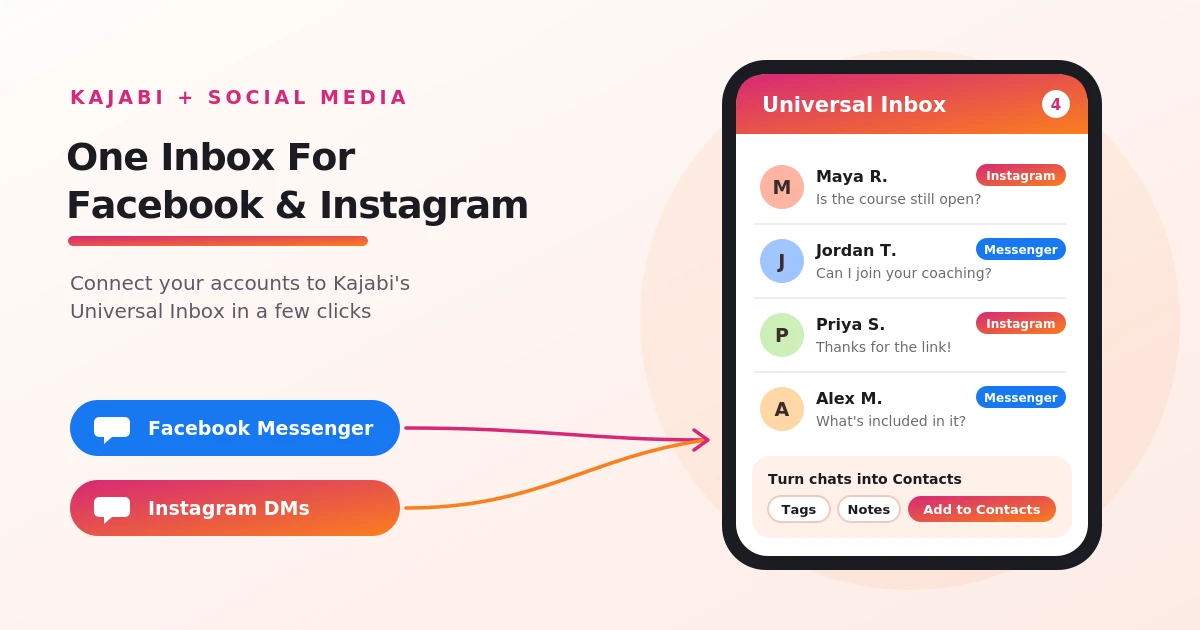
Table of Contents ▼
Quick Answer
This guide explains how to connect Facebook and Instagram to a Kajabi account through its Universal Inbox feature. It covers the connection process, account permissions, supported messaging features, and the benefits of managing social conversations alongside Kajabi contacts. It also explains why the integration is optional and when it may be useful for course creators and online business owners.
Key Takeaways
- Kajabi allows users to connect supported Facebook and Instagram accounts through its social media integration settings.
- Universal Inbox brings supported social messages and Kajabi conversations together in one dashboard.
- Creators can manage customer conversations and, where supported, turn them into Kajabi Contacts for follow-up.
- You can operate a Kajabi business without connecting Facebook or Instagram, but the feature can help if social media is an important communication channel.
How to Connect Facebook and Instagram to Your Kajabi Account?
Kajabi allows you to connect to your social media platforms like Facebook and Instagram through a special tool called Universal Inbox Features. This tool allows you to connect your social media message inbox into one place, making it easy to communicate with learners without switching between applications.
To connect your accounts, simply:
- Open your Kajabi Dashboard: Log in to your Kajabi account
- Go to Integrations: Navigate to Settings and open the Integrations & Webhooks section.
- Find the Social Media section: Scroll to the Social Media section, where you will see the Facebook and Instagram connection options.
- Select an account: A pop-up window will appear asking you to sign in to the account you want to connect.
- Grant Permissions: Review and allow Kajabi Marketing Services to access the account so integration can be completed.
- Complete the connection: Follow any additional prompts. If connecting to Instagram, you may be asked to switch to an Instagram Professional account.
Finally, once your accounts are connected, open the inbox icon in your Kajabi dashboard and select View all messages to access your conversations. You can repeat the same process to connect the other social media account.
Purpose of Kajabi’s Universal Inbox?
The main purpose of using Kajabi’s Universal Inbox is to help course creators, coaches, and online business owners stay connected with their audience, respond to customer questions, and keep track of potential leads. Its main purposes include:
- Centralizing conversations: Bring Instagram DMs, Facebook Messenger chats, and supported Kajabi conversations into one inbox.
- Improving customer communication: Respond to messages from one place instead of checking multiple platforms throughout the day.
- Managing potential leads: Turn conversations into Kajabi Contacts, allowing you to add tags, save notes, and include those contacts in your marketing activities.
- Following up with interested customers: Keep track of conversations with people who ask about courses, coaching programmes, or other offers.
- Managing automated messages: View messages generated through supported Comment-to-DM automations alongside other social conversations.
Importance of connecting Kajabi to Social Media?
Connecting Facebook and Instagram to Kajabi helps creators manage customer conversations and social media engagement alongside their other business activities. Through Kajabi’s Universal Inbox, you can bring Instagram direct messages and Facebook Messenger conversations into one place instead of switching between different platforms.
Connecting your social media to Kajabi can make customer communication more organized and help creators manage their audience from a centralized platform. However, it is particularly useful for businesses that regularly receive enquiries through Facebook and Instagram.
Is connecting Facebook and Instagram to Kajabi Necessary?
Not necessarily; connecting Facebook and Instagram to Kajabi is not a requirement to use. You can still create and sell courses, manage your website, send email campaigns, and handle other business activities without linking your social media accounts.
If you mainly use email marketing or communicate with customers through other channels, you may not need this integration. But if Facebook and Instagram are important parts of your marketing and customer support strategy, connecting them can make managing conversations more convenient.
Final thoughts
Connecting Facebook and Instagram to Kajabi makes it easier to manage customer conversations without switching between platforms. With Universal Inbox, creators can respond to messages, track potential customers, and organize communication from one dashboard. While connecting social media accounts is not essential for running a Kajabi business, it can be a useful feature for creators who rely on social platforms to engage with their audience and promote their products. Ultimately, it depends on your business needs and how you prefer to communicate with your customers.
Need Help Building or Scaling Your Online Learning Program?
Whether you are launching an academy on Kajabi, modernizing corporate LMS modules, or converting raw expertise into accredited curriculum, our senior instructional designers provide a complimentary architecture evaluation.
Sources & References
Frequently Asked Questions
QDo I need a Facebook Business account to connect Facebook to Kajabi?
You may need a Facebook Page or the appropriate Meta account permissions, depending on the integration requirements. Make sure you have administrative access to the relevant Facebook assets before starting the connection process.
QDo I need an Instagram Professional account to connect Instagram to Kajabi?
Kajabi's Instagram integration may require an Instagram Professional account, such as a Business or Creator account. You may also need to connect it to an eligible Facebook Page through Meta's account settings. Check the current connection requirements before attempting setup.
QCan I reply to Facebook and Instagram messages directly from Kajabi?
Yes, Universal Inbox is designed to let users manage supported Facebook Messenger and Instagram conversations from Kajabi. However, the messaging features available may depend on the connected account, platform permissions, and Meta's messaging restrictions.
QCan I disconnect my Facebook or Instagram account from Kajabi?
You can manage connected social accounts through Kajabi's integration settings. If you no longer want to use the connection, look for the option to disconnect or remove the account. You may also need to review or revoke Kajabi's permissions through your Meta account settings.
