
2026 Best Non-Technical SCORM Course Creation Tools: Easy No-Code Guide
Discover the best no-code SCORM course creation tools for 2026 and learn how beginners can build, export, and manage SCORM courses without technical skills.
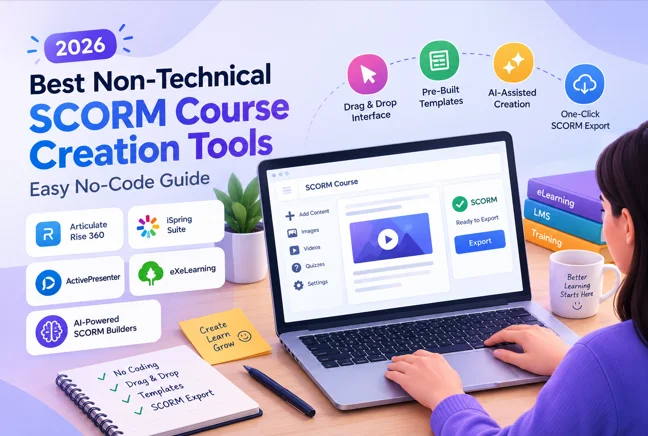
Table of Contents ▼
Quick Answer
This guide explores the best non-technical SCORM course creation tools for 2026. It compares beginner-friendly options such as Articulate Rise 360, iSpring Suite, ActivePresenter, eXeLearning, and AI-powered SCORM builders, while explaining their features, limitations, costs, and ideal use cases.
Key Takeaways
- The right tool for your level
- A clear content strategy
- Awareness of modern custom eLearning workflows
Does non-technical SCORM course creation feel hard for you and you often ask yourself:
“Can I build SCORM courses without technical skills?”
That’s the exact question most course creators, coaches, and L&D teams are asking in 2026, and honestly, the answer is still: yes, but only if you choose the right tools.
SCORM (Sharable Content Object Reference Model) allows your courses to be tracked across LMS platforms providing monitoring completion, scores, and engagement.
But here’s the catch:
- Traditional tools are slide-based and manual
- Creating interactions still takes time
- Many tools assume instructional design + technical knowledge
That’s where no-code SCORM authoring tools come in.
Why SCORM Still Matters in 2026 (Even with AI Tools Rising)
Even with AI-powered platforms and microlearning trends, SCORM remains critical because:
- It ensures LMS compatibility across platforms
- Tracks learner data (completion, time, scores)
- Standardizes content delivery globally
For training businesses, coaching programs, and corporate L&D, SCORM is still the backbone of scalable eLearning.
What Makes a SCORM Tool “Non-Technical”?
Not all tools are beginner-friendly. A true no-code SCORM course creation tool should offer:
- Drag-and-Drop Interface No coding, no scripting, just visual editing.
- Pre-Built Templates So you don’t start from scratch every time.
- AI-Assisted Content Creation Generate quizzes, outlines, and interactions faster.
- One-Click SCORM Export No configuration headaches.
- LMS Compatibility Works smoothly with platforms like LearnDash, Kajabi, or Thinkific.
2026 Best Non-Technical SCORM Course Creation Tools
Here are the top beginner-friendly tools you can use without technical skills:
1. Articulate Rise 360 (Beginner-Friendly + Fast)
Part of Articulate 360
Why it works:
- Clean, block-based editor
- Mobile-responsive courses
- SCORM export in minutes
Best for: Coaches, educators, course creatorsLimitation: Less control than advanced tools
It is widely used by instructional designers for rapid content creation.
2. iSpring Suite (PowerPoint-Based Simplicity)
Built on Microsoft PowerPoint
Why it works:
- Familiar interface (if you know PowerPoint, you’re ready)
- Built-in quizzes and role-play simulations
- Cloud collaboration options
Best for: Beginners transitioning into eLearningLimitation: Still somewhat slide-based
This tool is known for intuitive UI and quick onboarding.
3. ActivePresenter (Free + Powerful Combo)
Developed by Atomi Systems
Why it works:
- Free version available
- Combines screen recording + SCORM export
- Works offline
Best for: Software tutorials and training videos Limitation: Slight learning curve due to features
It supports SCORM 1.2 and 2004 with full tracking.
4. eX eLearning (Best Free No-Code Tool)
Open-source platform
Why it works:
- Completely free
- Simple content structuring
- SCORM export supported
Best for: Academic institutions and budget creatorsLimitation: Outdated interface
It is ideal for structured, text-based courses.
5. AI-Powered SCORM Builders (2026 Trend Shift)
Example: Coursly.ai
Why it works:
- Upload PDF/video → auto-generated course
- Built-in quizzes and structure
- Saves massive production time
Best for: Scaling content fastLimitation: Less manual control
Why Most Non-Technical Users Still Struggle (And How to Fix It)
Even with “easy” tools, many creators fail because:
Mistake 1: Choosing Feature-Heavy Tools Advanced tools like Articulate Storyline 360 overwhelm beginners.
Mistake 2: Ignoring Instructional Design Tools don’t replace learning strategy.
Mistake 3: Starting Without Templates You waste time reinventing structure.
The Smart Solution Framework
Here’s a practical approach used in modern L&D consulting services:
Step 1: Start with Content (Not Tool) Use:
- PDFs
- Scripts
- Existing presentations
Step 2: Choose Tool Based on Skill Level
- Beginner → Rise 360 / iSpring
- Intermediate → Active Presenter
- Fast production → AI tools
Step 3: Use Templates + MicrolearningAlign with eLearning trends 2026:
- Short modules
- Interactive checkpoints
- Scenario-based learning
Step 4: Export + Test in LMSEnsure:
- Completion tracking works
- Quiz scoring is accurate
Real-World Use Case
Let’s say you’re building a course in:
- California (Los Angeles, San Diego, San Jose)
- Texas (Houston, Dallas, Austin)
- Florida (Miami, Orlando, Tampa)
These high-growth markets are seeing a rise in:
- Coaching businesses
- Online academies
- Corporate training programs
And most of them prefer: No-code SCORM tools + LMS integration
Cost Reality Check (2026)
Tool Type Cost Range Free tools (eX eLearning)$0Mid-tier (iSpring, ActivePresenter)$200–$700Premium (Articulate 360)~$1,000/year AI tools Subscription-based
Insight: Most beginners don’t need premium tools initially.
Key Takeaway
You don’t need technical skills to build SCORM courses in 2026.
But you do need:
- The right tool for your level
- A clear content strategy
- Awareness of modern custom eLearning workflows
The shift is clear:**From manual slide-building → to AI-assisted course creation.
References
FAQs
Can I create SCORM courses without coding?
Yes. Tools like Rise 360 and iSpring are fully no-code.
What is the easiest SCORM authoring tool?
Rise 360 is considered the easiest for beginners.
Are free SCORM tools worth it?
Yes, especially for simple courses (e.g., eX eLearning).
Do I need an LMS with SCORM tools?
Yes. SCORM files are uploaded to an LMS for tracking.
Are AI SCORM tools reliable in 2026?
Yes, but best used with human review for quality.
Need Help Building or Scaling Your Online Learning Program?
Whether you are launching an academy on Kajabi, modernizing corporate LMS modules, or converting raw expertise into accredited curriculum, our senior instructional designers provide a complimentary architecture evaluation.
Sources & References
Frequently Asked Questions
QCan I create SCORM courses without coding?
Yes. Tools like Rise 360 and iSpring are fully no-code.
Q What is the easiest SCORM authoring tool?
Rise 360 is considered the easiest for beginners.
Q Are free SCORM tools worth it?
Yes, especially for simple courses (e.g., eXeLearning).
QDo I need an LMS with SCORM tools?
Yes. SCORM files are uploaded to an LMS for tracking.
Q Are AI SCORM tools reliable in 2026?
Yes, but best used with human review for quality.
