
Podia vs Kajabi: Which Online Course Platform Is Right for You in 2026?
Compare Podia vs Kajabi in 2026, exploring pricing, features, course creation, and marketing tools to help you choose the right online course platform for your business.
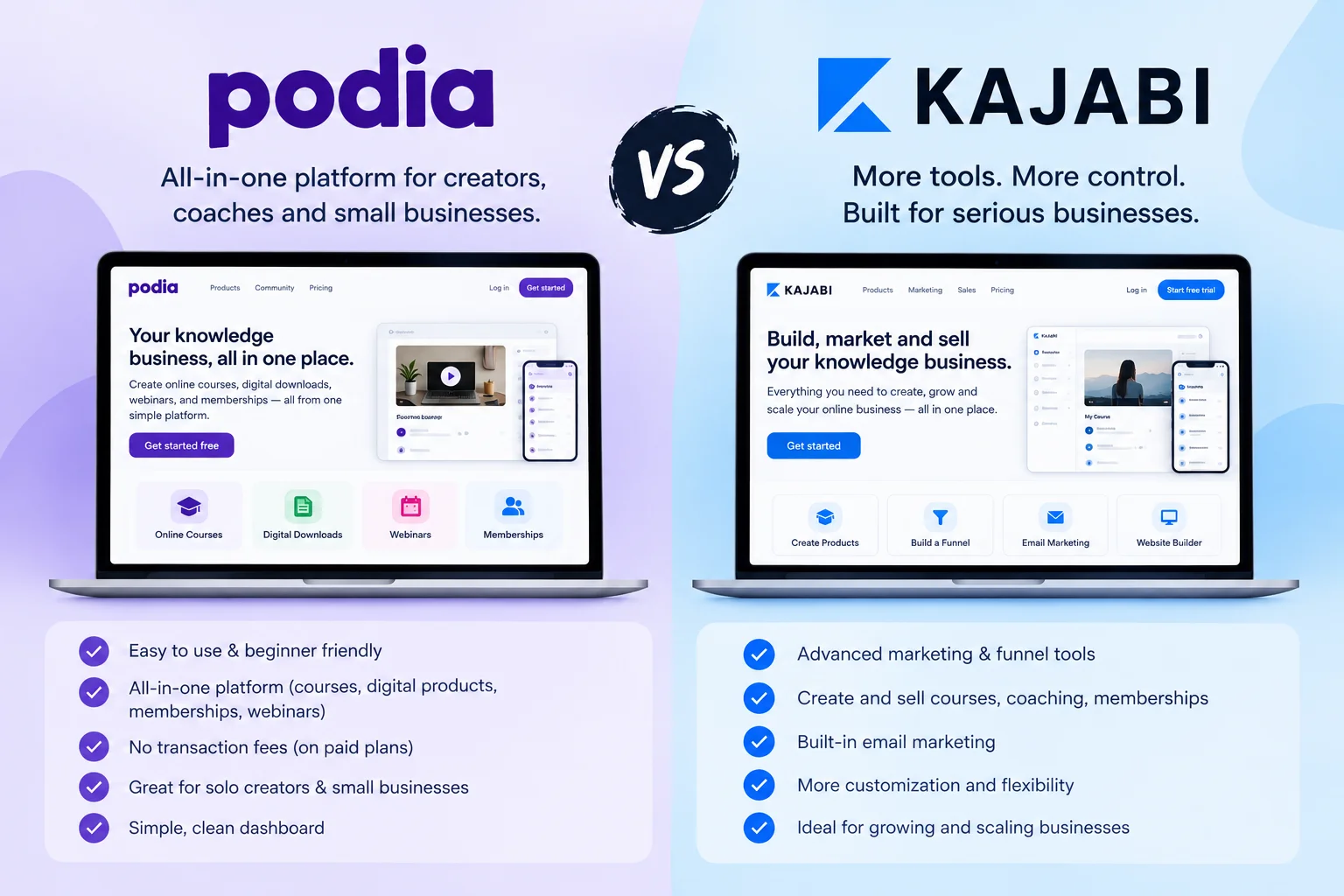
Table of Contents ▼
Quick Answer
This article compares Podia vs Kajabi in 2026, covering pricing, features, online course creation, email marketing, and automation to help creators choose the right platform for their online business.
Choosing the right online course platform is an important decision for creators, coaches, educators, and digital business owners. At The Edu Assist, we share helpful insights about online learning platforms, course creation tools, and digital education solutions.
Podia and Kajabi are two popular platforms for creating and selling online courses. In this guide, we compare Podia vs Kajabi in 2026, including pricing, features, email marketing, automation, and course creation tools to help you understand which platform fits your business needs.
Podia vs Kajabi: Quick Comparison
| Feature | Podia | Kajabi |
|---|---|---|
| Platform type | Creator-focused all-in-one | Knowledge business platform |
| Online courses | Yes | Yes |
| Digital products | Yes | Yes |
| Website builder | Yes | Yes |
| Email marketing | Yes | Yes |
| Community | Yes | Yes |
| Affiliate marketing | Eligible plans | Eligible plans |
| Starting annual price | $42/month | $143/month |
| Product limits | Vary by plan | Vary by plan |
Both platforms offer integrated tools for digital education businesses. Your choice depends on your budget, audience size, product requirements, and marketing needs.
What Is Podia?
Podia is an all-in-one platform designed for creators who want to sell online courses, digital downloads, coaching products, and memberships.
It combines essential business tools such as a website builder, email marketing, community functionality, and digital product delivery.
Instead of managing multiple platforms, creators can use Podia to organize many parts of their online business in one place.
Key Features of Podia
- Online course creation
- Digital downloads
- Coaching products
- Community features
- Website and blog
- Email marketing
- Landing pages
- Affiliate marketing on eligible plans
- Upsells on eligible plans
- Payment integrations
Podia may be useful for creators who want a straightforward way to launch and manage digital products.
What Is Kajabi?
Kajabi is an all-in-one platform for creators, coaches, educators, and knowledge-based businesses.
It supports the creation, marketing, and sale of online courses, coaching programs, memberships, and digital products.
Kajabi combines content delivery with marketing and sales tools, allowing businesses to manage several important workflows through one platform.
Key Features of Kajabi
- Online course creation
- Coaching programs
- Digital products
- Websites and landing pages
- Email marketing
- Sales funnels
- Marketing automation
- Community features
- Affiliate programs on eligible plans
- Advanced business features on eligible plans
Businesses looking to build a structured learning portal can also explore How to Create a Portal in Kajabi Training Platform.
Podia vs Kajabi Pricing in September 2026
Pricing is one of the biggest differences between Podia and Kajabi.
Based on the pricing figures used in this comparison, Podia has a lower starting subscription price, while Kajabi’s entry-level plan costs more.
Pricing date: September 18, 2026.
The figures below are based on the provided pricing information and should be checked against the official pricing pages before publication. A live official pricing verification was not successfully obtained in this search.
Podia Pricing Plans
Podia Mover
Podia Mover is the entry-level plan for creators who need essential tools for launching an online business.
- $42/month when billed annually
- $49/month when billed monthly
- 50 products
- 5% Podia transaction fee
- Community
- Online courses
- Digital products
- Website
- Email marketing
The Mover plan may suit creators who want to start selling digital products while keeping their initial subscription cost lower.
Podia Shaker
Podia Shaker adds additional features for creators who want to expand their digital product business.
- $84/month when billed annually
- $99/month when billed monthly
- 150 products
- No Podia transaction fee
- Affiliate marketing
- Upsells
- PayPal
- Zapier
- One assistant
The Shaker plan may be relevant to businesses that need affiliate marketing, additional integrations, and more product capacity.
Podia Earthquaker
Podia Earthquaker is designed for creators who need higher product and resource limits.
- $150/month when billed annually
- $179/month when billed monthly
- Unlimited products
- Unlimited videos
- Unlimited spaces
- Unlimited assistants
- No Podia transaction fee
Businesses with a larger catalog or multiple assistants may want to examine this plan’s included limits and features.
Kajabi Pricing Plans
Kajabi Basic
Kajabi Basic provides core tools for building and marketing an online knowledge business.
- $179/month when billed monthly
- $143/month when billed annually
- 5 products
- 2,500 contacts
- 1 website
- 1 community
This plan has a smaller product allowance than Podia Mover, so product limits should be considered when planning multiple courses or digital offers.
Kajabi Growth
Kajabi Growth provides higher product and contact limits and additional marketing capabilities.
- $249/month when billed monthly
- $199/month when billed annually
- 50 products
- 25,000 contacts
- 1 website
- 1 community
- Advanced automations
- Affiliate marketing
Growth may be relevant to businesses that require additional marketing and audience capacity.
Kajabi Pro
Kajabi Pro is designed for businesses requiring higher product and contact limits.
- $499/month when billed monthly
- $399/month when billed annually
- Unlimited products
- 100,000 contacts
- 3 websites
- 3 communities
- Additional advanced features
Review the current plan documentation for the precise limits, user permissions, and features available to your business.
Podia vs Kajabi Pricing Comparison Table
| Platform | Plan | Monthly Price | Annual Monthly Equivalent | Products |
|---|---|---|---|---|
| Podia | Mover | $49 | $42 | 50 |
| Podia | Shaker | $99 | $84 | 150 |
| Podia | Earthquaker | $179 | $150 | Unlimited |
| Kajabi | Basic | $179 | $143 | 5 |
| Kajabi | Growth | $249 | $199 | 50 |
| Kajabi | Pro | $499 | $399 | Unlimited |
Transaction and Payment Processing Fees
Podia’s Mover plan includes a 5% Podia transaction fee, while Shaker and Earthquaker do not include this platform transaction fee according to the supplied plan information.
Payment providers such as Stripe or PayPal may charge separate processing fees. These charges can depend on your location, payment method, and provider terms.
Before subscribing, calculate your total costs based on the subscription plan, expected sales, payment processing, and any additional tools you need.
Course Creation: Podia vs Kajabi
Both Podia and Kajabi support online course creation. However, the best fit depends on your preferred course workflow, student experience, and business requirements.
Podia Course Creation
Podia supports online courses alongside digital downloads, coaching, and community products.
Creators can manage different types of digital offers within one platform. This can simplify operations for businesses that want to sell educational products without combining several separate systems.
When evaluating Podia, consider:
- Course content organization
- Student access
- Digital product integration
- Community features
- Course delivery experience
Kajabi Course Creation
Kajabi supports online courses, coaching programs, and digital products. Its course offerings can be connected with email marketing, landing pages, and automation tools.
This can be useful for creators who want to develop a structured marketing and enrollment process around their educational products.
For additional course development guidance, explore How to Maximize Course Success Using the Kajabi Platform.
Email Marketing and Automation
Email marketing helps course creators nurture leads, promote new products, communicate with students, and maintain long-term relationships with their audience.
Podia Email Marketing
Podia includes email marketing features, with available limits and functionality depending on the selected plan.
Creators can use email campaigns and related tools to communicate with subscribers and promote their digital products.
Podia may be suitable for businesses that want website, product, and email tools connected in one platform.
Kajabi Email Marketing
Kajabi provides email marketing, landing pages, sales funnels, and automation features.
These tools can help businesses organize marketing workflows around lead generation, product promotion, and customer communication.
If you’re interested in learning more about funnels, read Kajabi Email Marketing Funnels for Better Course Sales.
What Should You Compare?
When evaluating email marketing, consider:
- Email subscriber or contact limits
- Automation features
- Segmentation and tagging
- Campaign management
- Integration with course products
- Marketing workflow requirements
The features available depend on the selected plan, so check the official documentation before making a final decision.
Website Builder and Customization
Your website is an important part of your online education business. It helps communicate your brand, present your products, publish content, and guide visitors toward enrollment.
Podia Website Features
Podia includes website and blog tools, landing pages, and custom domain support.
These features allow creators to establish an online presence without necessarily purchasing a separate website platform.
Podia may be useful for businesses that want essential website and digital product tools in one system.
Kajabi Website Features
Kajabi provides website and landing-page tools, with additional customization features available on eligible plans.
Businesses should evaluate design flexibility, branding requirements, integrations, and technical customization before selecting a plan.
For website design inspiration and course templates, explore Best Free and Paid Kajabi Course Templates & Themes for 2026.
Community and Membership Features
Community functionality can help creators build relationships with learners and provide ongoing engagement beyond course lessons.
Both Podia and Kajabi offer community-related features. However, the experience and available capabilities depend on the platform and plan.
When comparing community features, review:
- Member access and permissions
- Community organization
- Product integration
- Learner navigation
- Engagement options
- Membership management
Consider how you want students to interact with your content and other members before selecting a platform.
Affiliate Marketing
Affiliate marketing allows partners to promote your courses or digital products under your commission terms.
Podia offers affiliate marketing on eligible plans, including Shaker and Earthquaker based on the provided plan information.
Kajabi also offers affiliate capabilities on eligible plans, including Growth and Pro in the supplied comparison.
If affiliate marketing is important to your business, evaluate:
- Affiliate tracking
- Commission management
- Reporting
- Payout processes
- Plan restrictions
- Integration with your products
Confirm the latest available functionality on the official pricing and documentation pages.
Podia vs Kajabi: Pros and Cons
Podia Pros
- Lower starting annual subscription price
- Integrated creator tools
- Support for courses and digital products
- Website and community functionality
- No Podia transaction fee on Shaker and Earthquaker
Podia Cons
- Mover includes a 5% Podia transaction fee
- Product and subscriber limits vary by plan
- Some features may require a higher-tier subscription
- Payment processing fees may apply
Kajabi Pros
- Integrated course and marketing tools
- Sales funnels and automation
- Higher contact limits on selected plans
- Unlimited products on Pro
- Additional business and customization features on eligible plans
Kajabi Cons
- Higher starting subscription price
- Product limits on Basic
- Some advanced features require upgraded plans
- Payment processing fees may apply
Podia vs Kajabi: Which Platform Should You Choose?
The appropriate platform depends on your business model, budget, product catalog, and marketing requirements.
Podia May Suit You If:
- You are launching your first online course.
- You want a lower starting subscription cost.
- You sell digital downloads and courses.
- You prefer an integrated creator platform.
- You need essential website and email marketing tools.
Kajabi May Suit You If:
- You need integrated marketing and sales workflows.
- You plan to build a larger knowledge-based business.
- You want advanced automation on eligible plans.
- You require higher contact limits.
- You need additional business and customization features.
These are considerations rather than universal recommendations. Compare the actual features and costs against your own requirements.
How to Choose Between Podia and Kajabi
Before purchasing a subscription, evaluate the following five areas.
1. Budget
Compare monthly and annual billing costs, transaction fees, payment processing charges, and any additional expenses.
Your total cost will depend on how you use the platform, not only its advertised subscription price.
2. Product Requirements
Consider how many courses, memberships, coaching products, and digital downloads you plan to sell.
Review product limits carefully, especially if you expect your catalog to grow.
3. Email Contacts
Check contact or subscriber limits and compare them with your current audience and future growth plans.
An increase in your email list may affect the plan you need.
4. Marketing Automation
Determine whether you need basic email campaigns or more advanced sales funnels and automation.
Review which features are included in each plan before selecting a subscription.
5. Website Customization
Consider your branding, website design, integrations, and technical requirements.
If customization is important, examine the specific capabilities and restrictions of the selected plan.
Podia vs Kajabi: Frequently Asked Questions
Is Podia cheaper than Kajabi?
Based on the pricing figures used in this guide, Podia Mover costs $42 per month when billed annually, while Kajabi Basic costs $143 per month when billed annually.
The total cost depends on your selected plan, transaction fees, payment processing, and additional requirements.
Can I sell online courses on Podia and Kajabi?
Yes. Both platforms support online courses and other digital products.
Review the course creation and delivery features to determine how well each platform fits your educational business.
Does Podia charge transaction fees?
Podia’s Mover plan includes a 5% Podia transaction fee. Shaker and Earthquaker do not include this platform transaction fee according to the supplied pricing information.
Payment processing fees may still apply.
Is Kajabi suitable for beginners?
Kajabi provides tools for creating courses, websites, and marketing workflows. Beginners should evaluate the subscription cost, features, and learning requirements before choosing a plan.
Which platform supports email marketing?
Both Podia and Kajabi provide email marketing features. The available capabilities and limits depend on the selected plan.
Can I switch from Podia to Kajabi?
Migration depends on the content, data, and functionality you need to transfer.
Before switching, review the available migration support, content transfer options, and any platform-specific limitations.
Final Thoughts
Choosing the right online course platform depends on your budget, business goals, audience, and course requirements. Podia and Kajabi offer different features and pricing options for creators and online educators.
At The Edu Assist, we aim to provide helpful comparisons and practical insights into online learning platforms, course creation, and digital education tools. Explore our other guides to discover more ways to build and grow your online education business**.**
Official Pricing Resources
Pricing and features can change, so verify the latest information before purchasing.
Need Help Building or Scaling Your Online Learning Program?
Whether you are launching an academy on Kajabi, modernizing corporate LMS modules, or converting raw expertise into accredited curriculum, our senior instructional designers provide a complimentary architecture evaluation.
Sources & References
Frequently Asked Questions
QIs Podia cheaper than Kajabi?
Yes. Based on the annual billing figures in this guide, Podia Mover costs $42 per month, while Kajabi Basic costs $143 per month. Transaction fees and additional requirements can affect your overall costs.
QCan I sell online courses on Podia and Kajabi?
Yes. Both platforms support online courses and other digital products.
Q Does Podia charge transaction fees?
Podia's Mover plan charges a 5% Podia transaction fee. Shaker and Earthquaker do not charge this Podia platform transaction fee. Payment processing fees may still apply.
Q Is Kajabi suitable for beginners?
Kajabi offers tools for creating courses, websites, and marketing workflows. Beginners should evaluate the platform's pricing, features, and learning requirements before choosing a plan.
QWhich platform supports email marketing?
Both Podia and Kajabi offer email marketing features. The available tools, limits, and automation capabilities depend on the plan.
QCan I switch from Podia to Kajabi?
Migration depends on the content, data, and functionality you need to transfer. Review each platform's migration support and limitations before switching
