
How to Migrate to a New LMS: A Complete Checklist for 2026
A practical LMS migration checklist covering content audits, data backups, integrations, compatibility, testing, accessibility, budgeting, and post-migration review.
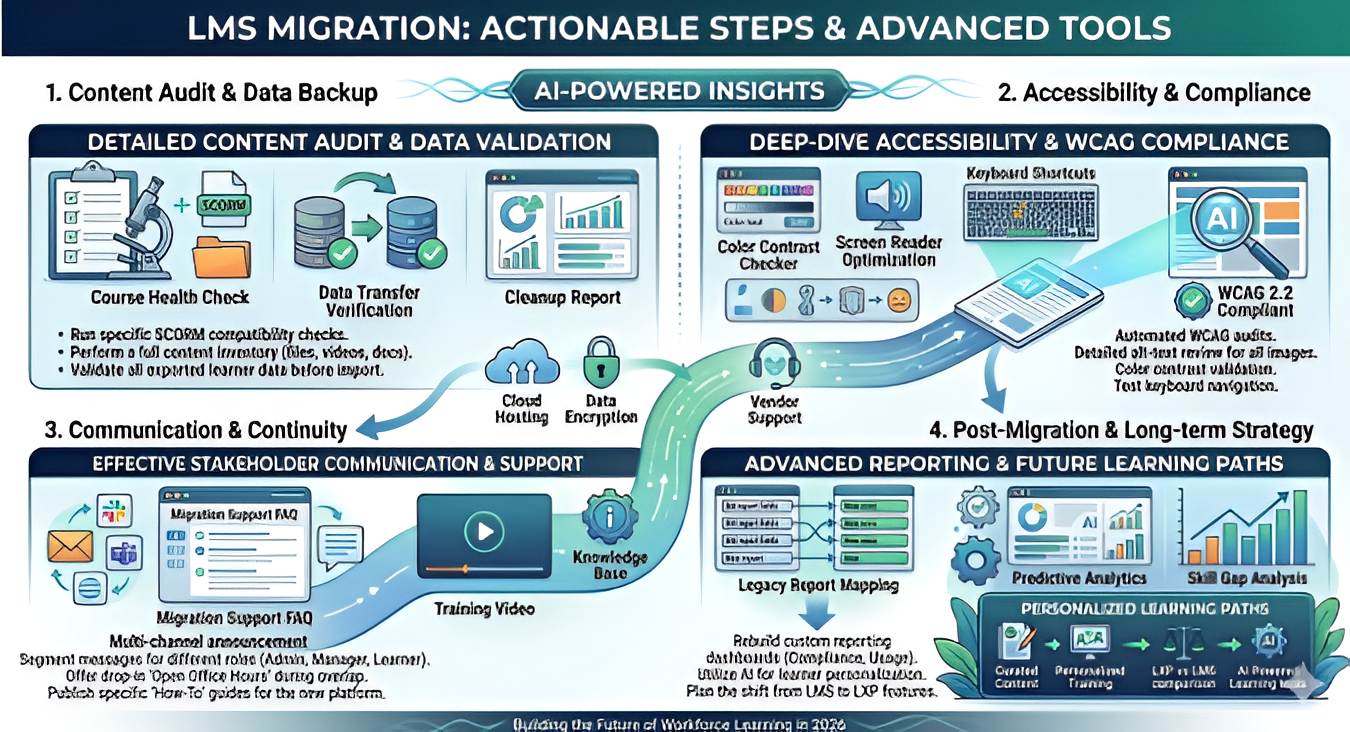
Table of Contents ▼
Quick Answer
This guide provides an LMS migration checklist for organizations moving to a new learning management system in 2026. It covers 15 common migration mistakes, including poor planning, outdated content, data loss, compatibility issues, integration problems, accessibility gaps, inadequate testing, communication challenges, and unrealistic budgeting. It also explains how to measure migration success and provides a quick checklist for planning, launching, and reviewing the new LMS.
Key Takeaways
- A clear LMS migration checklist helps organizations plan the transition and reduce data, compatibility, and training disruptions.
- Before migrating, teams should audit content, back up learner data, and check SCORM, xAPI, integration, and accessibility requirements.
- A pilot test can help identify technical issues, broken content, and usability problems before the new LMS is launched company-wide.
- Clear communication and a training continuity plan help employees maintain access to learning during the transition.
- Organizations should budget for more than licensing, including content conversion, integrations, testing, and staff training.
Switching learning platforms is a big move for any company. An LMS migration checklist helps you plan each step with care. Many teams in the USA rush this process and lose data, time, and learner trust. A clear plan keeps your training running and your team calm.
This guide walks you through the most common and costly mistakes. You will also learn how to avoid them with simple steps. Whether you run a small business or a large enterprise, this checklist applies to you.
Why an LMS Migration Checklist Matters
Moving from one learning system to another is not just a technical task. It affects your learners, your trainers, and your reports. So, before you start, you need a solid plan. A good LMS choice at the start often prevents a painful migration later. Therefore, this checklist focuses on real mistakes that companies face during a switch.
15 Costly LMS Migration Mistakes to Avoid
1. Skipping a Clear Migration Plan
Many teams jump into migration without a written plan. As a result, tasks get missed and deadlines slip. Instead, write down every step, from data export to final testing. A simple timeline keeps everyone on the same page.
2. Not Auditing Your Current Content
Old courses often pile up over the years. Some are outdated, while others are duplicates. So, before migration, review your full course library. Remove what you do not need. This step alone saves storage space and migration time.
3. Ignoring Learner Data Backup
Learner records, certificates, and scores are valuable. Yet, some companies forget to back up this data before the switch. Always export and store learner data safely. This way, you protect compliance records and training history.
4. Forgetting About SCORM and xAPI Compatibility
Your old courses may use SCORM or xAPI standards. However, not every new LMS supports these formats the same way. Check compatibility early. If you use a learning record store, review our guide on xAPI and Learning Record Store to understand what to test before launch.
5. Underestimating Integration Needs
Your LMS likely connects to HR tools, video platforms, or chat apps. Sadly, many teams forget to map these integrations before migration. Make a list of every connected tool. Then, confirm each one works on the new system before going live.
6. Not Testing With a Pilot Group
Launching a new LMS to everyone at once is risky. Instead, test with a small pilot group first. This group can find bugs, confusing menus, or broken links. Consequently, you fix problems before they reach your whole company.
7. Overlooking Accessibility Standards
Accessibility is not optional. Every learner, including those with disabilities, should access your courses with ease. Before migration, check that your new LMS meets accessibility rules. Our ADA and WCAG compliance checklist offers a simple way to audit your content on your own.
8. Poor Communication With Employees
A surprise switch confuses learners. So, tell your team early about the change. Share why the migration is happening and what to expect. Clear communication reduces support tickets and builds trust during the transition.
9. No Plan for Training Continuity
Training cannot pause for weeks during a migration. Otherwise, compliance deadlines and onboarding schedules suffer. Plan a short overlap period where both systems run together. This way, learners always have access to their courses.
10. Choosing the Wrong Migration Partner
Not every vendor or agency understands migration well. Some only know setup, not transition. Pick a partner with proven migration experience. Ask for case studies or references from companies in the USA before signing any contract.
11. Ignoring Reporting and Analytics Setup
Reports help you track learner progress and compliance. Yet many teams forget to rebuild dashboards after migration. Map your old reports to the new system early. Otherwise, you risk losing visibility into training results.
12. Failing to Update Instructional Design
A migration is the perfect time to refresh weak courses. Sadly, most teams just copy old content as is. Instead, consider modern design methods. Our comparison on AI versus traditional instructional design shows how smarter design can boost learner results.
13. Missing Mobile Optimization Checks
Many employees train on their phones today. However, some courses break on mobile screens after migration. Test every course on phones and tablets. A smooth mobile experience keeps learners engaged and on track.
14. Not Setting a Realistic Budget
Migration costs more than just licensing fees. Hidden costs include content conversion, integration setup, and staff training. Plan your budget with room for surprises. This step avoids stress when the final invoice arrives.
15. Skipping the Post-Migration Review
Once the new LMS is live, the work is not done. Many teams skip the final review and miss small issues. Instead, run a full check two weeks after launch. Look at login rates, completion data, and learner feedback. Fix any gaps quickly.
Measuring Success After Migration
A migration is only successful if it improves your training outcomes. So, track key numbers before and after the switch. Compare completion rates, login frequency, and support requests. Our corporate training ROI calculator can help you measure learning effectiveness with clear numbers.
Also, consider how artificial intelligence can support your new system going forward. Many organizations now use AI-powered learning tools to personalize training and close skill gaps faster.
Planning Beyond Migration
Sometimes, a migration reveals that your company needs more than a basic LMS. If your team wants curated, learner-driven content, you may want to compare an LXP versus LMS setup before you finalize your new platform.
Quick LMS Migration Checklist
Use this short table as a fast reference during your project.
StageKey ActionPlanningSet a timeline and assign a migration leadContent AuditRemove outdated or duplicate coursesData BackupExport learner records and certificatesCompatibility CheckConfirm SCORM and xAPI supportPilot TestRun a small group test before full launchAccessibilityVerify WCAG and ADA complianceGo LiveLaunch with overlap support for learnersPost ReviewCheck data and gather feedback after two weeks
Final Thoughts
An LMS migration does not have to be stressful. With a clear checklist, your team in the USA or anywhere else can avoid costly errors. Plan early, test often, and communicate clearly with your learners. As a result, your new system will support training success for years to come.
Need Help Building or Scaling Your Online Learning Program?
Whether you are launching an academy on Kajabi, modernizing corporate LMS modules, or converting raw expertise into accredited curriculum, our senior instructional designers provide a complimentary architecture evaluation.
Frequently Asked Questions
QHow Much Does It Cost to Switch Learning Management Systems?
Costs vary widely based on company size and data volume. Generally, you should budget for licensing fees, content conversion, integration setup, and staff training time. Hidden costs often come from custom content fixes and extended support during the overlap period. So, always request a detailed quote and compare total ownership cost, not just the monthly price.
QWill My Employees Lose Access to Training During LMS Migration?
Not if you plan correctly. A well-managed migration includes an overlap period where both systems stay active. This way, employees keep access to ongoing courses and deadlines. Clear communication before the switch also helps employees know what to expect and where to find their training.
