
Kajabi Tax and Accounting Setup: What Creators Need to Know
Learn how to manage taxes and accounting for your Kajabi business, including sales tax settings, income tracking, deductible expenses, and accounting software integrations.
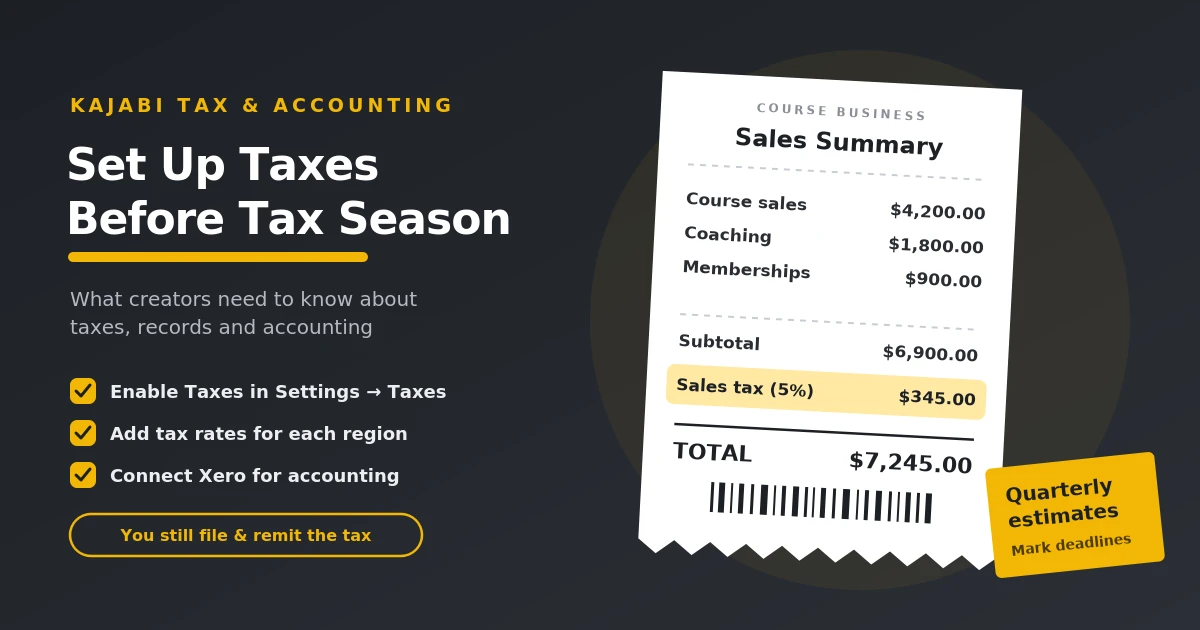
Table of Contents ▼
Quick Answer
This guide explains the tax and accounting responsibilities of online course creators using Kajabi. It covers income reporting, business expense tracking, estimated tax payments, configuring sales tax, connecting accounting software such as Xero, and avoiding common tax mistakes. It also explains why creators should verify their obligations based on their country, business structure, and applicable tax laws.
Key Takeaways
- Maintain accurate records of course sales, coaching payments, software subscriptions, marketing costs, and other business transactions.
- Income tax, self-employment tax, sales tax, and filing requirements depend on your location and business structure.
- Kajabi provides tax-related settings, but creators must understand which calculations, collections, filings, and remittances the platform handles.
- Accounting integrations can help organize financial data, while saved receipts, invoices, and payment statements support accurate reporting.
Taxes for Online Course Creators
Online Course Creators, like other normal Content Creators, are considered self-employed individuals for tax purposes. As such, they become responsible for paying the employer and employee portions of Social Security and Medicare Taxes. Moreover, they must report all earnings, whether from ad revenue, sponsorships, or marketing, on tax returns. They may need to make quarterly estimated payments throughout the year to avoid penalties.
Importance of Understanding Taxes
Understanding Tax Laws are the key reasons why creators need to make proper tax planning, as to avoid any penalties. Filing helps maximize any deductions and build a more stable business.
As a course creator, reporting your total income and paying the appropriate taxes is your responsibility as a business owner. If you do not report income or pay taxes, this can lead to repercussions.
Penalties: The government may impose penalties and require interest on unpaid taxes, which can increase your tax liability.
Legal Consequences: In some severe cases, evading paying your taxes can lead to being charged with Tax Evasion and potentially being sent to prison.
To avoid such outcomes, it is best to understand taxes and to pay them when necessary.
How to File Sales Taxes?
Self-employed creators must report their earnings and pay applicable taxes. This includes income from online courses, sponsorships, affiliate marketing, advertising, and digital product sales.
To file your taxes, follow these steps:
- Track your income: Keep records of all earnings, payments, and relevant tax forms throughout the year.
- Record Business Expenses: Track eligible expenses, such as equipment, software subscriptions, marketing, and other business-related costs. These may qualify for tax deductions.
- Pay estimated taxes: In the US, self-employed creators may need to make quarterly estimated tax payments to avoid penalties. The requirement depends on their expected tax liability and other circumstances.
- Prepare your tax return: US creators operating as sole proprietors generally use FORM 1040 and Schedule C to report business income and expenses. Schedule SE may also be required to calculate self- employment tax.
- Keep accurate records: Save receipts, invoices, payment statements, and other financial documents to support your tax return and eligible deductions.
Understanding your tax obligations can help you avoid penalties, identify eligible deductions, and manage your creator business finances more effectively. Since tax requirements vary by country and business structure, consult a qualified tax professional if you’re unsure which rules apply to you.
How to Set Up Sales Tax in Kajabi?
Setting up taxes in Kajabi is quite easy. Go to the “Settings” menu on your Kajabi Dashboard. From there, you select the Taxes tab. This takes you to the tax settings page where you can enable and disable taxes for your products.
Now, to enable taxes for your products, toggle the Enable Taxes button first. Then you can set up the tax rates for different regions where you’re selling your courses or physical products. Click the Add Tax Rate button to add a new tax rate based on the country and tax rate. Once you’ve added all your tax rates, simply click Save to apply the changes. Remember, Kajabi does not automatically calculate taxes, so you’ll need to manually input and update these rates as required.
Does Kajabi Automatically File and Pay Your Taxes?
Kajabi does not calculate your taxes for you. Creators are responsible for setting up and managing their own tax rates. Kajabi does integrate with several third-party apps that can give assistance with tax calculations. It can integrate with popular payment systems like PayPal and Stripe, which have their own Tax calculator features. Creators can use external tax management tools, but they need to consult with a tax professional to ensure they are meeting all their tax needs.
How to Connect Kajabi With Accounting Software
Kajabi uses the Xero app that allows users to directly implement accounting integrations between Kajabi Payments and Xero’s small business cloud accounting software. Allowing users access to real time financial data and manage the accounting workflows for their business. Automatically importing Kajabi payment transactions into Xero’s accounting software. Meaning creators could easily check their recent transactions with their financial data for a clear view of their current business finances.
Common Tax Mistakes Kajabi Creators Should Avoid
Managing taxes is an important part of running a Kajabi business. Avoiding common mistakes can help you keep your finances organized and stay on top of your tax responsibilities.
-
Not tracking income and expenses: Keep records of course sales, coaching payments, software subscriptions, and other business expenses throughout the year.
-
Assuming Kajabi handles all your taxes: Kajabi can calculate and collect sales tax through its Sales Tax feature, but you are responsible for filing and remitting the tax collected.
-
Ignoring local tax rules: Tax requirements vary depending on your country, business location, and customers. Check which rules apply to your business.
-
Missing tax deadlines: Keep track of filing deadlines and any required estimated tax payments to avoid potential penalties.
-
Failing to save financial records: Store receipts, invoices, and payment statements so you can accurately report your income and identify eligible deductions.
By keeping accurate records and understanding your responsibilities, you can avoid common tax mistakes and manage your Kajabi business finances more confidently.
Final Thoughts
Setting up your tax and accounting processes is an important step in running a successful Kajabi business. Tracking income, recording expenses, and understanding your tax obligations can help you stay organized and prepare for tax season.
Although Kajabi offers tools to calculate and collect sales tax, creators remain responsible for meeting their filing and payment obligations. Since tax rules vary by location, consult your local tax authority or a qualified tax professional to understand which requirements apply to your business.
Need Help Building or Scaling Your Online Learning Program?
Whether you are launching an academy on Kajabi, modernizing corporate LMS modules, or converting raw expertise into accredited curriculum, our senior instructional designers provide a complimentary architecture evaluation.
Sources & References
Frequently Asked Questions
QDoes Kajabi collect sales tax automatically?
Kajabi offers sales tax features that can help creators calculate and collect applicable taxes on eligible transactions. However, the available functionality depends on your payment setup and location. Creators remain responsible for understanding their tax obligations and determining whether they must file returns and remit collected taxes to the relevant tax authorities.
QDoes Kajabi file taxes on behalf of creators?
No. Kajabi does not file your income tax returns on your behalf. Although its tax features can help with certain sales tax calculations and collections, you are generally responsible for reporting your income, filing required tax returns, and paying any taxes owed. Consult a qualified tax professional to understand your obligations.
QCan I connect Kajabi to QuickBooks or Xero?
Kajabi offers accounting integration options, including a connection with Xero for eligible payment setups. These integrations can help transfer financial transaction data into your accounting software, making it easier to organize records and monitor business finances. Check Kajabi's current integration documentation to confirm availability and compatibility with your account.
QDo I need to pay income tax on my Kajabi earnings?
Generally, income earned through Kajabi may be subject to income tax, depending on your country, tax residency, business structure, and applicable laws. Earnings from online courses, coaching, memberships, and digital products may need to be reported to your local tax authority. Keep accurate financial records and consult a qualified tax professional to determine which taxes and filing requirements apply to you.
