
Is Kajabi Easy to Use? A Beginner’s Guide to Kajabi
Kajabi is designed to make online course creation, website building, email marketing, and digital product selling easier from one platform. Learn how beginner-friendly Kajabi is, how long it takes to learn, its pricing, pros and cons, and whether it is right for your business.
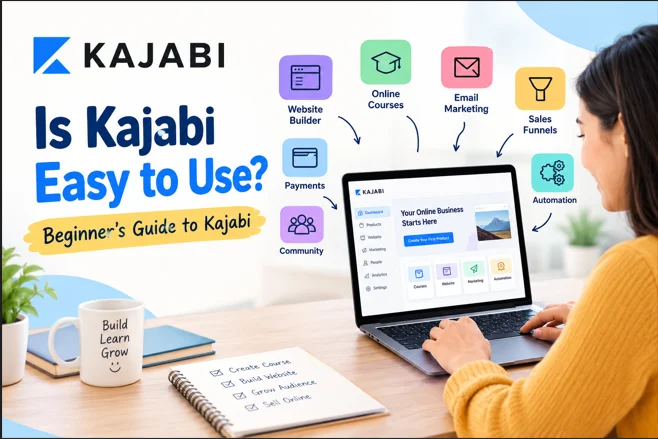
Table of Contents ▼
Quick Answer
Kajabi is an easy-to-use platform for creating and selling online courses, memberships, coaching, and digital products. It includes websites, courses, email marketing, payments, and sales tools in one place. Most beginners can use Kajabi without coding. Advanced tools may take more time to learn, and the higher price may not suit everyone.
If you are planning to sell online courses, coaching programs, memberships, or digital products, you may be wondering: Is Kajabi Easy to Use?
The short answer is yes, especially if you want an all-in-one platform instead of managing several separate tools.
Kajabi combines website building, course creation, email marketing, landing pages, sales funnels, payments, community features, and automation in one platform.
However, there is an important distinction.
Kajabi is easy to start using, but it can take longer to master. Basic tasks are beginner-friendly, while advanced automation, funnels, integrations, and customization require more learning.
This guide covers Kajabi’s ease of use, beginner experience, learning curve, pricing, pros and cons, and whether it makes sense for a small business.
Quick Answer
Yes, Kajabi is relatively easy to use for beginners.
Its visual website builder, course creation tools, templates, landing pages, email marketing, and integrated business features reduce the amount of technical work required.
You can create and customize basic pages without writing code.
The learning curve becomes steeper when you move into advanced automation, complex sales funnels, integrations, and deeper customization.
Kajabi at a Glance
| Question | Answer |
|---|---|
| Is Kajabi beginner-friendly? | Yes |
| Does Kajabi require coding? | No for standard website building |
| Can beginners create online courses? | Yes |
| Does Kajabi include email marketing? | Yes |
| Does Kajabi have landing pages? | Yes |
| Does Kajabi support sales funnels? | Yes |
| Does Kajabi offer automation? | Yes |
| Is Kajabi easy to master completely? | No, advanced features take time |
| Is Kajabi affordable for everyone? | No, pricing can be a consideration |
Is Kajabi Easy to Use for Beginners?
Kajabi is designed for people who want to build and sell digital products without assembling a complicated technology stack.
A beginner can start with a template, customize a website, create an offer, upload course content, build landing pages, and connect marketing activities from one platform.
That is one of Kajabi’s biggest advantages.
Instead of using separate tools for your website, email marketing, course hosting, and funnels, Kajabi brings many of these functions together.
For someone launching their first course or coaching business, this can make the setup process easier to understand.
What Makes Kajabi Beginner-Friendly?
Several features contribute to Kajabi’s relatively simple learning experience.
1. No-Code Website Builder
You do not need to be a developer to build a basic Kajabi website.
Kajabi provides templates and a visual editor that lets you customize sections and see changes while you work.
You can create:
- Home pages
- About pages
- Landing pages
- Sales pages
- Lead-capture pages
- Course pages
- Resource pages
Starting with a template also means you do not have to design every page from scratch.
The bigger advantage is integration.
Your website can connect with products, offers, forms, emails, and funnels inside the same ecosystem.
2. Kajabi Course Creation Is Straightforward
Creating an online course is one of Kajabi’s main use cases.
You can organize lessons and course content within the platform instead of relying on a separate learning management system.
A simple course creation workflow looks like:
Create product → Add lessons → Upload content → Create offer → Publish → Promote
You do not need advanced technical knowledge to understand this process.
For a detailed walkthrough, see TheEduAssist’s beginner’s guide to creating a course on Kajabi.
3. Email Marketing Is Built In
Another reason Kajabi can feel easier than using several separate tools is its integrated email marketing.
You can use email campaigns to:
- Welcome new subscribers
- Promote courses
- Send announcements
- Nurture leads
- Follow up with customers
- Deliver automated messages
This keeps your course, website, customer list, and marketing activities within the same ecosystem.
For beginners, fewer integrations can also mean less technical troubleshooting.
4. Landing Pages and Funnels Work Together
Kajabi also connects landing pages with its broader marketing system.
For example, a simple customer journey could look like:
Landing Page → Lead Form → Email Sequence → Sales Page → Offer → Course
Managing this journey can be easier when the components are available in one platform.
Kajabi’s platform also includes marketing emails, landing pages, funnels, and access-related features.
Is Kajabi Hard to Learn?
Kajabi is not difficult to begin with.
However, the number of available features can make the platform feel complicated at first.
The main challenge is usually understanding how different features work together.
For example, creating a landing page may be simple.
Building an automated customer journey that connects a form, tag, email sequence, offer, product access, and follow-up requires more planning.
Where Kajabi Gets More Complicated
The learning curve usually increases with:
- Advanced automations
- Complex sales funnels
- Multiple offers
- Customer segmentation
- Third-party integrations
- Advanced email campaigns
- Custom website design
- Larger product ecosystems
So the most accurate way to describe Kajabi’s learning experience is simple:
Kajabi is easy to start, but not necessarily easy to master.
That distinction is important for beginners.
How Long Does It Take to Learn Kajabi?
The answer depends on what you want to accomplish.
You do not need to learn every feature before launching your first product.
Basic Kajabi Skills
A beginner can start by exploring the dashboard, templates, pages, and product creation tools.
Intermediate Skills
Email campaigns, offers, landing pages, and simple automation require more practice.
Advanced Skills
Complex funnels, automation logic, integrations, analytics, and highly customized websites can take considerably longer.
A practical learning path could look like this:
- Day 1: Explore the dashboard and templates
- Days 2 - 3: Build basic pages
- Days 4 - 5: Create your course or product
- Days 6 - 7: Set up offers and basic emails
- Week 2: Learn funnels and automation
- After that: Improve integrations, analytics, and advanced workflows
You can learn features as your business needs them.
Trying to master the entire platform before launching can create unnecessary delays.
What Do Kajabi Users Say About Its Ease of Use?
Third-party reviews provide a useful reality check.
As of August 2026, Capterra lists Kajabi at 4.4/5 overall based on 230 reviews.
Its ease-of-use rating is 4.1/5, while features are rated 4.2/5 and customer service 4.1/5.
Value for money is lower at 3.7/5.
The reviews highlight an important pattern.
Users appreciate having courses, marketing, email, websites, and other business functions together.
At the same time, some users consider Kajabi expensive for smaller businesses.
This shows that ease of use and affordability are separate questions.
A platform can be convenient while still being too expensive for someone testing a new online business.
Is Kajabi Easier Than Using Multiple Tools?
For many creators, yes.
Imagine building an online course business with separate tools for:
Website + Course Platform + Email Tool + Landing Page Builder + Funnel Tool + Payment System + Automation Tool
Each tool may be easy individually.
The challenge comes from making all of them work together.
You may also have to manage:
- Multiple subscriptions
- Multiple logins
- Integrations
- Data synchronization
- Plugins
- Automation connections
- Technical troubleshooting
Kajabi takes a different approach by combining many of these functions.
This all-in-one model can be valuable for coaches, consultants, educators, and digital product creators.
If you are comparing course platforms, you can also explore TheEduAssist’s Best Learning Management Systems guide.
Kajabi Pricing: Is It Affordable for Beginners?
Pricing is where the decision becomes less straightforward.
According to Kajabi’s current official pricing information, the Basic plan is $143 per month when billed annually or $179 month-to-month.
The Basic plan includes up to five products, 2,500 contacts, one website, one community, and two admin users.
Kajabi also currently advertises a 30-day free trial.
You can check the latest details on Kajabi’s official pricing page.
The price is higher than many basic course platforms.
Therefore, you should ask whether you will use enough of Kajabi’s features to justify the cost.
If you only need a simple place to host one course, a cheaper platform may make more sense.
If you need website building, email marketing, landing pages, funnels, course hosting, community features, and automation, the broader feature set may provide more value.
For payment-related questions, see TheEduAssist’s Kajabi payment methods guide.
Kajabi Pros and Cons
Pros
- Beginner-friendly visual interface
- No-code website building
- Online course creation
- Built-in email marketing
- Landing pages
- Sales funnels
- Automation
- Community features
- Multiple business tools in one platform
- Less dependence on third-party integrations
Cons
- Higher price than many alternatives
- Advanced features require more learning
- Large feature set can feel overwhelming
- Advanced customization may require technical knowledge
- May be unnecessary for very simple course projects
Is Kajabi Good for Beginners?
Yes, Kajabi can be a good choice for beginners who want an all-in-one platform.
It is particularly suitable for:
- Coaches
- Consultants
- Educators
- Course creators
- Digital product sellers
- Membership business owners
- Experts monetizing knowledge
- Small online education businesses
The key is to start small.
Do not begin by building a complicated 10-step funnel.
Start with:
Website → One Product → One Offer → One Landing Page → One Email Sequence
Once you understand that workflow, you can gradually add automation and advanced features.
Who May Not Need Kajabi?
Kajabi may not be the best choice if:
- You have a very small budget
- You only need basic course hosting
- You do not need email marketing
- You already have a strong website and marketing stack
- You only sell occasionally
- You need specialized LMS features
- You require extensive customization
For these users, comparing alternatives such as Teachable, LearnWorlds, Thinkific, or other course platforms may be worthwhile.
You can also explore TheEduAssist’s LearnWorlds vs Kajabi comparison.
Is Kajabi Worth It for a Small Business?
It depends on the business model.
For a small business selling courses, coaching, memberships, or digital products regularly, Kajabi can make sense because several business functions are available from one platform.
For a business that only needs basic course hosting, the price may be harder to justify.
A simple decision framework is:
Choose Kajabi if:
You value convenience, integrated marketing, and digital product selling.
Consider an alternative if:
You value lower cost, simpler course hosting, and fewer features.
If you want to compare Kajabi with LearnWorlds in more detail, see TheEduAssist’s LearnWorlds vs Kajabi guide.
A Beginner-Friendly Kajabi Workflow
If you are new to Kajabi, do not try to use every feature immediately.
Follow a simple workflow instead.
Step 1: Define Your Product
Decide whether you are selling:
- An online course
- Coaching
- A membership
- A digital product
Step 2: Build Your Website
Choose a template and create your essential pages.
Focus on the pages your customers actually need.
Step 3: Create Your Product
Add lessons, videos, downloads, quizzes, or other learning materials.
Keep the first version simple.
Step 4: Create an Offer
Decide what customers receive and how they will purchase it.
Make the offer easy to understand.
Step 5: Build a Landing Page
Create a focused page explaining the product and its benefits.
Avoid adding unnecessary information.
Step 6: Add Email Marketing
Create a simple welcome or sales sequence.
You can expand your automation later.
Step 7: Test Everything
Before sending traffic, test:
- Forms
- Emails
- Checkout
- Product access
- Links
- Mobile pages
Step 8: Launch
Once the basic customer journey works, launch.
Then improve the experience based on real user behavior.
This approach prevents beginners from getting stuck trying to perfect everything before their first launch.
Our Practical Take
Based on Kajabi’s feature set and third-party review data, Kajabi is accessible for beginners but has a learning curve around advanced capabilities.
The biggest usability advantage is not that every feature is extremely simple.
It is that many features work together.
You can build a website, create a product, collect leads, send emails, create an offer, and manage customer access without constantly switching platforms.
That can save time for a small digital business.
However, the price means you should make sure you actually need the broader ecosystem.
Is Kajabi Better Than Teachable?
There is no universal winner.
Kajabi is attractive when you want course creation, website building, email marketing, funnels, automation, and digital business tools in one ecosystem.
Teachable can be attractive when your main focus is course creation and selling without needing the same breadth of built-in marketing infrastructure.
The better option depends on your budget, technical requirements, marketing strategy, and digital product.
Is Kajabi Easier Than WordPress?
For someone who wants an integrated course-business platform, Kajabi can be easier than building the same system with WordPress.
WordPress is highly flexible.
However, building a complete course business may involve hosting, themes, plugins, payment systems, email tools, and other services.
Kajabi provides a more integrated environment.
The trade-off is flexibility and cost.
| Platform | Main Advantage |
|---|---|
| WordPress | More flexibility and customization |
| Kajabi | More integration and less technical setup |
Does Kajabi Require Coding?
No, Kajabi does not require coding for its standard website-building workflow.
Its website builder is designed around templates and visual customization.
However, advanced customization can involve additional technical knowledge.
In simple terms:
Basic Kajabi use: No coding required.
Advanced customization: Technical knowledge may be useful.
Frequently Asked Questions
Is Kajabi easy to use for beginners?
Yes. Kajabi is designed to let users create websites, courses, landing pages, offers, and marketing campaigns without extensive technical knowledge.
Is Kajabi good for beginners?
Yes, especially for beginners who want an all-in-one platform for courses, coaching, memberships, and digital products.
Does Kajabi require coding?
No. Its standard website builder does not require coding.
Advanced customization may require more technical knowledge.
How easy is it to create a course on Kajabi?
The basic course creation process is relatively straightforward.
You can organize lessons, upload content, create an offer, and provide customers with access from the platform.
How long does it take to learn Kajabi?
Basic functions can be learned relatively quickly.
Advanced automation, funnels, integrations, and customization take longer.
Is Kajabi worth the money?
It can be worth the money for businesses that use its website, course, marketing, email, funnel, and automation features.
For simple course hosting, a less expensive platform may provide better value.
Is Kajabi expensive?
Kajabi is positioned as a premium all-in-one platform.
Its current Basic plan is $143 per month when billed annually or $179 month-to-month, so budget should be considered carefully.
What are the disadvantages of Kajabi?
The biggest potential disadvantages are its price, the learning curve around advanced features, and the possibility that some businesses may not need all of its functionality.
Final Verdict
Yes, Is Kajabi Easy to Use for most beginners, particularly when compared with building the same online business using several disconnected tools.
Its visual website builder, course creation tools, email marketing, landing pages, funnels, and automation allow you to manage many parts of an online education business from one platform.
But easy does not mean effortless.
You will still need time to understand advanced automation, customer journeys, funnels, integrations, and customization.
The bigger question is whether Kajabi’s all-in-one convenience matches your business needs and budget.
For coaches, consultants, educators, and digital product creators who want an integrated platform, Kajabi is a strong option.
For users who only need basic course hosting, a simpler and cheaper platform may be the better choice.
Need Help Building or Scaling Your Online Learning Program?
Whether you are launching an academy on Kajabi, modernizing corporate LMS modules, or converting raw expertise into accredited curriculum, our senior instructional designers provide a complimentary architecture evaluation.
Sources & References
- Kajabi Pricing - Current plans, pricing, product limits, and trial information.
- Kajabi Website Builder - Official information about visual website creation.
- Kajabi Online Courses - Course creation, marketing, selling, and delivery features.
- Capterra Kajabi Reviews - Third-party user ratings and feedback.
- Kajabi: What Is Kajabi? - Background on Kajabi's all-in-one approach.
Frequently Asked Questions
QIs Kajabi easy to use for beginners?
Yes. Kajabi is designed to let users create websites, courses, landing pages, offers, and marketing campaigns without extensive technical knowledge.
QIs Kajabi good for beginners?
Yes, especially for beginners who want an all-in-one platform for courses, coaching, memberships, and digital products.
QDoes Kajabi require coding?
No. Its standard website builder does not require coding. Advanced customization may require more technical knowledge.
QHow easy is it to create a course on Kajabi?
The basic course creation process is relatively straightforward. You can organize lessons, upload content, create an offer, and provide customers with access from the platform.
QHow long does it take to learn Kajabi?
Basic functions can be learned relatively quickly. Advanced automation, funnels, integrations, and customization take longer.
QIs Kajabi worth the money?
It can be worth the money for businesses that use its website, course, marketing, email, funnel, and automation features. For simple course hosting, a less expensive platform may provide better value.
QWhat are the disadvantages of Kajabi?
The biggest potential disadvantages are its price, the learning curve around advanced features, and the possibility that some businesses may not need all of its functionality.
QIs Kajabi expensive?
The biggest potential disadvantages are its price, the learning curve around advanced features, and the possibility that some businesses may not need all of its functionality.
