
Kajabi Community Features: Connecting Creators and Learners
Explore Kajabi Community features, including Channels, Meetups, Challenges, analytics, customization, notifications, and moderation tools, along with their benefits and limitations.
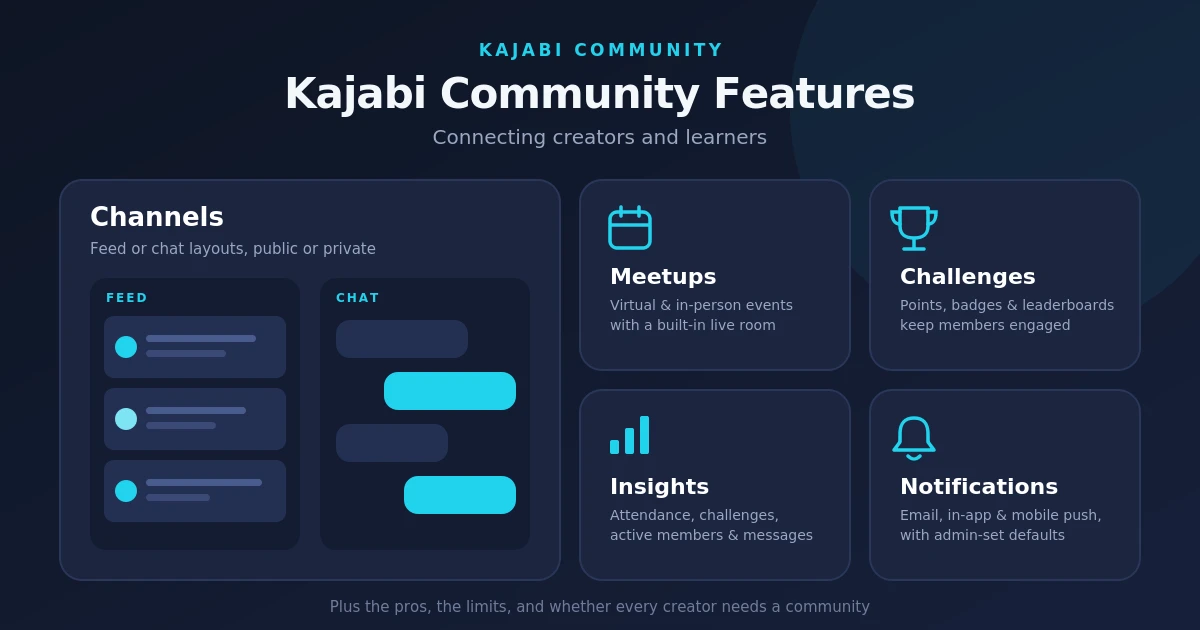
Table of Contents ▼
Quick Answer
This guide explores Kajabi Community features for connecting creators and learners through discussions, events, challenges, gamification, analytics, and notifications. It also covers customization options, moderation limitations, pros and cons, and when creating a community makes sense for an online business.
Key Takeaways
- Kajabi Community offers Channels, Meetups, Challenges, gamification, and notifications to help creators connect with learners.
- Customization, moderation permissions, analytics, and course integration may not meet every creator’s needs.
- Ongoing discussions and peer connections can support accountability, feedback, and long-term participation.
- A community is most valuable when interaction is part of the learning experience; creators should compare alternatives if they need courses, discussions, and events to work together more closely.
What is Kajabi Community?
Kajabi Community is a tool found on your Kajabi platform that allows creators to share, engage, and hold discussions with their audience. It’s a dedicated space for learners where they can ask the coaches and mentors questions, along with staying accountable, especially in an age where it’s easy to let Artificial Intelligence (AI) just give you the answers.
What to expect in Kajabi Community
Kajabi Community provides its creators with many amazing features, such as
Channels:
Previously known as Circles, they are the main spaces where members interact within Kajabi Community. Each Channel uses one of the two layouts. The first one is a feed for publishing posts and starting discussions, while the second one is a chat for real-time group-style conversations.
Creators also have the choice to make a Channel public; this allows members across different groups to view it, or they can keep it private, restricting access to invited members. Channels primarily serve as a discussion space for learners with the creators. So adding any courses, events, or other learning activities directly within them limits how much you can accomplish in a single glance.
Meetups:
Meetups essentially help the creators to organize virtual and in-person events. You can add essential details such as the event title, date, time, and description to let members know when and where a session will take place.
It also includes a built-in live room, allowing you to host sessions without leaving the platform. While this can be convenient for coaching, calls, and community gatherings, its functionality is more limited than dedicated video conferencing tools such as Zoom or Google Meet.
Challenges and Gamification
This feature of Kajabi Community allows you to organize time-limited activities, such as fitness challenges or social media breaks. You can also offer prizes through advanced challenge options.
Gamification encourages participation through points, badges, leaderboards, and titles. This then motivates members and allows for positive reinforcement.
Analytics
Kajabi Community Insights track event attendance, challenge participation, new and active members, and messages sent. However, course progress isn’t available within community analytics. Creators must access the main Kajabi analytics dashboard separately, making it harder to evaluate learning progress and community engagement together.
Customization and Branding
Kajabi offers basic branding options, including custom colors and fonts, but doesn’t allow you to add a logo. Other options can include Custom reactions like label emojis, though some features have limited reaction options. Renaming Features that change names such as Channels and Meetups to match your brand. Custom pages that add Kajabi pages or external resources to the community sidebar.
Admins and Moderation:
Admins can create Channels, Meetups, and Challenges, while Moderators can create Meetups, delete posts, and welcome members. Advanced permissions are limited. Moderators can’t review posts before publication, flag content, or manage member access, and you can’t assign moderation responsibilities by Channel or access groups.
Community Notifications:
Kajabi supports emails, in-app, and mobile push notifications for activities such as announcements, Meetups, Challenges, Live Room sessions, and direct messages.
Notifications are enabled by default, but members can adjust their preferences. Admins can also configure community-wide defaults.
Kajabi Community Pros:
- Part of Kajabi’s all-in-one platform
- Comes with a live room for events
- Offers gamification features
- Allows creators to customize their pages
Kajabi Community Cons:
- It is treated as a “Product” rather than a place for learners to engage with the course creators
- Courses are not integrated into the community
- Limited Analytics
- No pricing specific to community use
- Channels are limited to just the chat
How Connecting with Learners Is Important
For an Online course creator, connecting with your audience matters because it lets you get feedback on your platform and the content you produce. It is necessary as you gain an understanding of the real-world experience of others regarding the type of learning content you produce. Moreover, you can connect with your audience, which improves their experience with your platform and boosts engagement.
Does Every Creator need to create a Community?
A community makes the most sense if, as a creator, you feel that interaction is part of the value you are trying to sell. If your customers benefit from connecting with you and one another, it can strengthen engagement and encourage long-term retention.
However, if your business focuses on selling standalone products that customers can independently use, then creating and managing a community may add unnecessary work.
Final thoughts
Kajabi Community offers useful tools for discussions, events, and member engagement, but limitations in customization, course integration, and monetization may restrict some businesses.
Not every creator needs a community. However, if ongoing engagement and group learning are central to your business, a platform like GroupApp may offer a more integrated experience by bringing courses, discussions, and events together.
Need Help Building or Scaling Your Online Learning Program?
Whether you are launching an academy on Kajabi, modernizing corporate LMS modules, or converting raw expertise into accredited curriculum, our senior instructional designers provide a complimentary architecture evaluation.
Sources & References
Frequently Asked Questions
QCan you migrate an existing online community to Kajabi?
Yes, but the process depends on where your community is currently hosted and what data you want to transfer. You may need to move member information, discussions, and resources separately, so it's worth checking Kajabi's current migration options before switching platforms.
QCan Kajabi Community support a large membership?
Kajabi Community can support growing audiences, but the right setup depends on your membership size, engagement levels, and organizational needs. Creators managing multiple groups or complex programs should evaluate the platform's management tools and plan limits before committing.
QCan you run a free community on Kajabi without selling a course?
Yes. You can create a community without requiring members to purchase a course. However, your available setup and access options may depend on your Kajabi plan and how you configure your community.
QWhat should you consider before launching a Kajabi Community?
Consider your audience's needs, the level of interaction you want to encourage, your moderation requirements, and how you'll keep members engaged over time. You should also evaluate whether Kajabi's community tools fit your long-term plans for courses, memberships, and business growth.
