
DocScorm Explained: How to Convert a PDF to a SCORM Course Online (2026 Guide)**
Learn how DocScorm turns PDFs, Word files and slides into SCORM courses with quizzes. Features, pricing, FAQs and how it compares with free tools.
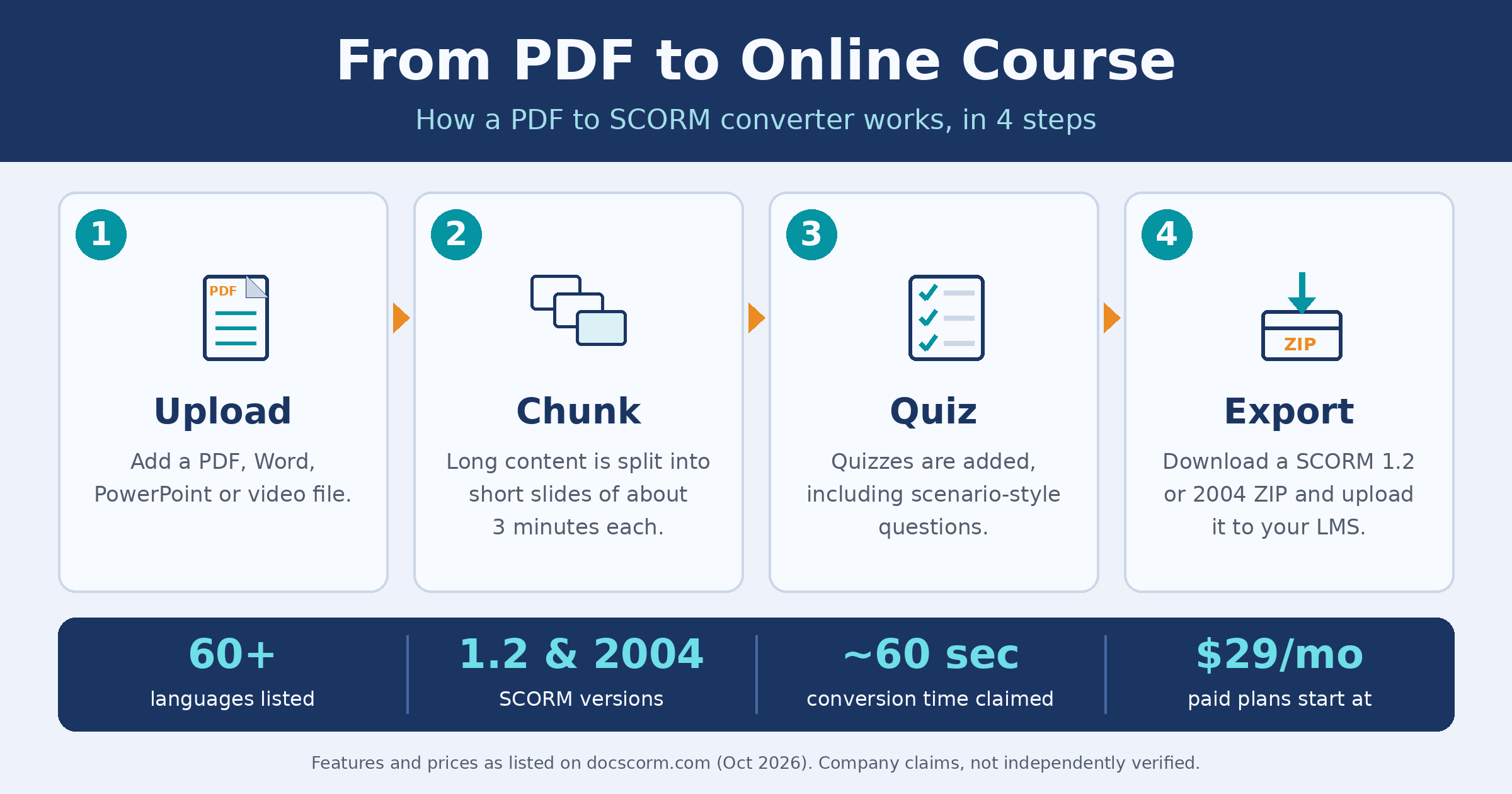
Table of Contents ▼
Quick Answer
A plain-English guide to DocScorm: what it does, how it works, what it costs, and how it compares with other PDF to SCORM converters.
Key Takeaways
- A PDF to SCORM converter turns static documents into courses that an LMS can track, including completion and scores.
- DocScorm says it converts PDF, Word, PowerPoint and video files into SCORM 1.2 or 2004 packages in about 60 seconds.
- The site lists scenario-style quizzes, narration, 60+ languages (including Urdu and Arabic) and SCORM-to-PDF conversion.
- Paid plans listed on the site start at $29 a month, and a free sample and free tier are available.
- Several other converters, some free, do similar work, so test DocScorm on a short, non-sensitive document first.
- Speed and security claims come from the company itself and have not been independently verified.
DocScorm Explained: How to Convert a PDF to a SCORM Course Online (2026 Guide)
Disclosure: This guide is based on information published on DocScorm’s website and on other public pages. It is not a hands-on lab test or an independent audit.
Most organisations already own plenty of training material. It lives in PDF manuals, Word handbooks and slide decks. What they lack is a way to turn those files into online courses that record who finished and what they scored. A PDF to SCORM converter solves that problem, and DocScorm is one web tool that offers it. This guide explains what DocScorm is, how it functions, what it costs, how it compares with other converters, and what to check before you use it.
What Is SCORM, and Why Convert a PDF to It?
SCORM is a standard file format that learning management systems (LMS) such as Moodle, Canvas and Blackboard use to run online courses. A plain PDF can be read, but it cannot tell an LMS who opened it, whether they finished, or how they scored. A SCORM package can, because it bundles the content with tracking code.
That is the reason why companies use SCORM for compliance training, onboarding and safety courses, and why schools use it for graded modules.
What Is DocScorm?
DocScorm is a web-based course builder. According to its website, you upload a PDF, Word document, PowerPoint deck or video, and the tool produces a SCORM package in about 60 seconds. The site says it supports SCORM 1.2 and SCORM 2004, and it names teachers, compliance teams, instructional designers and training agencies as its audience.
How DocScorm Works, Step by Step
The site describes a four-stage process:
- Upload. You drop in a PDF, DOCX, PPTX or video file.
- Chunking. The tool automatically splits Long material into short slides of roughly three minutes each.
- Quizzes. It generates self-grading quizzes, including practical,scenario-based questions that ask what a person should do first in a workplace situation, instead of only testing memory.
- Export. You download a SCORM ZIP file and upload it to your LMS, where scores and completion status are reported back.
The site also offers a free sample SCORM file and a live preview feature, so you can see the format before you use any credits.
Key Features Listed on the Site
- 60+ languages. The site lists translation into more than 60 languages, including right-to-left languages such as Arabic and Urdu.
- Narration and voice notes. Courses can include voice narration, and learners can record their own audio notes directly inside the module.
- Accessibility. The site states that its output supports WCAG 2.1 AA and Section 508 standards.
- Reverse conversion. An existing SCORM package can be converted back into PDF or Word.
- Free validator. Include a separate tool that checks SCORM packages and their manifest files.
- Account tools. The dashboard includes sections for a brand kit, team seats and API access.
Who Can Use DocScorm?
- Teachers looking to automatically generate quizzes from lecture notes and handouts.
- HR and safety teams trying to turn long procedure manuals into trackable lessons.
- Small businesses owners and independent trainers that cannot afford expensive authoring software.
- Organisations with multilingual staff who need tto roll out identical training materials across multiple languages.
- Instructional designers who need a fast first draft that they can fine-tune manually later.
DocScorm Pricing
The pricing table on the site lists two paid plans: $29 a month for 15 credits and $59 per month for 50 credits. New accounts start on a free tier with a small number of credits. For comparison, the site lists Articulate 360 at $1,399 per user per year. Prices can change, so check the Pricing page before you decide.
How DocScorm Compares with Other PDF to SCORM Converters
DocScorm is not the only tool in this category. Several competitors also turn documents into SCORM packages, and some offer a free conversion. SlideSpeak provides a free PDF to SCORM converter that needs no account. SimpliTrain also offers free conversion of PDF files to SCORM 1.2 or 2004 with no signup. On the higher end, Easygenerator is a fuller authoring platform that lists AI-generated questions and translation into 75 languages.
So the real question is not whether such tools exist, but which one produces better courses for your content. The features DocScorm lists as its own are scenario-style quizzes, narration, strong right-to-left language support and SCORM-to-PDF conversion. Whether they work well in practice is something each user has to test.
Limitations to Keep in Mind
- The speed, compatibility and security claims come from the company itself and have not been independently verified.
- Auto-generated quizzes and translations always require a human check, especially for compliance, medical or legal content.
- Converters work best on text-based documents. Scanned pages or heavily designed layouts may need cleaning first.
- Credits are limited on the free tier, so start with a short document.
- Avoid uploading confidential files until you have read the privacy policy.
Frequently Asked Questions
What is DocScorm used for?
It converts PDFs, Word files, slides and videos into SCORM courses with quizzes that can be uploaded to a learning management system.
What is a SCORM file?
It is a ZIP package that combines learning content with tracking code, so an LMS can record completion and scores.
Is DocScorm free?
The site offers a free sample and a free tier with limited credits. Paid plans start at $29 a month.
Which file types does it accept?
According to the site: PDF, Word (DOCX), PowerPoint (PPTX) and video such as MP4.
Does DocScorm support Urdu?
The site lists Urdu among its right-to-left languages. Check the translation quality yourself before publishing.
How does it compare with free converters?
Free tools such as SlideSpeak and SimpliTrain focus on basic PDF conversion. DocScorm lists extra features such as scenario quizzes and narration, but you should test whether they are worth paying for.
Conclusion
DocScorm targets a real problem: good documents that never become trackable courses. If that is your situation, the free sample and the low-cost starter plan make it easy to try. Test it with one short, non-sensitive document before using it for anything important, and always review the quizzes before learners see them.
References
- DocScorm. PDF to SCORM Converter and Course Builder. https://www.docscorm.com/
- SlideSpeak. Convert PDF to SCORM Online for Free. https://slidespeak.co/free-tools/convert-pdf-to-scorm
- SimpliTrain. Free PDF to SCORM Converter. https://simplitrain.com/pdf-to-scorm-converter/
- Easygenerator. Convert your PDFs to SCORM-compliant e-learning in minutes. https://www.easygenerator.com/en/create-scorm-from-pdf/
Need Help Building or Scaling Your Online Learning Program?
Whether you are launching an academy on Kajabi, modernizing corporate LMS modules, or converting raw expertise into accredited curriculum, our senior instructional designers provide a complimentary architecture evaluation.
Sources & References
Frequently Asked Questions
QWhat is DocScorm used for?
It converts PDFs, Word files, slides and videos into SCORM courses with quizzes that can be uploaded to a learning management system.
QWhat is a SCORM file?
It is a ZIP package that combines learning content with tracking code, so an LMS can record completion and scores.
QIs DocScorm free?
The site offers a free sample and a free tier with limited credits. Paid plans start at $29 a month.
QWhich file types does it accept?
According to the site: PDF, Word (DOCX), PowerPoint (PPTX) and video such as MP4.
QDoes DocScorm support Urdu?
The site lists Urdu among its right-to-left languages. Check the translation quality yourself before publishing.
QHow does it compare with free converters?
Free tools such as SlideSpeak and SimpliTrain focus on basic PDF conversion. DocScorm lists extra features such as scenario quizzes and narration, but you should test whether they are worth paying for.
