
9 Top Online Course Platforms Tested for Course Creators
Choosing the right online learning platforms is harder than ever. Many creators struggle because every platform promises “all-in-one” features, easy course creation, and better sales. But once you start using them, you may run into hidden transaction fees, lim
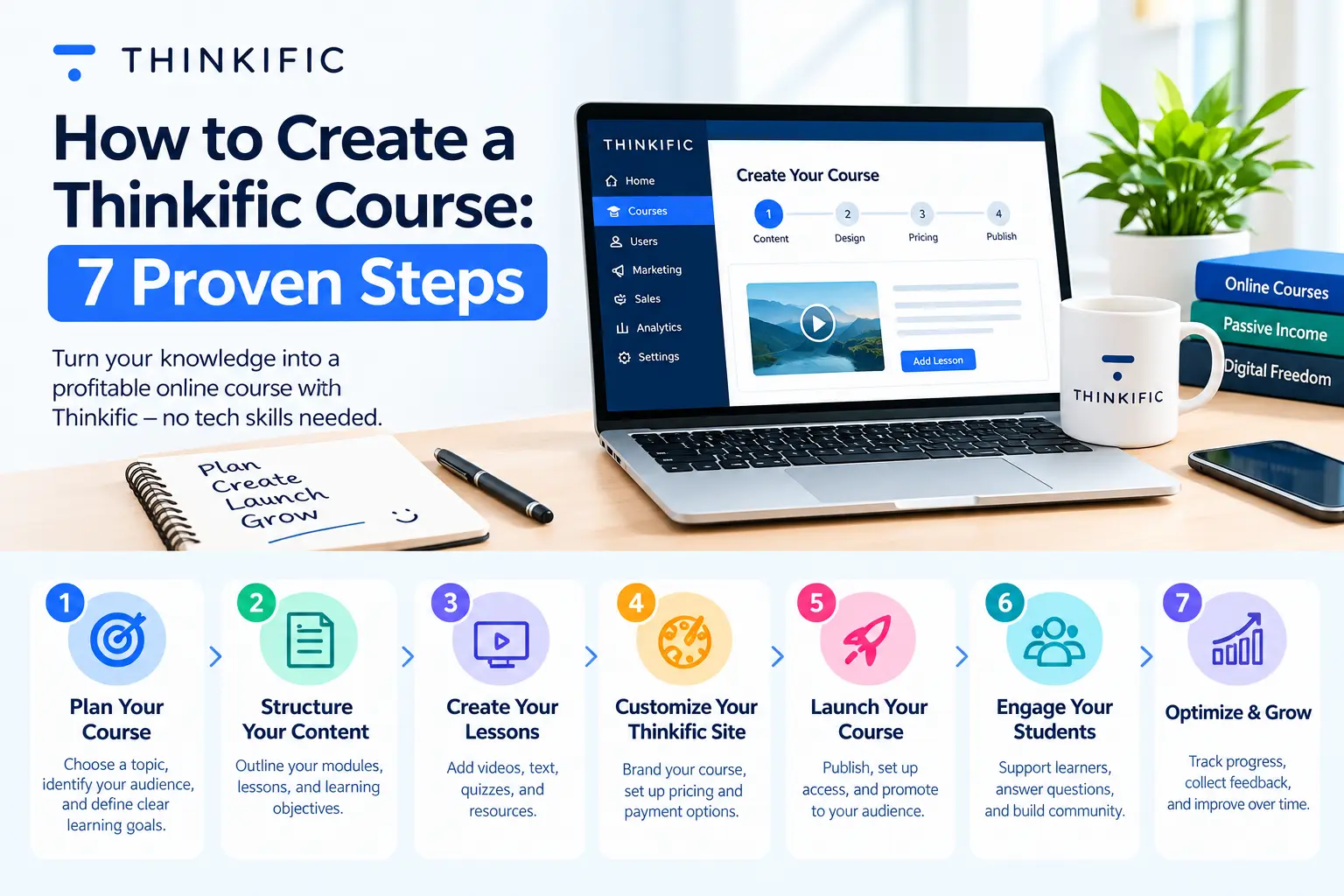
Table of Contents ▼
Quick Answer
Comprehensive guide to 9 Best Online Learning Platforms (Tried and Tested 2026). This article details practical frameworks, key best practices, and actionable execution strategies for modern online learning organizations and course creators.
Key Takeaways
- Gain an end-to-end understanding of 9 Best Online Learning Platforms (Tried and Tested 2026) with structured workflows.
- Implement proven industry best practices to avoid common operational bottlenecks.
- Improve learner engagement and retention through tailored, data-driven strategies.
- Leverage seamless platform integrations for scalable training delivery.
Choosing the right online learning platforms is harder than ever. Many creators struggle because every platform promises “all-in-one” features, easy course creation, and better sales. But once you start using them, you may run into hidden transaction fees, limited customization, poor student engagement tools, or complicated integrations.
This matters because the platform you choose directly affects your student experience, course completion rates, marketing performance, and revenue growth. A bad choice can waste months of work and cost you thousands in migration later.
The solution is to compare platforms based on your actual needs instead of marketing hype. In this guide, we tested and reviewed the best online learning platforms in 2026 to help you find the right fit for your business, training program, or educational brand.
What Is an Online Learning Platforms?
An online learning platform is software that helps creators, businesses, schools, and trainers build, host, market, and sell courses online.
Most modern platforms include:
- Video hosting
- Quizzes and assignments
- Certificates
- Student progress tracking
- Payment integrations
- Email marketing tools
- Community features
- Analytics dashboards Some platforms focus on simplicity for beginners, while others are designed for enterprise training or advanced marketing funnels.
Why Online Learning Platforms Matter in 2026
The eLearning industry is growing rapidly. Businesses, educators, and creators are moving toward digital learning because it offers:
-
Flexible education
-
Lower operational costs
-
Global reach
-
Better scalability
-
On-demand learning experiences Modern learners also expect:
-
Mobile access
-
Interactive content
-
Personalized learning paths
-
Community engagement
-
Faster support Without the right platform, delivering these experiences becomes difficult.
How We Tested These Online Learning Platforms:
We evaluated each platform based on:
Ease of Use
Can beginners launch courses quickly?
Course Creation Features
Does the platform support:
- Videos
- Quizzes
- Certificates
- Assignments
- Interactive lessons
Marketing Tools
We checked:
- Email automation
- Sales funnels
- Landing pages
- Affiliate systems
Student Experience
A strong learning experience improves completion rates.
Pricing Transparency
We looked for hidden fees and upgrade limitations.
Quick Comparison Table:
PlatformBest ForStarting PriceMain StrengthThinkificOverall balance$49/monthFlexibility + ease of useTeachableBeginners$39/monthSimple setupKajabiAll-in-one business$149/monthMarketing automationLearnWorldsInteractive learningCustomStudent engagementPodiaSolopreneurs$39/monthSimplicityUdemyMarketplace reachRevenue shareBuilt-in audienceSkillshareCreative educatorsRevenue shareCreative communitiesCourseraAcademic institutionsEnterprise pricingUniversity partnershipsMoodleOpen-source LMSFreeCustomization
1. Thinkific :
Thinkific offers one of the best balances between usability and scalability.
It works well for:
- Coaches
- Trainers
- Membership businesses
- Professional educators
Key Features
- Drag-and-drop builder
- Membership sites
- Student analytics
- Certificates
- Community tools
- Custom branding
Pros
- Easy setup
- Strong customization
- Good integrations
- No transaction fees
Cons
- Some advanced tools require higher plans
Real Example
A fitness instructor can use Thinkific to:
- Upload workout lessons
- Add nutrition guides
- Create progress tracking
- Sell monthly memberships
- Build private communities
Screenshot Ideas
Add screenshots showing:
- Course builder
- Student dashboard
- Analytics panel
2. Teachable :
Teachable focuses on simplicity and fast course launches.
It is ideal for creators who want to avoid technical complexity.
Key Features
- Course hosting
- Coaching products
- Affiliate system
- Built-in payments
- Sales pages
Pros
- Beginner-friendly
- Fast setup
- Clean interface
- Reliable checkout system
Cons
- Limited customization
- Transaction fees on lower plans
Step-by-Step Setup Process in Teachable
Step 1: Create Your School
Add:
- Brand logo
- Domain
- Colors
Step 2: Upload Course Content
Include:
- Videos
- PDFs
- Worksheets
- Quizzes
Step 3: Configure Payments
Connect:
- Stripe
- PayPal
Step 4: Publish Landing Page
Use Teachable templates to launch quickly.
Step 5: Promote Your Course
Use:
- Social media
- Email campaigns
- Affiliate marketing
Screenshot Ideas
Include screenshots of:
- School dashboard
- Checkout pages
- Course editor
3. Kajabi :
Kajabi combines course hosting with advanced marketing tools.
Instead of managing multiple tools, creators can run everything in one place.
Main Features
- Email marketing
- Funnels
- CRM
- Website builder
- Memberships
- Automation
Pros
- Powerful automation
- Professional templates
- Webinar support
- Advanced sales tools
Cons
- Higher pricing
- Learning curve for beginners
Real Example
A business coach can use Kajabi to:
- Sell premium courses
- Host webinars
- Run automated email campaigns
- Offer memberships
- Manage coaching sessions
Screenshot Ideas
Add visuals for:
- Funnel builder
- Automation workflows
- Membership portal Kajabi vs Teachable: Which One is better for Your Business?
4. LearnWorlds :
LearnWorlds focuses heavily on student engagement.
Unlike standard platforms, it supports advanced interactive learning experiences.
Key Features
- Interactive videos
- In-video quizzes
- Certificates
- SCORM support
- Advanced analytics
Pros
- Excellent engagement tools
- Strong reporting
- Interactive learning options
Cons
- More complex setup
- Slight learning curve
Best Use Case
A corporate training company can create:
- Compliance programs
- Certification exams
- Employee onboarding systems
5. Podia :
Podia is designed for creators who want an easy and affordable solution.
It supports:
- Courses
- Memberships
- Coaching
- Digital downloads
Pros
- Very beginner-friendly
- Affordable pricing
- Simple interface
- Good email features
Cons
- Fewer advanced features
- Limited enterprise tools
Best For
- Freelancers
- Solopreneurs
- Small creators
6. Udemy :
Udemy gives instructors access to a massive audience.
Instead of finding your own traffic, you can leverage Udemy’s marketplace.
Pros
- Huge student base
- Easy discoverability
- Global audience
- No technical setup
Cons
- Revenue sharing
- Less control over pricing
- Competitive marketplace
Real Example
A graphic designer can publish:
- Photoshop tutorials
- Canva workshops
- Branding lessons and reach thousands of students globally.
Udemy vs Teachable: The Ultimate Guide for Course Creators in 2026
7. Skillshare:
Skillshare is popular among creative professionals.
Popular categories include:
- Illustration
- Photography
- Design
- Video editing
- Writing
Pros
- Creative audience
- Strong community
- Easier exposure
Cons
- Revenue depends on watch time
- Less pricing flexibility
Best For
- Artists
- Designers
- Creative educators
8. Coursera :
Coursera partners with universities and institutions worldwide.
It focuses on:
- Professional certifications
- Degree programs
- Enterprise learning
Pros
- High credibility
- University partnerships
- Enterprise adoption
Cons
- Not ideal for independent creators
- Strict approval process
Best For
- Universities
- Institutions
- Enterprise programs
9. Moodle :
Moodle remains one of the most customizable LMS platforms available.
It is open-source and highly flexible.
Key Features
- Plugin ecosystem
- Advanced course management
- Full customization
- Open-source framework
Pros
- Free core software
- Large developer community
- Highly customizable
Cons
- Requires technical expertise
- Self-hosting needed
Best For
- Schools
- Universities
- Large organizations
Common Mistakes When Choosing a Online Learning Platforms:
Choosing Based Only on Price
Cheap platforms may lack:
- Automation
- Analytics
- Scalability
Ignoring Marketing Features
Course creation alone is not enough.
You also need:
- Email marketing
- SEO tools
- Funnels
- Community engagement
Overcomplicating Your Setup
Beginners often choose enterprise-level platforms they do not fully need.
Start simple and scale later.
Best Features to Look for in Online Learning Platforms 2026
Modern learning platforms should support:
AI-Powered Features
Including:
- AI quiz generation
- Automated outlines
- Content suggestions
Community Learning
Communities improve retention and engagement.
Mobile Learning
Most students now consume lessons on mobile devices.
Analytics and Reporting
Track:
- Student progress
- Revenue
- Engagement
- Completion rates
Automation
Automated onboarding saves time and improves conversions.
How to Choose the Right Platform?
Choose Thinkific If
You want:
- Flexibility
- Scalability
- Balanced features
Choose Teachable If
You want:
- Simplicity
- Fast setup
- Beginner-friendly workflows
Choose Kajabi If
You need:
- Marketing automation
- Funnels
- Membership systems
Choose LearnWorlds If
You require:
- Interactive learning
- Advanced engagement tools
Choose Udemy or Skillshare If
You want:
- Marketplace traffic
- Faster discoverability
References:
https://www.emailvendorselection.com/best-online-course-platforms/
https://www.ispring.com/knowledge-hub/best-online-learning-platforms
Conclusion:
The best online learning platforms in 2026 are no longer just tools for hosting videos. They have evolved into complete ecosystems for education, marketing, automation, and community building.
Thinkific remains the strongest all-around choice for most creators because it balances usability and scalability.
Teachable and Podia are excellent for beginners who want simplicity.
Kajabi stands out for advanced marketing automation and business growth.
Meanwhile, LearnWorlds and Moodle provide advanced flexibility for enterprise and academic environments.
The right platform depends on:
- Your goals
- Budget
- Technical skills
- Marketing strategy
- Audience size
FAQs :
What are some of the most popular e-learning platforms?
Some of the most popular e-learning platforms in 2026 include Thinkific, Teachable, Kajabi, Udemy, Skillshare, LearnWorlds, Coursera, Podia, and Moodle. These platforms are widely used for creating, selling, and managing online courses for students, businesses, and professional training programs.
What are the best online platforms to learn online skills on?
The best platforms for learning online skills depend on your goals. Udemy and Skillshare are excellent for creative and practical skills, while Coursera is ideal for academic and professional certifications. Platforms like Thinkific and Kajabi are better for creators who want to build and sell their own courses.
What is the most popular online course platform?
Udemy remains one of the most popular online course platforms because of its massive global audience and wide course selection. However, Thinkific and Teachable are increasingly popular among creators who want more control over branding, pricing, and student experience.
Have you used online courses or e-learning platforms?
Yes, millions of students, educators, businesses, and creators use online learning platforms every day for skill development, certifications, employee training, and digital education. Modern platforms now offer interactive learning, mobile access, AI-powered tools, and community engagement features to improve the learning experience.
You can add these additional SEO-friendly FAQs to improve CTR and keyword coverage:
What are the best online community platforms in 2026?
Some of the best online community platforms in 2026 include Circle, Mighty Networks, Kajabi Communities, Discord, Slack, and Facebook Groups. These platforms help creators, educators, and businesses build engaged learning communities with discussions, memberships, live events, and networking features.
What are the best platforms to study online these days?
Popular platforms for studying online include Coursera, Udemy, Skillshare, edX, LinkedIn Learning, Khan Academy, and FutureLearn. These platforms offer flexible learning options for students, professionals, and lifelong learners across multiple subjects and industries.
What are 30 educational social media platforms?
Educational social media platforms include LinkedIn Learning, YouTube, Skillshare, Udemy, Coursera, Discord, Reddit learning communities, Facebook Groups, Quora, TED-Ed, Khan Academy, edX, FutureLearn, Moodle, Thinkific Communities, Kajabi Communities, and many others focused on collaborative learning and skill development.
What are the learning platforms available?
There are many types of learning platforms available today, including course marketplaces, learning management systems, tutoring platforms, and creator-focused education tools. Popular examples include Thinkific, Teachable, Kajabi, Moodle, Coursera, Udemy, LearnWorlds, Podia, Skillshare, and Blackboard.
What are the best online tutoring platforms?
Some of the best online tutoring platforms include Preply, Chegg Tutors, Wyzant, TutorMe, Varsity Tutors, and Superprof. These platforms connect students with expert tutors for subjects like math, science, languages, coding, and test preparation.
What are the best online platforms to learn online skills on?
The best platforms to learn online skills include Udemy for practical courses, Skillshare for creative learning, Coursera for certifications, LinkedIn Learning for professional development, and Thinkific or Kajabi for premium creator-led programs. The right platform depends on your learning goals and preferred teaching style.
Ready to Start Learning Online?
Explore top-rated online learning platforms and start building real skills today. Whether you want to upskill, get certified, or launch your own course, the right platform can change everything.
Compare platforms Choose the best fit Start learning or teaching today
Don’t wait your next skill is one click away.
Authored By: Atiqa Sajid www.linkedin.com/in/atiqa-sajid-747b57137
115. How to Use AI Tools for Course Design Without Losing Quality: 2026 Guide
Artificial Intelligence is rapidly transforming online education. Today, educators, coaches, corporate trainers, and EdTech businesses are increasingly using AI tools for generating course content to speed up workflows, reduce production time, and scale learning experiences faster than ever before.
But there’s one major concern: Does faster course creation automatically mean better learning outcomes?
Not always.
While Artificial Intelligence can significantly improve efficiency, poor implementation often leads to generic lessons, weak learner engagement, and robotic educational experiences. That’s why the conversation around instructional design and AI has become so important in 2026.
The real opportunity is not replacing human expertise; it’s combining AI efficiency with strong instructional design principles.
Why Course Creators Are Using AI Tools in 2026
The rise of AI course design tools is now part of standard eLearning workflows.
Modern course creators are using Artificial Intelligence to:
- Generate lesson outlines
- Create quiz questions
- Produce microlearning scripts
- Develop LMS-ready content
- Scale multilingual training materials
- Speed up video production Research supports the growing role of AI in educational design. A 2025 study on generative AI in instructional design found that AI-assisted microlessons often scored higher in quality when properly guided by instructional frameworks.
This explains why many educators are exploring AI-assisted course creation, AI-generated learning content, and automated workflows for L&D teams.
For fast-growing EdTech businesses in cities like Austin, Miami, San Diego, New York City, Houston, and Los Angeles, AI-powered course production is becoming a competitive advantage.
The Biggest Problem With AI Generated Course Content
AI can create content quickly, but quality is where things become complicated.
Many creators discover that AI-generated materials often:
- Sound repetitive
- Lack emotional engagement
- Ignore adult learning principles
- Follow weak instructional flow
- Focus too heavily on information instead of learner outcomes A major challenge in AI course design is that AI tools predict patterns; they do not automatically understand pedagogy, learner psychology, or engagement strategy.
This is why simply generating lessons with AI is not enough.
Strong instructional design and AI integration still requires:
- Clear learning objectives
- Curriculum mapping
- Assessment alignment
- Human review
- Scenario-based engagement
Best Artificial Intelligence Tools for Generating Course Content
AI Tools for Course Outlines
- ChatGPT: Excellent for course structures, learning objectives, quiz drafts, and scenario ideas.
- Claude: Great for long-form educational writing, curriculum organization, and research summarization.
- Gemini: Helpful for research-based lesson planning and multimedia suggestions.
AI Tools for Video-Based Learning
- Synthesia: Popular for AI avatar videos and multilingual training.
- HeyGen: Widely used for talking-head videos, personalized content, and corporate onboarding.
AI Tools for Interactive eLearning
- Articulate AI: Supports rapid content drafting inside Articulate workflows.
- iSpring AI: Helps streamline quiz creation and presentations.
- Canva Magic Design: Excellent for visual assets, infographics, and training presentations.
How to Maintain Quality While Using Artificial Intelligence for Course Design
**1. Start With Learning Objectives First. **Before using AI, clearly define what learners should achieve, desired outcomes, and assessment criteria.
**2. Use AI for Drafting, Not Final Decisions. **Use AI to brainstorm, draft, summarize, and reformat but keep final decisions and pedagogical choices with humans.
**3. Apply Instructional Design Principles: **Leverage proven frameworks like:
-
Bloom’s Taxonomy
-
ADDIE
-
Backward Design
-
Microlearning principles
-
Scenario-based learning 4. Humanize AI-Generated Content
-
Add conversational examples
-
Include storytelling
-
Use relatable scenarios
-
Rewrite robotic language
-
Add emotional context 5. Test Courses With Real Learners
Run pilot tests, gather feedback, review LMS engagement, and analyze completion rates.
Where AI Still Cannot Replace Human Instructional Designers
- Learning Psychology & Motivation
- Emotional Storytelling
- Context-rich Scenario Design
- Transformational Curriculum Strategy
- Ethical, Inclusive & Culturally Nuanced Design The future is AI-enhanced instructional design, not AI replacement.
A Smart Workflow for AI-Assisted Course Creation
- Define Learning Outcomes: Start with learner goals.
- Generate Draft Content With AI: Create lesson drafts, quizzes, and outlines.
- Apply Instructional Design Structure: Improve flow, engagement, and assessment.
- Create Multimedia Assets: Use Synthesia, Canva, HeyGen, etc.
- Review for Accuracy & Engagement: Fact-check and refine tone.
- Pilot Test the Course: Gather real learner feedback before full launch.
Final Thoughts
AI is reshaping education at an incredible pace. The best learning experiences come from combining AI efficiency, human creativity, and instructional design expertise.
The future of AI-assisted course creation is about helping educators build smarter, faster, and more engaging learning experiences.
References:
- https://arxiv.org/pdf/2306.01006
- https://arxiv.org/pdf/2308.12276
- https://www.sciencedirect.com/science/article/abs/pii/S036013151400178X?via%3Dihub
- https://www.sciencedirect.com/science/article/pii/S2590291125010563
- https://journals.sagepub.com/doi/abs/10.1177/15344843251320256
- https://www.mdpi.com/2227-7102/13/9/954
- https://www.researchgate.net/publication/394712384_Generative_AI_in_Instructional_Design_Education_Effects_on_Novice_Microlesson_Quality
- https://link.springer.com/article/10.1007/s44217-024-00386-2?
FAQs
Can AI create complete online courses?
Yes, AI can generate outlines, scripts, quizzes, and multimedia drafts, but human review is still essential for quality.
What are the best AI tools for generating course content?
Popular tools include ChatGPT, Claude, Gemini, Synthesia, HeyGen, Articulate AI, and Canva Magic Design.
Can instructional designers use AI effectively?
Absolutely. AI works best when paired with instructional design expertise and learning strategy.
How do you maintain quality in AI-generated eLearning?
Use learning objectives, human editing, learner testing, and instructional design frameworks.
Is AI replacing instructional designers in 2026?
No. AI is enhancing workflows, but human expertise remains critical for engagement, pedagogy, and learner psychology.
Planning a zero-downtime LMS migration or custom platform setup? Learn more about our enterprise LMS Implementation Services and technical integrations.
Need Help Building or Scaling Your Online Learning Program?
Whether you are launching an academy on Kajabi, modernizing corporate LMS modules, or converting raw expertise into accredited curriculum, our senior instructional designers provide a complimentary architecture evaluation.
Frequently Asked Questions
QWhat are some of the most popular e-learning platforms?
Some of the most popular e-learning platforms in 2026 include Thinkific, Teachable, Kajabi, Udemy, Skillshare, LearnWorlds, Coursera, Podia, and Moodle. These platforms are widely used for creating, selling, and managing online courses for students, businesses, and professional training programs.
QWhat are the best online platforms to learn online skills on?
The best platforms for learning online skills depend on your goals. Udemy and Skillshare are excellent for creative and practical skills, while Coursera is ideal for academic and professional certifications. Platforms like Thinkific and Kajabi are better for creators who want to build and sell their own courses.
QWhat is the most popular online course platform?
Udemy remains one of the most popular online course platforms because of its massive global audience and wide course selection. However, Thinkific and Teachable are increasingly popular among creators who want more control over branding, pricing, and student experience.
QHave you used online courses or e-learning platforms?
Yes, millions of students, educators, businesses, and creators use online learning platforms every day for skill development, certifications, employee training, and digital education. Modern platforms now offer interactive learning, mobile access, AI-powered tools, and community engagement features to improve the learning experience. You can add these additional SEO-friendly FAQs to improve CTR and keyword coverage:
QWhat are the best online community platforms in 2026?
Some of the best online community platforms in 2026 include Circle, Mighty Networks, Kajabi Communities, Discord, Slack, and Facebook Groups. These platforms help creators, educators, and businesses build engaged learning communities with discussions, memberships, live events, and networking features.
QWhat are the best platforms to study online these days?
Popular platforms for studying online include Coursera, Udemy, Skillshare, edX, LinkedIn Learning, Khan Academy, and FutureLearn. These platforms offer flexible learning options for students, professionals, and lifelong learners across multiple subjects and industries.
